

Obsbot Live
Remo Tech Co.,Ltd Photo & Video iPhoneiPadiPod touch
Obsbot Live is a free Photo & Video app for iPhone and iPad by Remo Tech Co.,Ltd. Rated 2.0/5 from 13 ratings. Requires iOS 14.0. Updated August 10, 2026.
- Rating
- 2.0
- 13 ratings
- Price
- Free
- on the App Store
- Size
- 356 MB
- Age 4+
- Updated
- Aug 10
- 2026 · v1.6.0
Screenshots
About Obsbot Live
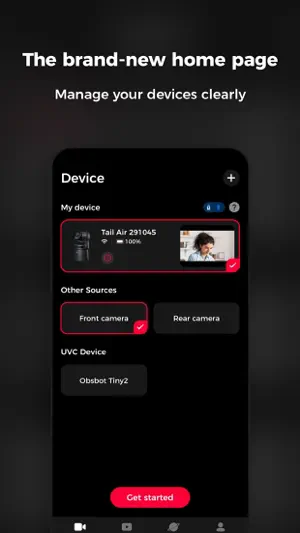
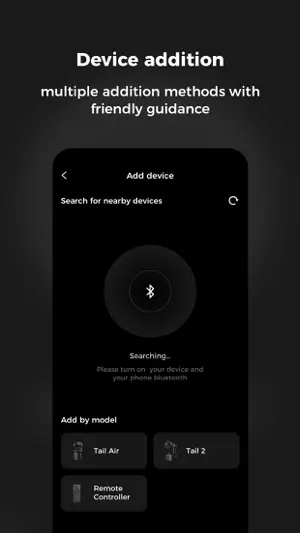
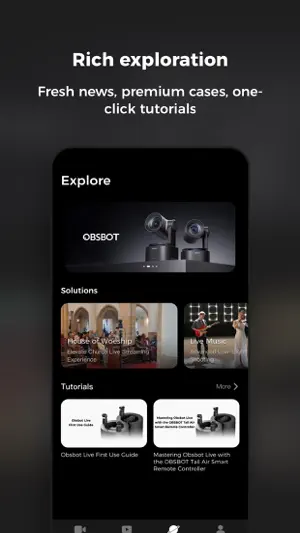
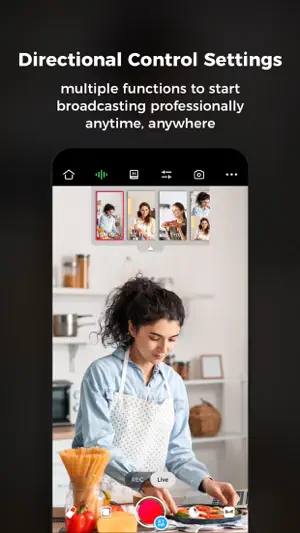
"Experience brand new multi-cam live streaming with the innovative OBSBOT Live Easy and Fast Control of Multiple OBSBOT Cameras Supports simultaneous connection to up to three OBSBOT camera devices via Bluetooth or Wi-Fi for PTZ control, AI Features, image parameter adjustment, and multi-camera recording control. Start Multi-camera Live Streaming Anytime, Anywhere The software supports mainstream social live-streaming platforms. After logging in and authorizing the corresponding accounts and connecting multiple OBSBOT cameras, you can start multi-camera video recording/live streaming anytime, anywhere. Landscape and Portrait View Obsbot Live has been adapted for landscape and portrait views. Users can choose the orientation that meets their current needs for live streaming and video recording based on personal habits and usage scenarios. Convenient Canvas Switching After detecting the video stream, the software can automatically recognize and fill in the video content and overlay it on the built-in canvas features. Users can also manually adjust the canvas content and customize their multi-camera live streaming canvas. Clear Audio Mixer With our advanced built-in audio mixer panel, users can monitor and manage the audio status of the currently connected devices, achieving integrated management of audio and video to ensure a high-quality multi-cam live streaming experience. Perfectly matched with Tail Air Smart Remote Controller With Tail Air Smart Remote Controller, your multi-camera control experience will be taken to the next level. Its easy-to-understand operation logic allows you to immediately experience device switching, more realistic button control, or futuristic Motion Control of the PTZ! OBSBOT aims to provide a simpler and more energetic way to enjoy video shooting and live streaming. Record and share your life moments on air with dynamic video language and limitless imagination. If you have any suggestions while using OBSBOT, feel free to write to [email protected]. We value every communication with you."
Ratings & reviews
2.0
13 ratings
What’s new
Version 1.6.0 · Updated August 10, 2026
1. Optimize the audio mixer's operational feedback. 2. Improve the single/multi-platform streaming configuration experience. 3. Fix known bugs.
App privacy
The developer, Remo Tech Co.,Ltd, reported these privacy practices to Apple.
Data Linked to You
The following data, which may be collected and linked to your identity, may be used for the following purposes:
- Location: Precise Location
- Contact Info: Email Address, Name, Phone Number
- Identifiers: User ID, Device ID
- Diagnostics: Crash Data, Performance Data
Used for: App Functionality
Alternatives to Obsbot Live
Looking for apps like Obsbot Live? Here are 6 similar apps on the App Store. The highest rated is MixEffect (Trial & Pro Unlock) (4.7/5), and 5 of the 6 are free to download.
-
 NDI Multiview
4.0
NDI Multiview
4.0
-
 TopDirector (NDI,SRT,UVC,RTSP)
4.1
TopDirector (NDI,SRT,UVC,RTSP)
4.1
-
 NDI Monitor Pro
4.3
NDI Monitor Pro
4.3
-
 USB Camera to NDI
3.9
USB Camera to NDI
3.9
-
 MixEffect (Trial & Pro Unlock)
4.7
MixEffect (Trial & Pro Unlock)
4.7
-
 NDI Camera: Easy Streaming
3.1
NDI Camera: Easy Streaming
3.1
| App | Rating | Price | Last updated | Compare |
|---|---|---|---|---|
| Obsbot Live | 2.0 / 5 (13 ratings) | Free | August 10, 2026 | |
| NDI Multiview | 4.0 / 5 (127) | Free | Sep 17, 2026 | Compare |
| TopDirector (NDI,SRT,UVC,RTSP) | 4.1 / 5 (113) | Free | Sep 15, 2026 | Compare |
| NDI Monitor Pro | 4.3 / 5 (140) | Free | Sep 24, 2026 | Compare |
| USB Camera to NDI | 3.9 / 5 (100) | Free | Jun 8, 2026 | Compare |
| MixEffect (Trial & Pro Unlock) | 4.7 / 5 (131) | Free | Jan 20, 2026 | Compare |
| NDI Camera: Easy Streaming | 3.1 / 5 (186) | 19.99 USD | Mar 16, 2026 | Compare |
Compare Obsbot Live with the top alternatives: ratings, updates, ASO score and keyword gaps →