

File Musician
Hideaki KISHI Music iPhoneiPadiPod touch
File Musician is a free Music app for iPhone and iPad by Hideaki KISHI. Requires iOS 26.0. Updated September 13, 2026.
- Price
- Free
- on the App Store
- Size
- 4 MB
- Age 4+
- Updated
- Sep 13
- 2026 · v1.1
Screenshots



About File Musician
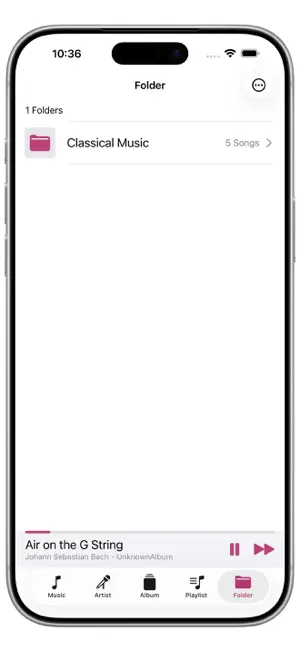
From the Files app, you can load and play music files saved in a folder named “FileMusician” located in “On This iPhone.” You can also load music files that remain inside folders, and view and play them organized by folder. It supports file formats such as MP3, AAC, and WAV. It supports background playback, and you can control playback from the Control Center. It also features an equalizer. If you organize and save your music by folder, you can load and play each folder individually. It features an equalizer.
What’s new
Version 1.1 · Updated September 13, 2026
We've separated shuffle playback and repeat settings. We've added a volume slider. We've added support for LiquidGlass. We've added support for English. You can now access the support form directly from within the app.
App privacy
The developer, Hideaki KISHI, reported these privacy practices to Apple.
Data Not Collected
The developer does not collect any data from this app.
Alternatives to File Musician
Looking for apps like File Musician? Here are 6 similar apps on the App Store. The highest rated is Luxe Player (5.0/5), and all 6 are free to download.


| App | Rating | Price | Last updated | Compare |
|---|---|---|---|---|
| File Musician | – | Free | September 13, 2026 | |
| Simply Music Player | – | Free | Jun 9, 2026 | Compare |
| AutoPlay -シャッフル音楽プレイヤー | – | Free | Jun 1, 2026 | Compare |
| music Kuro | – | Free | Sep 25, 2026 | Compare |
| SesBox | – | Free | May 22, 2025 | Compare |
| DT-Player | – | Free | Jun 18, 2026 | Compare |
| Luxe Player | 5.0 / 5 (1) | Free | Jan 23, 2026 | Compare |
Compare File Musician with the top alternatives: ratings, updates, ASO score and keyword gaps →