

簡錢 Symoney® - Personal Finance
FuzzyEra Softworks LLC Finance iPhoneiPadiPod touch
簡錢 Symoney® - Personal Finance is a free Finance app for iPhone and iPad by FuzzyEra Softworks LLC. Rated 4.9/5 from 26 ratings. Requires iOS 16.0.
- Rating
- 4.9
- 26 ratings
- Price
- Free
- on the App Store
- Size
- 29 MB
- Age 4+
- Updated
- Oct 21
- 2026 · v1.14.0
Screenshots

About 簡錢 Symoney® - Personal Finance
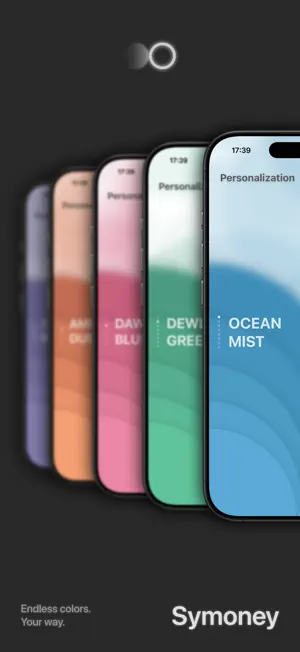
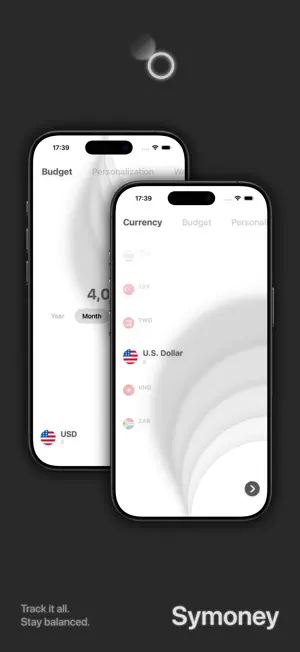
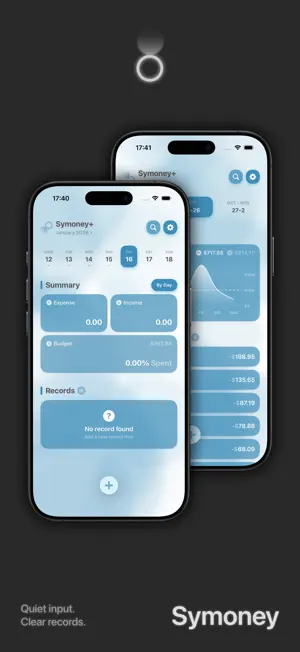
Symoney® is a lightweight expense tracker built for minimalists. I left out unnecessary features and complicated steps to focus on a fast, practical and good-looking way to keep track of your money, so you can see where it goes with fewer taps. CORE FEATURES • Fast entry: simple controls, log a transaction in seconds • Themes: 8 color themes, with an optional dynamic background • Stats & Charts: income and expense trends and category stats at a glance • Multi-currency: foreign amounts converted automatically, exchange rates updated daily • Global Search: search by category, notes, amount and more to find past transactions fast • Budgets: set a yearly, monthly, weekly or daily budget, with a custom start day for monthly budgets • Card Holder: manage your cards and payment platforms in one place, with statement day and due day reminders for credit cards SYMONEY+ FEATURES (subscription or one-time lifetime purchase) • Natural Input: log a transaction in one sentence • Holiday theme: holiday decorations on the main page • Photos: add photos to any transaction for a fuller record • Tags: organize transactions more flexibly, with clearer stats • Smart Search: describe what you're looking for in one sentence • Location: save where you spent money, easy to look back on later • Unlimited cards: add as many cards as you like (the free version allows 2) • Smart Quick Record (Shortcuts): reads the bill on screen and logs it in one tap • Recurring payments: subscriptions, rent and other regular costs logged automatically, with installment support Note: Natural Input, Smart Search and Smart Quick Record require your own AI provider API key, entered in Settings > Quick Record. The provider may charge separately. DATA & PRODUCTIVITY • Privacy: optionally require Face ID / Touch ID to open Symoney • iCloud Sync: sync across devices, with optional automatic backup to iCloud Drive • Assisted Quick Record (Shortcuts): reads the amount on screen so you can log it in a few steps • Widgets: Home Screen and Lock Screen widgets to check your numbers or add a transaction quickly • Import & Export: import transactions from WeChat, Alipay and several budgeting apps, and export to CSV FROM THE DEVELOPER The idea behind Symoney is simple: I wanted a budgeting app I'd actually want to open every day. Many apps either pack in so many features that they get more complicated the more you use them, or are so stripped down that they fall short when it matters. Symoney aims to be a more balanced choice: it stays light, but the features you really use are done properly. The name Symoney comes from Symphony and Money. A symphony feels orderly and harmonious, and that's how I want Symoney to feel: a clean interface, smooth controls, clear records and easy-to-read stats. To me, minimalism doesn't mean cutting as many features as possible. It means keeping only what's needed and making every detail feel right. If you'd like budgeting to be an easy part of your day instead of a chore you have to stick with, I hope Symoney helps. You can send me your thoughts, suggestions or problems through Feedback in Settings, and I'll keep improving it to fit how people really use it. SYMONEY GUIDE https://www.fuzzyerasoftworks.top/ TERMS OF USE https://www.apple.com/legal/internet-services/itunes/dev/stdeula/
Ratings & reviews
4.9
26 ratings
What’s new
Version 1.14.0 · Updated October 21, 2026
New Features 1. iPhone Duo: Fully optimized for the larger iPhone Duo screen. 2. Apple Intelligence (Symoney+): Smart Quick Record now works with Apple Intelligence, no API key needed (requires iOS 27 on a supported device). Improvements 1. Improved page margins. 2. Smoother background bubble motion. 3. Currency search now accepts spaces. 4. Backup and restore now show an error message when they fail. 5. Improved Smart Quick Record response times and error messages. 6. Background bubbles stay still when Reduce Motion or Low Power Mode is on. Fixes 1. Fixed missing transactions after switching back from smart search. 2. Fixed swiping right after leaving the theme page changing the theme. 3. Fixed the budget widget showing wrong values and auto backup replacing older backups. 4. Fixed the amount and exchange rate of foreign-currency transactions changing unexpectedly. 5. Fixed camera issues, locations that couldn't be removed and missing buttons on the add page. 6. Fixed calculator results, dates in CSV imports and new categories that couldn't be selected. 7. Fixed a transaction's location sometimes being cleared while editing, or saved after canceling. 8. Fixed transactions expanding on their own, double vibrations and a crash on the recurring payments page.
App privacy
The developer, FuzzyEra Softworks LLC, reported these privacy practices to Apple.
Data Not Collected
The developer does not collect any data from this app.
Alternatives to 簡錢 Symoney® - Personal Finance
Looking for apps like 簡錢 Symoney® - Personal Finance? Here are 6 similar apps on the App Store. The highest rated is 速记账单 - 无广告自动记账软件 (5.0/5), and all 6 are free to download.
-
 速记账单 - 无广告自动记账软件
5.0
速记账单 - 无广告自动记账软件
5.0
-
 Subscription Manager - Reko
4.6
Subscription Manager - Reko
4.6
-
 BeanLedger: Expense Tracker
5.0
BeanLedger: Expense Tracker
5.0
-
 MONO - AI Expense Tracker
4.6
MONO - AI Expense Tracker
4.6
-
 徕财
4.7
徕财
4.7
-
 Tally AI Expense Tracker & Log
4.9
Tally AI Expense Tracker & Log
4.9
| App | Rating | Price | Last updated | Compare |
|---|---|---|---|---|
| 簡錢 Symoney® - Personal Finance | 4.9 / 5 (26 ratings) | Free | October 21, 2026 | |
| 速记账单 - 无广告自动记账软件 | 5.0 / 5 (5) | Free | Jul 26, 2026 | Compare |
| Subscription Manager - Reko | 4.6 / 5 (97) | Free | Jun 17, 2026 | Compare |
| BeanLedger: Expense Tracker | 5.0 / 5 (2) | Free | Oct 27, 2026 | Compare |
| MONO - AI Expense Tracker | 4.6 / 5 (14) | Free | Oct 26, 2026 | Compare |
| 徕财 | 4.7 / 5 (3) | Free | Dec 30, 2025 | Compare |
| Tally AI Expense Tracker & Log | 4.9 / 5 (14) | Free | Oct 7, 2026 | Compare |