

Layerz App Designer
Layerz Corp. Graphics & Design iPhoneiPadiPod touchMac
Layerz App Designer is a free Graphics & Design app for iPhone and iPad by Layerz Corp. Requires iOS 18.1. Updated October 26, 2026.
- Price
- Free
- on the App Store
- Size
- 71 MB
- Age 4+
- Updated
- Oct 26
- 2026 · v4.3.0
Screenshots


About Layerz App Designer
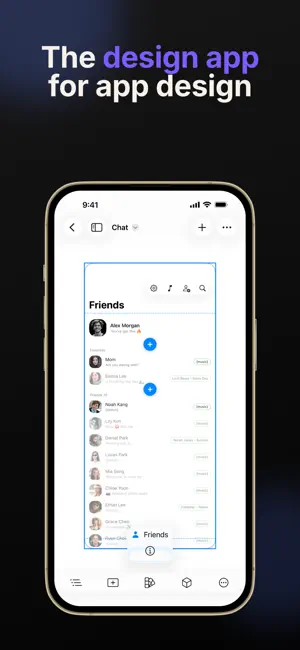
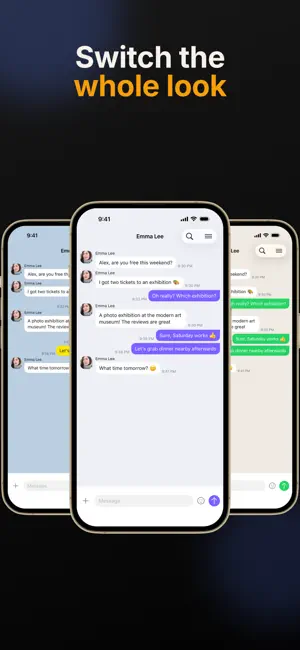
Layerz — Design Your App Layerz is a visual design tool for creating interactive, working iOS app designs — made of real native components. Define design, data, behavior, media, and live API connections in one place. Made for Creators - Designers creating interactive designs that actually work - Developers prototyping ideas fast - Makers bringing app ideas to life visually Design Native Design with real iOS components, not lookalikes. - Actual native components — buttons, lists, maps, web views, video, Lottie, link previews - Charts — bar, line, area, point, and pie, drawn from your data - Real Auto Layout, responsive on every screen size - Design System — color & typography tokens grouped into themes; switch a theme to re-skin your whole app - Turn any design into a reusable component Make It Stand Out Rich styling, ready in a tap. - Shapes — stars, blobs, waves, hearts, polygons, or your own SVG — and clip any view to a shape - Gradients with many colors and any angle, on backgrounds, text, and borders — plus slowly drifting mesh gradients - Layered shadows and glows, grain texture, blend modes, and one-tap style presets - Motion in the preview: appear animations with stagger, press effects, and SF Symbol effects - Bottom sheets, long-press context menus, smooth corners, letter spacing and line height - Import your own fonts Start fast: pick a genre template in one of three styles, then compose screens from ready-made sections and patterns. An interactive tour teaches the building blocks hands-on, right in the editor. Or open an interactive app design template — chat, banking, streaming, food delivery, language learning, focus timer, habits and more — preview it, then make it yours. Media & Services Bring your app to life beyond the screen. - Lottie animations, video, and audio assets — imported once, used anywhere - Services react to timers, battery, and connectivity: run an Action Flow or write readings straight into your data Design with Data Create and manage your own data directly inside Layerz. - Define custom data schemas, enums, and dates - Filter and sort lists with live conditions - Bind comparisons (true/false) for conditional UI like selection highlights - Reshape API data to fit your UI model with Data Transformers - Save data to disk — it's restored on the next run When data changes, UI updates automatically. Action Flow Action Flow lets you define how your app behaves. - Navigate between screens - Manipulate data and call APIs - Branch on conditions — if this, then that - Loop over arrays with For Each, and stop early with Guard - Control video, Lottie, and web views - Alerts, input prompts, sharing, sounds, haptics Connect Action Flows to events (button tap, screen load, etc.) — plus menus and enum-bound controls that write straight to your data. API Integration Connect your app to the real world. - Configure HTTP endpoints (GET, POST, and more) - Import OpenAPI / Swagger specs from a file or URL - Authentication, retries, and per-status responses - Bind responses straight to your UI Your prototype talks to real data. Cross-Platform Design across all your Apple devices. - iPhone - iPad Work seamlessly wherever you are. Free & Pro Start free: open any template and edit it, and keep one project — with everything inside: every design feature and theme, data, Action Flows, APIs, services, and the live preview. Pro (subscription) adds unlimited projects in Files and iCloud, and export: screen images and PDF, preview videos, design tokens, and project files. Terms of Use: https://www.apple.com/legal/internet-services/itunes/dev/stdeula/ Privacy Policy: https://is.gd/hYxRSE We always welcome feedback. [email protected]
What’s new
Version 4.3.0 · Updated October 26, 2026
Make it stand out. - Shapes — stars, blobs, waves, hearts, polygons, or your own SVG — and clip any view to a shape - Gradients with many colors and any angle, on backgrounds, text, and borders, plus drifting mesh gradients - Layered shadows and glows, grain texture, blend modes, and one-tap style presets - Motion in the preview — appear animations with stagger, press effects, and SF Symbol effects - Bottom sheets, long-press context menus, smooth corners, letter spacing and line height - 3D View in the iPad preview — turn the device while your design keeps responding - Export every screen as images or a PDF, and record the preview as a video (Pro)
App privacy
The developer, Layerz Corp., reported these privacy practices to Apple.
Data Not Linked to You
The following data, which may be collected but is not linked to your identity, may be used for the following purposes:
- Purchases: Purchase History
- Usage Data: Product Interaction
- Diagnostics: Crash Data
Used for: Analytics, App Functionality
Alternatives to Layerz App Designer
Looking for apps like Layerz App Designer? Here are 6 similar apps on the App Store. The highest rated is MeshPaper: Wallpaper Generator (5.0/5), and 4 of the 6 are free to download.
-
 MeshPaper: Wallpaper Generator
5.0
MeshPaper: Wallpaper Generator
5.0
-
 DynamicMe
3.8
DynamicMe
3.8
-
 Ed - Game Tile Editor
4.7
Ed - Game Tile Editor
4.7
-
 AI Background Eraser: CleanCut
4.9
AI Background Eraser: CleanCut
4.9
-
 Appmost Design: AI Prototyping
4.0
Appmost Design: AI Prototyping
4.0
-
 Mockview - Mockup Generator
4.6
Mockview - Mockup Generator
4.6
| App | Rating | Price | Last updated | Compare |
|---|---|---|---|---|
| Layerz App Designer | – | Free | October 26, 2026 | |
| MeshPaper: Wallpaper Generator | 5.0 / 5 (1) | Free | Oct 29, 2024 | Compare |
| DynamicMe | 3.8 / 5 (5) | 2.99 USD | Jan 19, 2026 | Compare |
| Ed - Game Tile Editor | 4.7 / 5 (3) | 14.99 USD | Jan 30, 2026 | Compare |
| AI Background Eraser: CleanCut | 4.9 / 5 (28) | Free | Oct 20, 2025 | Compare |
| Appmost Design: AI Prototyping | 4.0 / 5 (22) | Free | Oct 10, 2026 | Compare |
| Mockview - Mockup Generator | 4.6 / 5 (126) | Free | Oct 3, 2026 | Compare |