

Wispr Flow: AI Voice Keyboard
Wispr AI, Inc. Productivity iPhoneiPadiPod touch
Wispr Flow: AI Voice Keyboard is a free Productivity app for iPhone and iPad by Wispr AI, Inc. Rated 4.8/5 from 18,394 ratings. Requires iOS 18.3.
- Rating
- 4.8
- 18.3K ratings
- Price
- Free
- on the App Store
- Size
- 182 MB
- Age 4+
- Updated
- Oct 19
- 2026 · v1.78
Screenshots


About Wispr Flow: AI Voice Keyboard
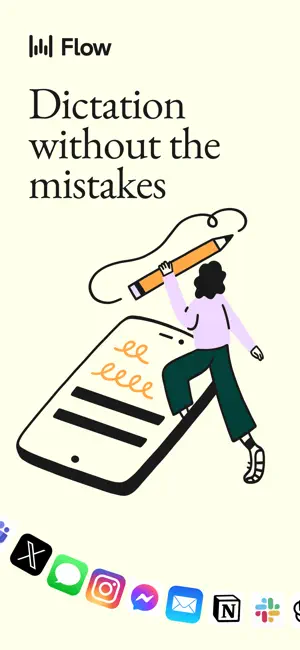
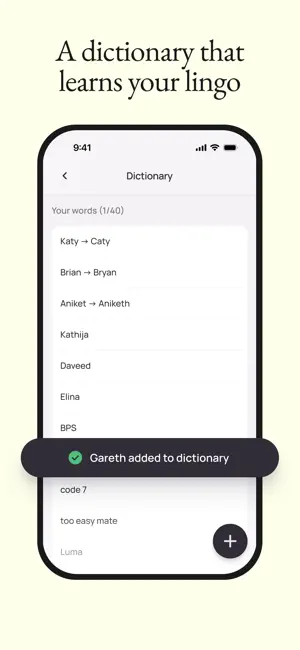
Talk naturally. Flow writes perfectly. Trusted by business leaders, creatives, students, and professionals to boost productivity every day. Wispr Flow is the AI voice keyboard and speech to text app built for speed and accuracy. It works inside any app—including Slack, Messages, Email, WhatsApp, ChatGPT, and Docs—instantly turning your spoken words into polished, formatted writing. Whether you’re taking quick notes, drafting long messages, or capturing detailed transcriptions, Flow is 4x faster than typing. Whether you are walking, commuting, or whispering around others, Flow refines and writes what you say. No filler words, no autocorrect fumbles, no awkward phrasing. Just fast, fluent writing that sounds like you. Why people choose Flow • World’s best voice‑first keyboard: Write with your voice in every application. Flow adapts tone and formatting for email, texting, and more. • AI‑polished output: Your voice, cleaned up and ready to send. No edits required. • Works in every app: From email to iMessage to Slack and Notion. • Natural talking only: No weird commands. Flow handles punctuation and formatting for you. • Learns your lingo: Add custom names, acronyms, and phrases with your personal dictionary. • Whisper to it: Dictate quietly without disturbing anyone nearby. • Quick capture notes: Use the shortcut to save ideas instantly and sync with the desktop app. • 100+ languages supported. Great for • Replying to emails while walking the dog • Drafting long documents on your commute • Responding to your team with full context, hands‑free • Capturing ideas after meetings or before bed Free to use with a weekly word limit. Upgrade to Pro for unlimited dictation and advanced features. Syncs with desktop apps on Mac and Windows. TERMS, PRIVACY & CONDITIONS Read on https://wisprflow.ai/terms-of-service and https://www.apple.com/legal/internet-services/itunes/dev/stdeula/
Ratings & reviews
4.8
18.3K ratings
What’s new
Version 1.78 · Updated October 19, 2026
We tuned up Flow to make it smoother than ever so that you can stop typing – and start speaking
App privacy
The developer, Wispr AI, Inc., reported these privacy practices to Apple.
Data Used to Track You
The following data may be used to track you across apps and websites owned by other companies:
- Identifiers: User ID, Device ID
- Usage Data: Advertising Data
Data Linked to You
The following data, which may be collected and linked to your identity, may be used for the following purposes:
- Contact Info: Email Address, Name
- Identifiers: User ID, Device ID
- Usage Data: Product Interaction, Advertising Data
- Diagnostics: Performance Data, Crash Data
Used for: Developer’s Advertising or Marketing, Analytics, App Functionality
Alternatives to Wispr Flow: AI Voice Keyboard
Looking for apps like Wispr Flow: AI Voice Keyboard? Here are 6 similar apps on the App Store. The highest rated is Granola - AI Meeting Notes (5.0/5), and all 6 are free to download.
-
 Granola - AI Meeting Notes
5.0
Granola - AI Meeting Notes
5.0
-
 Superwhisper - AI Dictation
4.4
Superwhisper - AI Dictation
4.4
-
 Grok Bot
4.9
Grok Bot
4.9
-
 Superhuman Mail
4.6
Superhuman Mail
4.6
-
 Voicenotes AI Notes & Meetings
4.8
Voicenotes AI Notes & Meetings
4.8
-
 Fireflies: AI notetaker
4.8
Fireflies: AI notetaker
4.8
| App | Rating | Price | Last updated | Compare |
|---|---|---|---|---|
| Wispr Flow: AI Voice Keyboard | 4.8 / 5 (18,394 ratings) | Free | October 19, 2026 | |
| Granola - AI Meeting Notes | 5.0 / 5 (14,637) | Free | Oct 27, 2026 | Compare |
| Superwhisper - AI Dictation | 4.4 / 5 (846) | Free | Oct 23, 2026 | Compare |
| Grok Bot | 4.9 / 5 (17,361) | Free | Oct 28, 2026 | Compare |
| Superhuman Mail | 4.6 / 5 (3,737) | Free | Oct 26, 2026 | Compare |
| Voicenotes AI Notes & Meetings | 4.8 / 5 (7,213) | Free | Oct 30, 2026 | Compare |
| Fireflies: AI notetaker | 4.8 / 5 (5,406) | Free | Oct 27, 2026 | Compare |