

AI Video Generator - Vimo AI
Mobile Ocean Photo & Video iPhoneiPadiPod touch
AI Video Generator - Vimo AI is a free Photo & Video app for iPhone and iPad by Mobile Ocean. Rated 4.3/5 from 860 ratings. Requires iOS 15.6.
- Rating
- 4.3
- 860 ratings
- Price
- Free
- on the App Store
- Size
- 105 MB
- Age 17+
- Updated
- Sep 17
- 2026 · v3.1.1
Screenshots

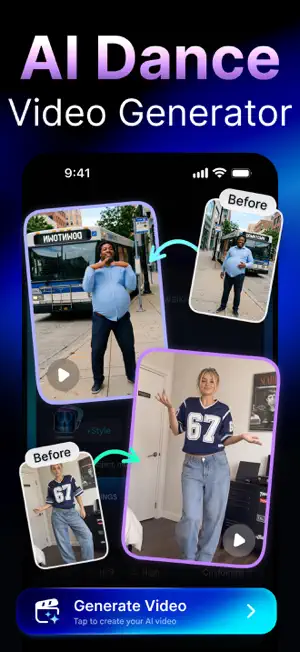
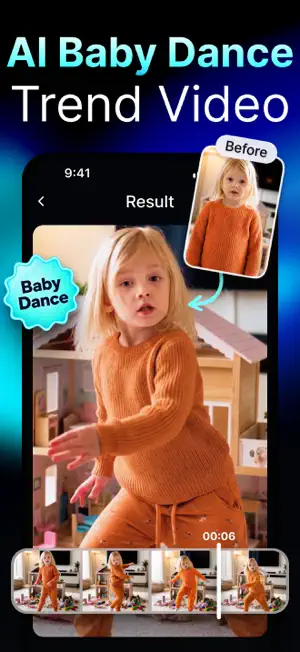

About AI Video Generator - Vimo AI
■ Create studio-quality videos without limits. ■ Vimo AI turns your text into AI videos in seconds. ■ Powerful AI effects and trend-ready video styles. Vimo is an intuitive and powerful AI Video Generator that transforms text and photos into captivating videos in seconds. Designed for creators, marketers, and storytellers, Vimo makes video creation effortless with advanced text-to-video and image-to-video technology. Vimo AI - AI Video Maker for Everyone Turn imagination into motion instantly. Simply describe what you want to see or upload a photo, and Vimo’s intelligent AI generates a cinematic video that brings your idea to life. No editing skills required — just input your vision and let AI handle the rest. Whether you’re creating content for social media, stories, ads, or personal projects, Vimo helps you produce high-quality, engaging videos that stand out. Key Features ■ Text-to-Video Turn ideas into dynamic, visually rich videos. Enter a short text prompt and watch Vimo transform your words into creative video scenes in seconds. ■ Image-to-Video Bring photos to life with realistic motion and cinematic depth. Animate portraits, objects, or memories using AI-powered motion effects. ■ Motion Control Effects Control how characters and subjects move with playful and expressive motion styles — from baby dance effects to energetic actions and smooth cinematic movements. ■ AI Animation Generate smooth movements and natural transitions that make videos feel professional and engaging. ■ Camera & Lighting Controls Experiment with camera angles, perspectives, and lighting styles to create the perfect mood for your story. ■ Custom Duration & Format Choose video length and aspect ratios optimized for Reels, TikTok, and YouTube Shorts. ■ Template Library Access a growing collection of templates inspired by popular trends, storytelling formats, and creative styles. ■ One-Tap Sharing Export and share your AI-generated videos instantly to your favorite social platforms. How to Use Vimo AI 1. Enter a text prompt or upload an image 2. Adjust style, lighting, and duration 3. Generate your video and share instantly Why Creators Choose Vimo Vimo is one of the most popular AI Video Generators, trusted by creators and businesses worldwide to turn ideas into videos faster than ever. With 10M+ videos created, Vimo makes it easy to produce eye-catching, high-quality content in seconds — no editing skills required. Download Vimo today and start turning your ideas into videos in seconds. Need help? Contact us at [email protected] Subscriptions & Terms - Some advanced features require a Premium subscription - Payment will be charged to your iTunes account after purchase confirmation - Subscriptions auto-renew unless canceled at least 24 hours before the end of the current period - You can manage or cancel subscriptions in your iTunes account settings - Learn more: http://support.apple.com/en-us/HT202039 - Privacy Policy: https://sites.google.com/view/vimo-ai-video-generator/privacy-policy - Terms of Use: https://sites.google.com/view/vimo-ai-video-generator/terms-of-use
Ratings & reviews
4.3
860 ratings
What’s new
Version 3.1.1 · Updated September 17, 2026
->Minor bug fixes and performance improvements
App privacy
The developer, Mobile Ocean, reported these privacy practices to Apple.
Data Used to Track You
The following data may be used to track you across apps and websites owned by other companies:
- Identifiers: User ID, Device ID
Data Linked to You
The following data, which may be collected and linked to your identity, may be used for the following purposes:
- Location: Precise Location
- Identifiers: User ID, Device ID
Used for: Analytics, App Functionality
Data Not Linked to You
The following data, which may be collected but is not linked to your identity, may be used for the following purposes:
- Usage Data: Product Interaction
- Diagnostics: Crash Data, Performance Data
- Other Data: Other Data Types
Used for: Analytics
Alternatives to AI Video Generator - Vimo AI
Looking for apps like AI Video Generator - Vimo AI? Here are 6 similar apps on the App Store. The highest rated is AI Avatar Generator - HeyGen (4.8/5), and all 6 are free to download.
-
 AI Video Generator-VideoMax
4.7
AI Video Generator-VideoMax
4.7
-
 Runway: AI Image & Video
4.5
Runway: AI Image & Video
4.5
-
 Create AI - Video Generator
4.4
Create AI - Video Generator
4.4
-
 AI Video Generator - AI Studio
4.7
AI Video Generator - AI Studio
4.7
-
 Hey AI: AI Video Generator
4.3
Hey AI: AI Video Generator
4.3
-
 AI Avatar Generator - HeyGen
4.8
AI Avatar Generator - HeyGen
4.8
| App | Rating | Price | Last updated | Compare |
|---|---|---|---|---|
| AI Video Generator - Vimo AI | 4.3 / 5 (860 ratings) | Free | September 17, 2026 | |
| AI Video Generator-VideoMax | 4.7 / 5 (13,144) | Free | Sep 29, 2026 | Compare |
| Runway: AI Image & Video | 4.5 / 5 (18,842) | Free | Oct 23, 2026 | Compare |
| Create AI - Video Generator | 4.4 / 5 (1,598) | Free | Oct 1, 2026 | Compare |
| AI Video Generator - AI Studio | 4.7 / 5 (5,126) | Free | Sep 11, 2026 | Compare |
| Hey AI: AI Video Generator | 4.3 / 5 (349) | Free | Oct 26, 2026 | Compare |
| AI Avatar Generator - HeyGen | 4.8 / 5 (29,881) | Free | Oct 27, 2026 | Compare |