

AnyCamera - Camera for OBS
雪芳 钟 Productivity iPhoneiPadiPod touch
AnyCamera - Camera for OBS is a free Productivity app for iPhone and iPad by 雪芳 钟. Rated 4.5/5 from 4 ratings. Requires iOS 17.4. Updated March 10, 2026.
- Rating
- 4.5
- 4 ratings
- Price
- Free
- on the App Store
- Size
- 9 MB
- Age 4+
- Updated
- Mar 10
- 2026 · v1.3.0
Screenshots
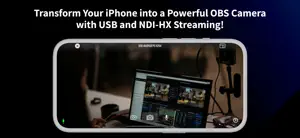
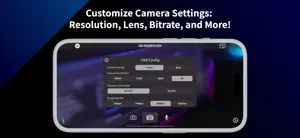
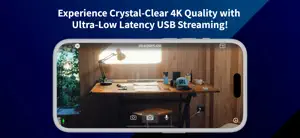

About AnyCamera - Camera for OBS
Feature Highlights: • High Quality Video The iPhone’s camera outperforms many expensive PC cameras on the market, delivering exceptional quality. You can use your mobile phone to produce high-quality live video broadcasts or recording sessions, including support for stunning 4K resolution. • USB Connection Stream with ultra-low latency and stable video quality using a direct USB connection. This method offers the best stability and the lowest delay, ensuring smooth and reliable performance for live broadcasts and recording sessions. To use this feature, please update the obs-anycamera plugin to version 1.2.0 or above. • RTMP Streamer When your computer is not at hand or you want to live broadcast outdoors, you can use AnyCamera to live broadcast directly from your iPhone anytime, anywhere, supporting RTMP / RTMPS. • Landscape & Portrait Modes Switching between landscape and portrait modes, simply rotate the orientation of your iPhone. All three streaming methods support seamless switching orientations without interrupting the streaming. * Terms & Conditions/EULA: https://www.freeprivacypolicy.com/live/f4ec7419-a8fa-48a1-864c-15cd72415404 * Privacy Policy: https://www.freeprivacypolicy.com/live/018cedb2-c3b2-47c6-b6ab-c72b5d412385 * Technical Support You can get user help and technical support on our official website. https://www.anycamera.io E-mail: [email protected]
What’s new
Version 1.3.0 · Updated March 10, 2026
Fix USB link how-to page and obs plugin download link NDI-HX support has been removed. Please use a USB (wired) connection instead.
App privacy
The developer, 雪芳 钟, reported these privacy practices to Apple.
Data Not Linked to You
The following data, which may be collected but is not linked to your identity, may be used for the following purposes:
- Usage Data: Advertising Data, Product Interaction, Other Usage Data
- Identifiers: Device ID
Used for: Third-Party Advertising, Analytics
Alternatives to AnyCamera - Camera for OBS
Looking for apps like AnyCamera - Camera for OBS? Here are 6 similar apps on the App Store. The highest rated is Ruko: Smart TV Remote Control (4.7/5), and all 6 are free to download.
-
 Ruko: Smart TV Remote Control
4.7
Ruko: Smart TV Remote Control
4.7
-
 OBS - Studio Camera
4.4
OBS - Studio Camera
4.4
-
 Hearing Aid App: Sound Booster
4.3
Hearing Aid App: Sound Booster
4.3
-
 Air Print & Smart Printer Scan
-
 LED Light Control Remote RGB !
4.7
LED Light Control Remote RGB !
4.7
-
 AI Note Taker - Audio to Text
4.4
AI Note Taker - Audio to Text
4.4
| App | Rating | Price | Last updated | Compare |
|---|---|---|---|---|
| AnyCamera - Camera for OBS | 4.5 / 5 (4 ratings) | Free | March 10, 2026 | |
| Ruko: Smart TV Remote Control | 4.7 / 5 (137) | Free | May 8, 2025 | Compare |
| OBS - Studio Camera | 4.4 / 5 (440) | Free | Sep 2, 2026 | Compare |
| Hearing Aid App: Sound Booster | 4.3 / 5 (457) | Free | Aug 6, 2025 | Compare |
| Air Print & Smart Printer Scan | – | Free | Jun 16, 2025 | Compare |
| LED Light Control Remote RGB ! | 4.7 / 5 (210) | Free | Aug 29, 2025 | Compare |
| AI Note Taker - Audio to Text | 4.4 / 5 (62) | Free | Apr 28, 2026 | Compare |