

A Okay, Safety Check Ins
A Okay, LLC Utilities iPhoneiPadiPod touch
A Okay, Safety Check Ins is a free Utilities app for iPhone and iPad by A Okay, LLC. Rated 5.0/5 from 4 ratings. Requires iOS 14.0. Updated April 23, 2026.
- Rating
- 5.0
- 4 ratings
- Price
- Free
- on the App Store
- Size
- 34 MB
- Age 4+
- Updated
- Apr 23
- 2026 · v1.1.2
Screenshots
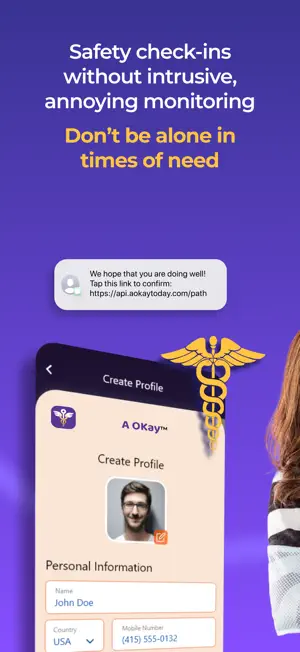


About A Okay, Safety Check Ins
Apart from ourselves, we all have family & friends we fret over, thinking: ‘My friend/relative lives alone; I wish there was an easy, non-intrusive way to make sure she/he is okay without having to text/call everyday!’ +Personal Safety for singles: Going on a first date—Great! Schedule a Check In, just 2 b sure things are secure! A Okay acts as your personalized sentinel, looking out for you & loved one’s safety, while preserving your privacy! Prepare for unexpected emergencies with bespoke check ins! We notify your emergency contact(s) if you miss a scheduled check in. Simply input your well-check alert preferences & choose an in-case-of-emergency (ICE) contact. Your emergency contact does not need to be an A Okay user or subscribed to the app. How It Works 1. We’ll take care of confirmation with your emergency contact. 2. If your in-case-of-emergency contact declines, we’ll let you know and you can select another. 3. Once your in-case-of-emergency contact accepts, your first wellness check-in will arrive at your selected time. 4. If you don’t respond to a check-in alert, we will send you a reminder alert before an emergency notification goes out. 5. Then we’ll notify your emergency contact that you have not responded to your wellness check and they should check on you. 6. After an emergency notification is sent, you will need to confirm your wellness from within the app before your wellness check alerts will resume. A Okay Features: Create Your Wellness Check • Timed Space—hours between wellness-check alerts. • Time of Day—to receive your wellness-check alert. • Time Interval to notify emergency contact in case of non-response after a wellness check alert. • Easily change any of your selected preferences and information from the home screen of the app. Customize Your Alerts • Vacation Mode: to pause receiving alerts. • Notify the Local Police Department (NLPD): add an extra layer of protection. This function requires local police participation with our app; see link at the end of the description for additional details/requirements Tips for the Best Results • Choose a time(s) of day for your Well-Check Alert when you will be close to your phone, and the phone is on with volume loud enough for you to hear your incoming alert. • Think of your Wellness-Check Alerts as akin to any other daily health routine, such as flossing or a daily shower/bath. As with any new routine, you may miss a few alerts as you get started. Remember to restart your alerts by: • Responding to the most recent A Okay Wellness Check SMS • Tapping on link • Clicking on OK or All Clear/Resume Service message inside the app A Okay was developed for anyone who values regular check-ins to assure they are Alert Safe & Responsive. Peace of mind! • Those who live alone or work remotely/late shift • Whose spouse/partner is traveling • Backpackers/hikers/travelers • Taking a new medication • Single parents/caregivers • Single-person household with pets • College bound/ dating singles • Substance users/post surgery/diabetic • At risk domestic violence Subscriptions: Enjoy your first 14 days of A Okay for free. Then use the menu icon on the home screen to choose your auto-renewing subscription plan; we’ll remind you prior to the end of your Free Plan! We offer the Standard Plan & an Ad-Free Plan. 1. The Standard Plan may include advertisements when interacting with the app; it is billed half yearly and payment will be charged to iTunes Account at confirmation of purchase. 2. The Ad-Free Plan is billed annually and payment will be charged to iTunes Account at confirmation of purchase. Your subscription automatically renews unless auto-renew is turned off at least 24-hours before the end of the current period. You can turn off the auto-renewal on your iTunes Account Settings, but you cannot cancel the currently active subscription period. Privacy Policy: https://www.aokaytoday.com/privacyPolicy/ Terms of Use: https://www.aokaytoday.com/termsOfUse/
What’s new
Version 1.1.2 · Updated April 23, 2026
- Minor Bug Fixes
Alternatives to A Okay, Safety Check Ins
Looking for apps like A Okay, Safety Check Ins? Here are 6 similar apps on the App Store. The highest rated is Safeguard Locks (5.0/5), and all 6 are free to download.
-
 I’m Okay: Daily Safety Checkin
4.2
-
 ImOK - Safety Check
-
 AlivePing Check-in
-
 Help Alert
-
 Safeguard Locks
5.0
-
 I'm Alive: Daily Check-In
4.7
| App | Rating | Price | Last updated | Compare |
|---|---|---|---|---|
| A Okay, Safety Check Ins | 5.0 / 5 (4 ratings) | Free | April 23, 2026 | |
| I’m Okay: Daily Safety Checkin | 4.2 / 5 (22) | Free | Sep 7, 2026 | Compare |
| ImOK - Safety Check | – | Free | Mar 11, 2026 | Compare |
| AlivePing Check-in | – | Free | Apr 8, 2026 | Compare |
| Help Alert | – | Free | Aug 26, 2026 | Compare |
| Safeguard Locks | 5.0 / 5 (1) | Free | Jan 22, 2024 | Compare |
| I'm Alive: Daily Check-In | 4.7 / 5 (10) | Free | Oct 23, 2026 | Compare |