

Flyleaf: Read Later
Maximilian Melzer News iPhoneiPadiPod touchMac
Flyleaf: Read Later is a free News app for iPhone and iPad by Maximilian Melzer. Rated 4.9/5 from 89 ratings. Requires iOS 17.0. Updated September 11, 2026.
- Rating
- 4.9
- 89 ratings
- Price
- Free
- on the App Store
- Size
- 33 MB
- Age 17+
- Updated
- Sep 11
- 2026 · v2.6.3
Screenshots
About Flyleaf: Read Later
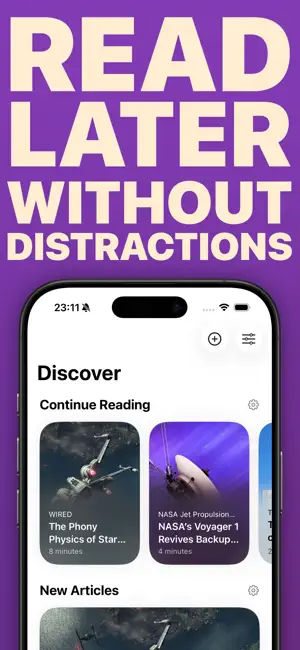
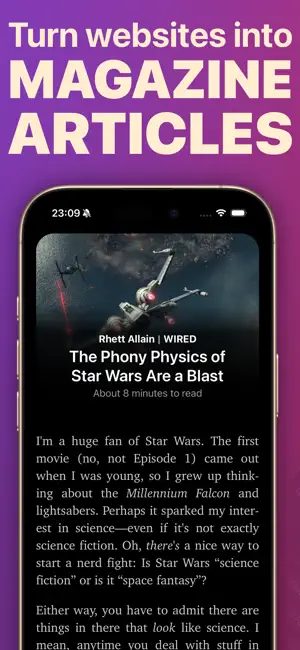
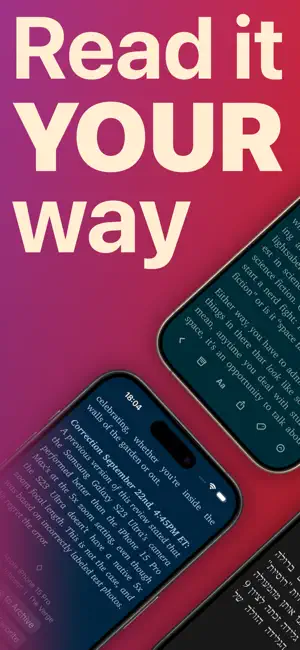
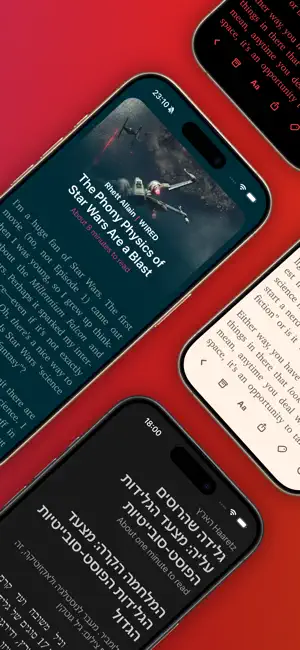
Flyleaf is a “read-later” app that displays saved articles from the web in a meticulously designed reading view, without popups, ads or other distractions. SAVE ARTICLES FROM THE WEB Use the share sheet from anywhere to save interesting links to Flyleaf. There is also an easy-to-use bookmarklet if you need it. READ LATER WITHOUT DISTRACTIONS Flyleaf takes web pages and removes everything inessential, like popups, ads and trackers, to preserve your privacy and sanity. TURN WEBSITES INTO MAGAZINE ARTICLES With Flyleaf's best-in-class book-like pagination, you can read articles page by page instead of scrolling vertically. READ IT YOUR WAY Flyleaf offers many ways to customize your reading experience, such as color themes and in-depth typography settings. DISCOVER WHAT TO READ NEXT Once your list of saved articles grows, it's easy to lose track. Flyleaf helps you to always discover fresh articles from your list. SYNC WITH ICLOUD Flyleaf uses iCloud to securely sync articles and reading progress between your devices – no additional signups needed. STAY ORGANIZED WITH TAGS You can add your own tags to articles to organize your library. READ ANYWHERE YOU GO Enjoy fully native apps for iPhone, iPad, and macOS, lovingly crafted by indie developer Max Melzer. READ IN FULL SCREEN Remove all distractions and focus on the text by entering fullscreen mode. You can still access all the controls you need through an intuitive gesture interface. LOAD ARTICLES FROM ARCHIVE.TODAY IN ONE TAP Sometimes, an article may not be available in your region or without logging in. Flyleaf lets you effortlessly access many of them from a web archive instead. AUTOMATE ACTIONS WITH SHORTCUTS AND SIRI Flyleaf offers a comprehensive list of Shortcuts actions, so you can add URLs via Siri or build Shortcuts to automatically tag articles. Flyleaf is free to use and offers an optional subscription for advanced features such as themes, tags and the archive.today integration. Privacy Policy: https://flyleafapp.com/privacy/ Terms of Use: https://flyleafapp.com/terms/
Ratings & reviews
4.9
89 ratings
What’s new
Version 2.6.3 · Updated September 11, 2026
Get Flyleaf ready for the next version of iOS and macOS: With this update, Flyleaf gets more connected to your device thanks to Siri AI and Spotlight support. This update also makes subscriptions more robust and smooths out a few bugs and UI rough edges. ### New Features - Siri AI can now work with articles and tags in Flyleaf - Articles and tags can now be found as search results in iOS and macOS Spotlight ### Improvements - UI tweaks for the latest iOS and macOS versions - iOS: Gesture improvements - macOS: Improved list keyboard focus and navigation handling - When resubscribing after a subscription expired, your previously configured subscription-only settings are automatically restored ### Bug fixes - Fixed an issue where the subscription status was temporarily lost when launching Flyleaf while offline - macOS: The "Toggle Sidebar" was sometimes missing from the toolbar
App privacy
The developer, Maximilian Melzer, reported these privacy practices to Apple.
Data Not Collected
The developer does not collect any data from this app.
Alternatives to Flyleaf: Read Later
Looking for apps like Flyleaf: Read Later? Here are 6 similar apps on the App Store. The highest rated is GoodLinks (4.7/5), and 5 of the 6 are free to download.
-
 Later | Save Links, Read Later
4.5
Later | Save Links, Read Later
4.5
-
 Couch – Read Later
4.5
Couch – Read Later
4.5
-
 GoodLinks
4.7
GoodLinks
4.7
-
 ReadKit - Reading Hub
4.4
ReadKit - Reading Hub
4.4
-
 Unread: An RSS Reader
4.6
Unread: An RSS Reader
4.6
-
 Queue - Simple Podcasts
4.3
Queue - Simple Podcasts
4.3
| App | Rating | Price | Last updated | Compare |
|---|---|---|---|---|
| Flyleaf: Read Later | 4.9 / 5 (89 ratings) | Free | September 11, 2026 | |
| Later | Save Links, Read Later | 4.5 / 5 (171) | Free | Sep 15, 2026 | Compare |
| Couch – Read Later | 4.5 / 5 (24) | Free | Aug 30, 2026 | Compare |
| GoodLinks | 4.7 / 5 (637) | 9.99 USD | Sep 23, 2026 | Compare |
| ReadKit - Reading Hub | 4.4 / 5 (125) | Free | Jun 25, 2026 | Compare |
| Unread: An RSS Reader | 4.6 / 5 (442) | Free | Sep 20, 2026 | Compare |
| Queue - Simple Podcasts | 4.3 / 5 (86) | Free | Aug 10, 2025 | Compare |