

Car Cast - Screen Mirror
Toxic Degu Ltd Utilities iPhoneiPadiPod touch
Car Cast - Screen Mirror is a free Utilities app for iPhone and iPad by Toxic Degu Ltd. Rated 3.2/5 from 97 ratings. Requires iOS 15.0.
- Rating
- 3.2
- 97 ratings
- Price
- Free
- on the App Store
- Size
- 87 MB
- Age 4+
- Updated
- Oct 29
- 2026 · v2026.10.27
Screenshots


About Car Cast - Screen Mirror
Transform your car's main display into a smart extension of your iPhone with Car Cast. Designed for ultimate convenience, Car Cast enables you to mirror your iPhone's screen to your car's display, ensuring you stay connected, entertained, and informed, whether you're parked or on the move. Never let an important notification slip by while driving again! Key Features: • Easy setup: Follow our simple instructions to screen mirror your iPhone to your car's display. • Flexibility: Whether you're parked or driving, Car Cast adjusts to your needs. • Park mode: Cast movies, TV shows or live sport streamed by mirroring your phone to your car screen • Drive mode: Keep track of important notifications, use your preferred sat nav app or music player • Enhanced connectivity: Screen mirror iPhone apps like Zoom, MS Teams, and Google Meet to leverage your car's display for video calls. Car Cast is compatible with: Tesla Model S Tesla Model 3 Tesla Model X Tesla Model Y Car Cast works as a great alternative to Apple Car Play which is not available for Tesla vehicles. It works as a Tesla mirror utility that can use your Tesla's Premium Connectivity or phone tethering, coupled with WiFi or your phone's 4G/5G to stream your display in real-time to your main Tesla display. Technical information Your car must have MCU2 or greater to stream video in Park mode (typically cars newer than March 2018 are compatible). For Drive mode to function, your vehicle must allow the web browser to be used when driving. Other cars may be compatible if they have a modern Chromium based web browser. Car Cast: The ultimate iPhone cast to car experience Streamline your in-car experience with screencast and car cast features that bring your favorite content and apps from your iPhone to your vehicle's display. From mirroring phone content in your car to using alternative sat nav or maps applications, Car Cast enriches your driving experience. Some apps with copyrighted content (Apple TV, Netflix or Amazon Prime for example) will not work when using screen mirroring with Car Cast. In the case of protected content, a black screen will appear. This is not a fault of Car Cast, but rather a feature added by the content providers. Payments and Renewal: Free plan includes 1 hour of streaming per month. Car Cast Premium requires a subscription either paid renewal subscription or a one time payment for lifetime usage. Payment will be charged to iTunes Account at confirmation of purchase. Subscription automatically renews unless auto-renew is turned off at least 24-hours before the end of the current period. Account will be charged for renewal within 24-hours prior to the end of the current period. You can manage or turn off auto-renew in your Account settings at any time after purchase. No cancellation of the current subscription is allowed during the active period. Terms of Use: https://carcastapp.com/terms.html Privacy policy: https://carcastapp.com/privacy.html This app is not affiliated with, endorsed by, or sponsored by Tesla, Inc. All trademarks and logos related to Tesla are the property of Tesla, Inc.
Ratings & reviews
3.2
97 ratings
What’s new
Version 2026.10.27 · Updated October 29, 2026
Rebuilt Car Cast from the ground up. - All-new design with light and dark mode - Much lower latency in Park mode - your phone now connects directly to your Tesla where possible - Stereo audio support - Fixed various usability bugs and performance issues
App privacy
The developer, Toxic Degu Ltd, reported these privacy practices to Apple.
Data Used to Track You
The following data may be used to track you across apps and websites owned by other companies:
- Identifiers: User ID, Device ID
- Usage Data: Product Interaction, Advertising Data
Data Linked to You
The following data, which may be collected and linked to your identity, may be used for the following purposes:
- Identifiers: User ID, Device ID
- Usage Data: Advertising Data, Product Interaction
- Location: Coarse Location
- Contact Info: Email Address
- Diagnostics: Crash Data
Used for: Developer’s Advertising or Marketing, Analytics, App Functionality
Alternatives to Car Cast - Screen Mirror
Looking for apps like Car Cast - Screen Mirror? Here are 6 similar apps on the App Store. The highest rated is CarLink: Car Sync Play Connect (4.5/5), and all 6 are free to download.
-
 CarLink: Car Sync Play Connect
4.5
CarLink: Car Sync Play Connect
4.5
-
 Cartube Plus - Sync Car & Play
4.3
Cartube Plus - Sync Car & Play
4.3
-
 XMirror - Screen Mirror
3.0
XMirror - Screen Mirror
3.0
-
 TslaMirror
3.7
TslaMirror
3.7
-
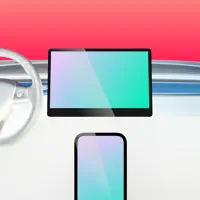 Screencast • mirroring for car
3.4
Screencast • mirroring for car
3.4
-
 MirrorAPP+
1.9
MirrorAPP+
1.9
| App | Rating | Price | Last updated | Compare |
|---|---|---|---|---|
| Car Cast - Screen Mirror | 3.2 / 5 (97 ratings) | Free | October 29, 2026 | |
| CarLink: Car Sync Play Connect | 4.5 / 5 (963) | Free | Oct 28, 2026 | Compare |
| Cartube Plus - Sync Car & Play | 4.3 / 5 (309) | Free | Dec 4, 2024 | Compare |
| XMirror - Screen Mirror | 3.0 / 5 (14) | Free | Jul 30, 2026 | Compare |
| TslaMirror | 3.7 / 5 (27) | Free | Oct 25, 2026 | Compare |
| Screencast • mirroring for car | 3.4 / 5 (8) | Free | Dec 18, 2025 | Compare |
| MirrorAPP+ | 1.9 / 5 (55) | Free | Aug 5, 2026 | Compare |