

Secret Photo Vault: SafeCalc
Jayotsanaben Hadiya Photo & Video iPhoneiPadiPod touch
Secret Photo Vault: SafeCalc is a free Photo & Video app for iPhone and iPad by Jayotsanaben Hadiya. Rated 4.4/5 from 7 ratings. Requires iOS 15.0.
- Rating
- 4.4
- 7 ratings
- Price
- Free
- on the App Store
- Size
- 32 MB
- Age 17+
- Updated
- Jul 5
- 2026 · v1.13
Screenshots

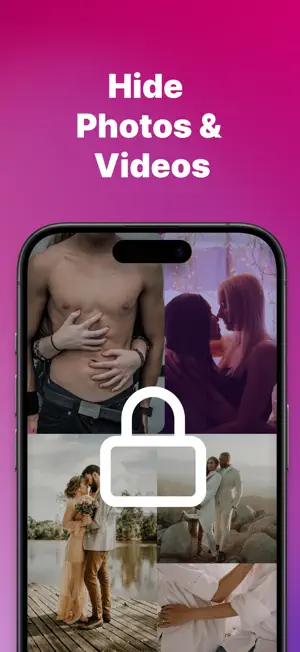

About Secret Photo Vault: SafeCalc
Protect your privacy with a secure vault for everything personal. Keep your private life truly private. Hide photos, videos, notes, credentials, to-do lists, and even browse the web securely. Everything is stored in an encrypted vault, protected by Face ID, Touch ID, or a strong passcode. In today's digital world, privacy is more important than ever. With Photo Vault, you can ensure that your personal photos, videos, and private data remain completely secure and hidden from unauthorized access. Key Features: - Private Vault: Lock and hide photos, videos, and files in a secure space - Secret Notes: Jot down personal thoughts or confidential info safely - Secret To-Do List: Manage private tasks and reminders only you can see - Credential Locker: Store passwords, logins, and sensitive details securely - Secret Browser: Browse the internet privately with no history saved - Hide Any File: Keep documents, audio files, PDFs, and more completely hidden - Discreet Interface: Simple, clean design built for privacy Your personal space, fully protected. Download now and take control of your privacy. Contact Us: [email protected] If you choose to subscribe to any of the “SafeCalc Pro” Subscriptions, the payment will be charged to your iTunes account at confirmation of purchase. any unused portion of the free trial period, if offered, will be forfeited when you purchase a subscription to that publication. From that moment and further, the subscription automatically renews until auto-renew is turned off at least 24 hours before the end of the current period. You may manage your subscription and turn off auto-renewal by going to your account settings after purchase. No cancellation of the current subscription is allowed during the active period. If you have any questions while using this app, please contact us via email at [email protected]. Terms of Use - https://sites.google.com/view/todolisttc/home
Ratings & reviews
4.4
7 ratings
What’s new
Version 1.13 · Updated July 5, 2026
Added the below Features: - Private Vault: Lock and hide photos, videos, and files in a secure space - Secret Notes: Jot down personal thoughts or confidential info safely - Secret To-Do List: Manage private tasks and reminders only you can see - Credential Locker: Store passwords, logins, and sensitive details securely - Secret Browser: Browse the internet privately with no history saved - Hide Any File: Keep documents, audio files, PDFs, and more completely hidden
App privacy
The developer, Jayotsanaben Hadiya, reported these privacy practices to Apple.
Data Not Linked to You
The following data, which may be collected but is not linked to your identity, may be used for the following purposes:
- Identifiers: Device ID
- Usage Data: Product Interaction
- Diagnostics: Crash Data, Performance Data
Used for: Analytics
Alternatives to Secret Photo Vault: SafeCalc
Looking for apps like Secret Photo Vault: SafeCalc? Here are 6 similar apps on the App Store. The highest rated is SV - Private Photo Vault PRO (4.9/5), and all 6 are free to download.
-
 Secret Box : Private Vault
1.0
-
 iVault: Secret Photo Vault
4.3
-
 Private Photo Vault - Kakabox
4.2
-
 Secret Clock Vault Photos Lock
3.9
-
 Hidden Photo Vault-Hide App LS
4.7
-
 SV - Private Photo Vault PRO
4.9
| App | Rating | Price | Last updated | Compare |
|---|---|---|---|---|
| Secret Photo Vault: SafeCalc | 4.4 / 5 (7 ratings) | Free | July 5, 2026 | |
| Secret Box : Private Vault | 1.0 / 5 (1) | Free | Mar 13, 2025 | Compare |
| iVault: Secret Photo Vault | 4.3 / 5 (81) | Free | Oct 16, 2026 | Compare |
| Private Photo Vault - Kakabox | 4.2 / 5 (56) | Free | Feb 4, 2026 | Compare |
| Secret Clock Vault Photos Lock | 3.9 / 5 (36) | Free | Mar 12, 2025 | Compare |
| Hidden Photo Vault-Hide App LS | 4.7 / 5 (1,855) | Free | Jul 19, 2025 | Compare |
| SV - Private Photo Vault PRO | 4.9 / 5 (26,336) | Free | Oct 29, 2026 | Compare |