

Image to Text: Scan to Convert
Aculix Technologies LLP Utilities iPhoneiPadiPod touch
Image to Text: Scan to Convert is a free Utilities app for iPhone and iPad by Aculix Technologies LLP. Rated 4.8/5 from 48 ratings. Requires iOS 17.6.
- Rating
- 4.8
- 48 ratings
- Price
- Free
- on the App Store
- Size
- 27 MB
- Age 4+
- Updated
- May 29
- 2026 · v2.3.0
Screenshots

About Image to Text: Scan to Convert
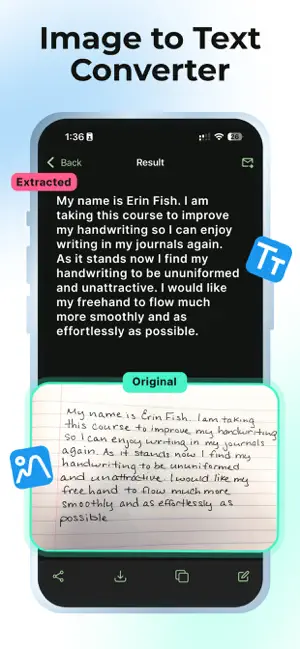
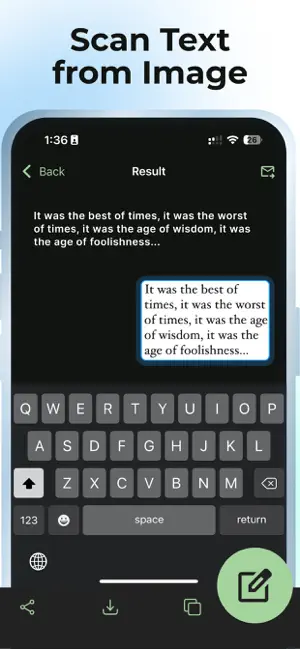
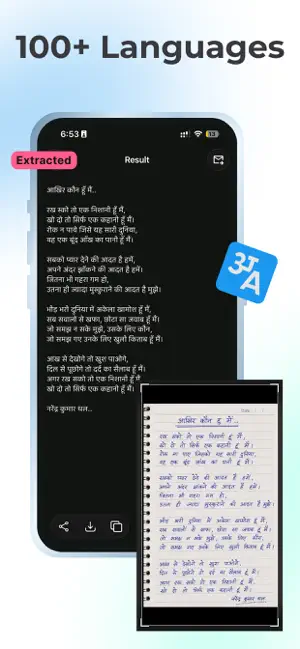
Scan and extract text from images with incredible accuracy using ocrX. It supports extracting text from images in over 100 languages. Recognize text from any images using our powerful OCR (Optical Character Recognition) engine. Supports handwritten texts. You can share the extracted text from the app directly. ocrX also supports exporting the extracted text as a Text or PDF file. Features: - High accuracy OCR. - Supports 100+ languages. - History of scanned images. - Edit the extracted text to make changes if required. - Share the extracted text to your preferred app. - Copy the extracted text to the clipboard. - Export the extracted text as a Text or PDF file. How to use: 1. Open the app and tap on the New button. 2. Select the image from your Photo Library. 3. Crop the image if required. 4. Choose the language of text inside your image. 5. That's it. ocrX will scan and extract text from the image automatically. We would love to hear from you. Feel free to reach out to us at [email protected] for feedback or any queries. Your usage of this app is governed by the following policies: Privacy Policy: https://legal.ocrx.app/privacy-policy Terms of Service: https://legal.ocrx.app/terms-of-service Everything else is governed by the terms presented under Apple's End User License Agreement. Apple's EULA: https://www.apple.com/legal/internet-services/itunes/dev/stdeula/ Cheers! :)
Ratings & reviews
4.8
48 ratings
What’s new
Version 2.3.0 · Updated May 29, 2026
- Bug fixes and performance improvements.
App privacy
The developer, Aculix Technologies LLP, reported these privacy practices to Apple.
Data Used to Track You
The following data may be used to track you across apps and websites owned by other companies:
- Usage Data: Advertising Data
Data Not Linked to You
The following data, which may be collected but is not linked to your identity, may be used for the following purposes:
- Identifiers: User ID, Device ID
- Usage Data: Advertising Data, Product Interaction
- Purchases: Purchase History
- Diagnostics: Crash Data, Performance Data, Other Diagnostic Data
Used for: Third-Party Advertising, Analytics, App Functionality
Alternatives to Image to Text: Scan to Convert
Looking for apps like Image to Text: Scan to Convert? Here are 6 similar apps on the App Store. The highest rated is Click Counter: Tap Counter (4.7/5), and all 6 are free to download.
-
 Storage Cleaner
4.4
Storage Cleaner
4.4
-
 Click Counter: Tap Counter
4.7
Click Counter: Tap Counter
4.7
-
 PDF Scanner • Scan & Edit
4.3
PDF Scanner • Scan & Edit
4.3
-
 Encryptor - Secure Your Files
4.0
Encryptor - Secure Your Files
4.0
-
 Picture to Text: OCR Scanner
4.4
Picture to Text: OCR Scanner
4.4
-
 Wonderfind: Bluetooth Finder
4.0
Wonderfind: Bluetooth Finder
4.0
| App | Rating | Price | Last updated | Compare |
|---|---|---|---|---|
| Image to Text: Scan to Convert | 4.8 / 5 (48 ratings) | Free | May 29, 2026 | |
| Storage Cleaner | 4.4 / 5 (213) | Free | May 25, 2026 | Compare |
| Click Counter: Tap Counter | 4.7 / 5 (111) | Free | Jul 13, 2026 | Compare |
| PDF Scanner • Scan & Edit | 4.3 / 5 (9) | Free | Sep 28, 2026 | Compare |
| Encryptor - Secure Your Files | 4.0 / 5 (29) | Free | Jul 19, 2026 | Compare |
| Picture to Text: OCR Scanner | 4.4 / 5 (136) | Free | Aug 25, 2026 | Compare |
| Wonderfind: Bluetooth Finder | 4.0 / 5 (174) | Free | Aug 22, 2026 | Compare |