

TEAN - Learning Clock
TEAN Sàrl Education iPhoneiPadiPod touch
TEAN - Learning Clock is a free Education app for iPhone and iPad by TEAN Sàrl. Requires iOS 17.0. Updated June 12, 2026.
- Price
- Free
- on the App Store
- Size
- 10 MB
- Age 4+
- Updated
- Jun 12
- 2026 · v1.35.2
Screenshots


About TEAN - Learning Clock
Learn reading the clock and telling time according to the requirements of the Swiss education system: Make the Expression quiz and see how good you are. Start with the hours, then half hours, then quarter hours and finally the 5-minute graduation. Can you tell time from the analog clock without numbers? Select a more abstract clock face and try it out! FOR WHOM ? For kids who want to learn reading/ telling time with the analog clock quickly and safely, for school and for life. For adults who want to support children in learning to read/tell the time; For those who want to learn how to tell time in other languages. HOW DOES IT WORK? The TEAN analog clock learning app offers four distinct learning modes: 1) Read Clock Quiz In this quiz you see random time on an analog clock and you need to tap on the one digital clock out of 4, which shows the same time. Here you learn to read the time shown by the analog clock. The clock face, the hour mode and the response speed are selectable. 2) Tell Time Quiz In this quiz you see random time on an analog clock and you need to tap on the one analog time expression out of 3, which shows the same time. Here you learn how to correctly "tell time" in words. The clock face, the hour mode and the response speed are selectable. 3) 24h Quiz In this quiz you see random time on a novel 24 hour analog clock and you need to tap on the one digital clock out of 4 which shows the same time. Here you learn how the morning hours 0-11 (AM) and the afternoon hours 12-23 (PM) are shown on the analog clock. The hour mode and the response speed are selectable. In all 3 quiz modes you answer 10 questions and you can observe your results in green or red on the result bar on the top of the screen. Once the quiz completed, depending on your settings and results, you see which step we recommend you to do next. 4) Free Exercise This mode has no time constraint. You can simply set the analog clock to random times by tapping on it or on the button below and then try to read it and tell the time shown. Then you can verify if your "telling" is correct. A special assistance helps you to decide if the shown time is "past" or "to" the hour. The clock face and the hour mode are selectable and the assistance can be turned on or off. Terms of use: https://www.apple.com/legal/internet-services/itunes/dev/stdeula/
What’s new
Version 1.35.2 · Updated June 12, 2026
- New subscription model
App privacy
The developer, TEAN Sàrl, reported these privacy practices to Apple.
Data Not Linked to You
The following data, which may be collected but is not linked to your identity, may be used for the following purposes:
- Usage Data: Product Interaction
- Diagnostics: Crash Data, Performance Data
Used for: Analytics
Alternatives to TEAN - Learning Clock
Looking for apps like TEAN - Learning Clock? Here are 6 similar apps on the App Store. The highest rated is Kid Klok Easy (5.0/5), and all 6 are free to download.
-
 ClockLesson - Learn by touch
-
 Kids Clock – Learn Time
-
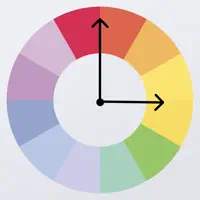 EduClock for Kids
-
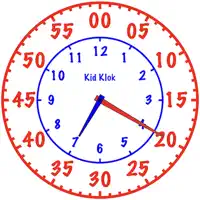 Kid Klok Easy
5.0
Kid Klok Easy
5.0
-
 My Clock Learning
5.0
My Clock Learning
5.0
-
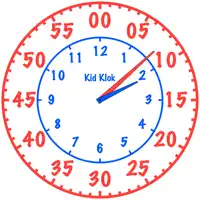 Kid Klok
5.0
Kid Klok
5.0
| App | Rating | Price | Last updated | Compare |
|---|---|---|---|---|
| TEAN - Learning Clock | – | Free | June 12, 2026 | |
| ClockLesson - Learn by touch | – | Free | Sep 11, 2026 | Compare |
| Kids Clock – Learn Time | – | Free | Dec 16, 2025 | Compare |
| EduClock for Kids | – | Free | Oct 25, 2023 | Compare |
| Kid Klok Easy | 5.0 / 5 (1) | Free | Nov 18, 2023 | Compare |
| My Clock Learning | 5.0 / 5 (1) | Free | Dec 14, 2025 | Compare |
| Kid Klok | 5.0 / 5 (4) | Free | Nov 21, 2023 | Compare |