

Executive Notes
Digi Novate Productivity iPhoneiPadiPod touch
Executive Notes is a free Productivity app for iPhone and iPad by Digi Novate. Requires iOS 15.0. Updated October 3, 2026.
- Price
- Free
- on the App Store
- Size
- 65 MB
- Age 4+
- Updated
- Oct 3
- 2026 · v2.0.2
Screenshots


About Executive Notes
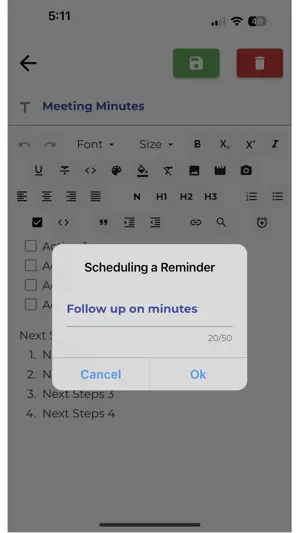
Executive Notes keeps your notes, tasks, and reminders in one place, synced across every device you own, with a home screen widget that shows what's overdue before you even open the app. Notes, your way Write with rich text formatting, organize by category, attach photos, and dictate notes hands-free with voice-to-text when typing isn't convenient. Tasks that keep you on schedule Create, prioritize, and check off tasks as you go. Bulk actions let you clear out your list without tapping through each item one by one. One place for every reminder Reminders from your notes, your tasks, and standalone alerts all show up together in a single Reminders view, so nothing gets buried. Sync across every device Sign in on your phone, tablet, or a new device and pick up exactly where you left off. Share and collaborate Share notes and tasks by email and work on them together, with read-only sharing when someone just needs to stay in the loop. Home screen widgets Add an Executive Notes widget to your iPhone or Android home screen to see what's overdue at a glance. Sign in your way Use Sign in with Apple, Google, or email — with account verification built in to help keep your notes and tasks private. Dark Mode Switch to a dark theme any time, from Settings. Find anything fast Search across your notes and tasks instantly. Executive Notes is actively maintained, with updates shaped by real user feedback. Whether you're keeping a personal to-do list or coordinating tasks with other people, it's built to stay out of your way and keep you organized.
What’s new
Version 2.0.2 · Updated October 3, 2026
Minor fixes and experience enhancements
App privacy
The developer, Digi Novate, reported these privacy practices to Apple.
Data Used to Track You
The following data may be used to track you across apps and websites owned by other companies:
- Usage Data: Advertising Data
Data Linked to You
The following data, which may be collected and linked to your identity, may be used for the following purposes:
- Contact Info: Email Address
- User Content: Photos or Videos
Used for: App Functionality
Data Not Linked to You
The following data, which may be collected but is not linked to your identity, may be used for the following purposes:
- Usage Data: Advertising Data
- Diagnostics: Crash Data
Used for: Third-Party Advertising, Analytics, App Functionality
Alternatives to Executive Notes
Looking for apps like Executive Notes? Here are 6 similar apps on the App Store. The highest rated is MeetingFull (5.0/5), and all 6 are free to download.
-
 MeetingFull
5.0
-
 Receipt Pilot: Expense Tracker
5.0
-
 Conquer - Scheduler & Journal
-
 Momentum Daily Habit Tracker
-
 Plato – Disappearing Notes
-
 PouncePlanner - Purroductivity
4.0
| App | Rating | Price | Last updated | Compare |
|---|---|---|---|---|
| Executive Notes | – | Free | October 3, 2026 | |
| MeetingFull | 5.0 / 5 (2) | Free | Aug 8, 2024 | Compare |
| Receipt Pilot: Expense Tracker | 5.0 / 5 (2) | Free | May 20, 2026 | Compare |
| Conquer - Scheduler & Journal | – | Free | Feb 14, 2024 | Compare |
| Momentum Daily Habit Tracker | – | Free | Aug 15, 2026 | Compare |
| Plato – Disappearing Notes | – | Free | Apr 8, 2026 | Compare |
| PouncePlanner - Purroductivity | 4.0 / 5 (1) | Free | Feb 19, 2025 | Compare |
Compare Executive Notes with the top alternatives: ratings, updates, ASO score and keyword gaps →