

Genki Studio
Human Things, Inc Utilities iPad
Genki Studio is a free Utilities app for iPad by Human Things, Inc. Rated 4.4/5 from 45 ratings. Requires iOS 17.0. Updated September 14, 2026.
- Rating
- 4.4
- 45 ratings
- Price
- Free
- on the App Store
- Size
- 9 MB
- Age 4+
- Updated
- Sep 14
- 2026 · v1.7.1
Screenshots

About Genki Studio
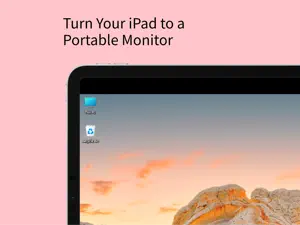
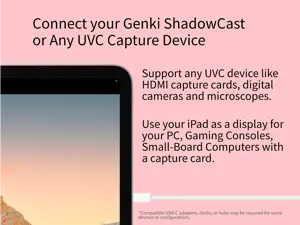
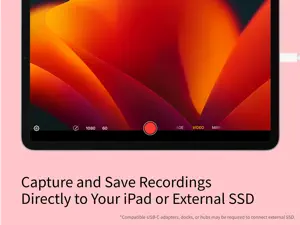
Genki Studio turns your iPad into a portable monitor and professional video capture and presentation device. Connect your Genki ShadowCast or any compatible USB UVC input device to start using your iPad as a portable monitor for your gaming console, PC, digital camera, small board computer, or microscope. Record the input at maximum quality and save the media file directly to your iPad or an external SSD to save storage space on your iPad. With external monitor support, your iPad can output full-screen content to another external display via AirPlay or USB-C to HDMI/DisplayPort adapters while continuing recording to your iPad, while using Apple Pencil markup for a quick presentation. Highlights of this app: · Connect your Genki ShadowCast or any compatible USB UVC input device to your iPad. · Capture images or videos with audio with maximum quality, to your iPad storage or directly to an external storage device like a portable SSD. · Fully compatible with Stage Manager and Multitasking features of the iPad, enjoy music or play a video on your iPad with Genki Studio app running simultaneously. · Support for Fractional Frame rates, Grid and Ratio Overlay for professional monitoring. · Mark Up with Apple Pencil support lets you scribble on the screen. · External Display support to output clean video image to AirPlay or a wired connection, while continuing recording to your iPad at the same time. Turn your iPad into a portable notepad with Apple Pencil support for live events. · iPadOS menu bar, keyboard shortcuts and game controller support for various app functions allows you to quickly capture the moment. · Optimized for accessibility with VoiceOver support. * Connecting to UVC devices requires a compatible model of iPad. Requires additional accessories; this app supports Genki ShadowCast, and any other input device that conform with UVC (USB Video Class) standards. Appropriate USB-C adapters, docks, or hubs are required for some devices or configurations. Multitasking features require a compatible model of iPad. Connecting to External Displays wirelessly requires AirPlay 2-enabled TVs, streaming boxes or sticks, or a compatible Mac with the latest macOS update installed; also, using a non-Genki ShadowCast capture product will have an added Genki logo watermark on the clean video output Image. ** UVC input is supported on iPad with a USB-C port. USB-C ports on some iPad only supports maximum USB 3.0 SuperSpeed 5Gbps or USB 2.0 High-Speed, which may limit the formats you can use with your UVC devices. Please check your iPad’s support before downloading this app or buying accessories.
Ratings & reviews
4.4
45 ratings
What’s new
Version 1.7.1 · Updated September 14, 2026
Genki Studio Update 1.7.1 updates for the latest iPadOS 27 and brings minor improvements to the app. · Improved launch screen for a smoother startup experience. · Added center dot, center crosshair, and diagonal composition guides.
App privacy
The developer, Human Things, Inc, reported these privacy practices to Apple.
Data Not Collected
The developer does not collect any data from this app.
Alternatives to Genki Studio
Looking for apps like Genki Studio? Here are 6 similar apps on the App Store. The highest rated is MoniCon (4.9/5), and all 6 are free to download.
-
 HDMI Monitor - Video Capture
3.0
HDMI Monitor - Video Capture
3.0
-
 HDMI Monitor - Orion
4.1
HDMI Monitor - Orion
4.1
-
 Dongled
4.6
Dongled
4.6
-
 HDMI
2.9
HDMI
2.9
-
 MoniCon
4.9
MoniCon
4.9
-
 USB Camera
2.7
USB Camera
2.7
| App | Rating | Price | Last updated | Compare |
|---|---|---|---|---|
| Genki Studio | 4.4 / 5 (45 ratings) | Free | September 14, 2026 | |
| HDMI Monitor - Video Capture | 3.0 / 5 (124) | Free | Aug 29, 2026 | Compare |
| HDMI Monitor - Orion | 4.1 / 5 (3,075) | Free | Sep 19, 2025 | Compare |
| Dongled | 4.6 / 5 (23) | Free | Jul 15, 2026 | Compare |
| HDMI | 2.9 / 5 (74) | Free | Sep 5, 2026 | Compare |
| MoniCon | 4.9 / 5 (22) | Free | Dec 3, 2023 | Compare |
| USB Camera | 2.7 / 5 (10) | Free | Oct 14, 2026 | Compare |
Compare Genki Studio with the top alternatives: ratings, updates, ASO score and keyword gaps →