

ReadMyVoice: Audio to Text
Federico Di Francesco Utilities iPhoneiPadiPod touch
ReadMyVoice: Audio to Text is a free Utilities app for iPhone and iPad by Federico Di Francesco. Requires iOS 15.0. Updated October 17, 2026.
- Price
- Free
- on the App Store
- Size
- 38 MB
- Age 4+
- Updated
- Oct 17
- 2026 · v1.3
Screenshots


About ReadMyVoice: Audio to Text
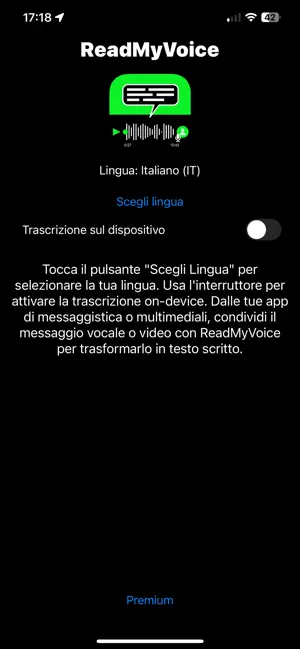
Can’t listen to a voice message? Share it with ReadMyVoice and read the transcription. In a meeting, on public transport or without headphones, find the information you need in the text. Built for everyday messages, ReadMyVoice also transcribes audio files and the audio from compatible videos. No account required. FROM VOICE TO TEXT 1. Select the message or file in the app you want to share it from. 2. Tap Share and choose ReadMyVoice. In WhatsApp, you may need to choose Forward first. 3. Choose the language being spoken and read the result. YOUR WORDS, READY TO USE • Copy the information you want to keep. • Save or share the transcript. • Share compatible files from WhatsApp, Voice Memos, Files and other apps. • Transcribe the audio from videos and process multiple shared attachments. FREE, WITH OPTIONAL PREMIUM The free version includes advertising. Speech recognition may use Apple’s services and require an internet connection. Premium removes ads and unlocks on-device recognition where supported by your iPhone and selected language. When this mode is enabled, audio is processed locally. Availability also depends on the speech recognition models provided by iOS. When on-device mode is turned off, recognition may use Apple’s services. Accuracy and completeness depend on the audio, language, device and recognition service. Check the result, especially names, numbers and important information. Requires iOS 15 or later. Privacy information, notices and licenses are available in the main app.
What’s new
Version 1.3 · Updated October 17, 2026
• Improved segment joining for on-device transcription to reduce repetition and missing words at boundaries. • More robust handling of attachments, interruptions and errors, with clearer warnings when a result may be incomplete. • Updated advertising consent and access to privacy options. • Added the “Privacy, Notices and License” screen. • Supports iOS 15 and later.
App privacy
The developer, Federico Di Francesco, reported these privacy practices to Apple.
Data Used to Track You
The following data may be used to track you across apps and websites owned by other companies:
- Identifiers: Device ID
- Usage Data: Product Interaction, Advertising Data
- Diagnostics: Crash Data, Performance Data
Data Linked to You
The following data, which may be collected and linked to your identity, may be used for the following purposes:
- Location: Coarse Location
- Identifiers: Device ID
- Usage Data: Product Interaction, Advertising Data
- Diagnostics: Crash Data, Performance Data
Used for: Third-Party Advertising, Analytics, App Functionality, Other Purposes
Data Not Linked to You
The following data, which may be collected but is not linked to your identity, may be used for the following purposes:
- Diagnostics: Other Diagnostic Data
Used for: Third-Party Advertising, Analytics
Alternatives to ReadMyVoice: Audio to Text
Looking for apps like ReadMyVoice: Audio to Text? Here are 6 similar apps on the App Store. The highest rated is Fallert (1.0/5), and all 6 are free to download.
-
 Quick QR Generator Pro
-
 Audio Converter: AudioHut
-
 Photo Trim – Library Organizer
-
 Fallert
1.0
Fallert
1.0
-
 Video Transcriber: Audio Voice
-
 Scale For Grams: Gramify
| App | Rating | Price | Last updated | Compare |
|---|---|---|---|---|
| ReadMyVoice: Audio to Text | – | Free | October 17, 2026 | |
| Quick QR Generator Pro | – | Free | Sep 24, 2026 | Compare |
| Audio Converter: AudioHut | – | Free | Oct 1, 2025 | Compare |
| Photo Trim – Library Organizer | – | Free | Apr 9, 2026 | Compare |
| Fallert | 1.0 / 5 (1) | Free | May 21, 2025 | Compare |
| Video Transcriber: Audio Voice | – | Free | Jan 29, 2026 | Compare |
| Scale For Grams: Gramify | – | Free | Apr 22, 2026 | Compare |