

Authenticator: Mobile 2FA, MFA
ZipoApps Utilities iPhoneiPadiPod touch
Authenticator: Mobile 2FA, MFA is a free Utilities app for iPhone and iPad by ZipoApps. Rated 4.5/5 from 137 ratings. Requires iOS 16.0.
- Rating
- 4.5
- 137 ratings
- Price
- Free
- on the App Store
- Size
- 127 MB
- Age 4+
- Updated
- Aug 28
- 2026 · v1.3.5
Screenshots

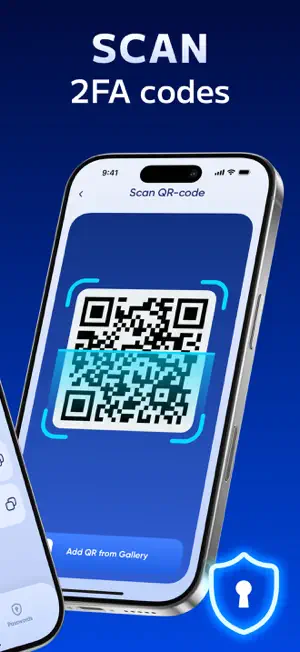
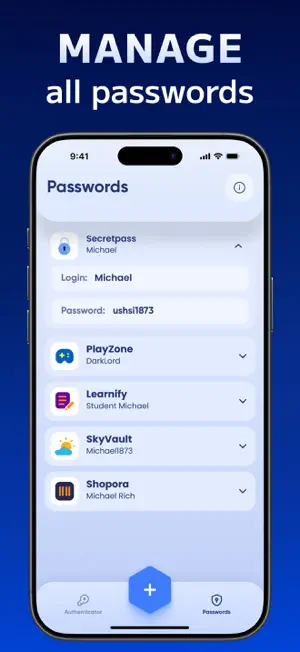

About Authenticator: Mobile 2FA, MFA
In today’s digital world, passwords alone aren’t enough to keep your online accounts safe. That’s where Authenticator: Mobile 2FA, MFA comes in. This app adds an extra layer of security to your accounts by generating secure, time-based one-time passwords (TOTP), ensuring only you can access your data. Whether you're logging into your email, social media, banking apps, or work accounts, our two-factor authentication (2FA) and multi-factor authentication (MFA) solution makes account protection easier and more reliable than ever. Protect your data with our powerful authenticator app. This password app enhances security using two factor authentication codes that refresh every 30 secs. Store all accounts in one password app, backed by two factor authentication and offline access. The authenticator app is your go-to password app for secure two factor authentication. Download our authenticator app now for total peace of mind. Why Choose Our Authenticator App? Fast & Easy Setup Securing your accounts takes just a few seconds. Simply scan a QR code or enter your account details manually, and the app will instantly generate secure 6-digit codes for login authentication. No complicated setup—just instant protection. Secure Time-Based One-Time Passwords (TOTP) With 2FA and MFA, the app generates TOTP codes that refresh every 30 seconds, keeping your logins safe from hackers. Even if someone gets your password, they can’t access your account without the verification code. Store & Manage All Your Accounts in One Place Tired of juggling multiple authentication apps? Keep all your 2FA-protected accounts securely stored in one app—whether it’s email, social media, cryptocurrency wallets, or online banking. Works Completely Offline Unlike SMS-based authentication, our app doesn’t require an internet connection. Your one-time passwords are generated directly on your device, so you can log in securely anytime, anywhere. Secure Cloud Backup & Device Sync Never lose access to your 2FA codes again. With cloud backup and device syncing, you can restore your authentication data when switching to a new phone. Advanced Security Features Biometric & PIN protection – Lock the app using a fingerprint, Face ID, or a PIN for extra security. Auto-fill & Copy to Clipboard – Quickly enter your 2FA codes without hassle. Multiple device support – Access your authentication codes from different devices without losing security. How Does It Work? Install Authenticator: Mobile 2FA, MFA on your device. Scan a QR code or enter the secret key manually. Use the generated 6-digit codes to log in securely. That’s it. Your accounts are now protected with an extra security layer. Stay One Step Ahead of Hackers Cyber threats are increasing every day—don’t wait until it’s too late. Download Authenticator: Mobile 2FA, MFA now and take control of your online security. Privacy Policy - https://zipoapps.com/authenticatorios/privacy/ Terms & Conditions - https://zipoapps.com/authenticatorios/terms/
Ratings & reviews
4.5
137 ratings
What’s new
Version 1.3.5 · Updated August 28, 2026
User experience improvements. Safer logins powered by 2FA & MFA!
App privacy
The developer, ZipoApps, reported these privacy practices to Apple.
Data Used to Track You
The following data may be used to track you across apps and websites owned by other companies:
- Purchases: Purchase History
- Identifiers: User ID, Device ID
- Usage Data: Product Interaction, Advertising Data, Other Usage Data
- Diagnostics: Crash Data, Performance Data, Other Diagnostic Data
Data Not Linked to You
The following data, which may be collected but is not linked to your identity, may be used for the following purposes:
- Identifiers: User ID, Device ID
- Purchases: Purchase History
- Usage Data: Product Interaction, Advertising Data, Other Usage Data
- Diagnostics: Crash Data, Performance Data, Other Diagnostic Data
Used for: Third-Party Advertising, Developer’s Advertising or Marketing, Analytics, Product Personalization, App Functionality, Other Purposes
Alternatives to Authenticator: Mobile 2FA, MFA
Looking for apps like Authenticator: Mobile 2FA, MFA? Here are 6 similar apps on the App Store. The highest rated is Safe Cleanup-Storage Cleaner (5.0/5), and all 6 are free to download.
-
 Screen Mirroring App: Cast TV
4.4
Screen Mirroring App: Cast TV
4.4
-
 Screen Mirroring | TV Air Cast
4.5
Screen Mirroring | TV Air Cast
4.5
-
 Air Cast | TV Mirror View App
4.5
Air Cast | TV Mirror View App
4.5
-
 Hidden Camera: Spy Detector +
4.5
Hidden Camera: Spy Detector +
4.5
-
 Your Hidden Camera Detector
4.6
Your Hidden Camera Detector
4.6
-
 Safe Cleanup-Storage Cleaner
5.0
Safe Cleanup-Storage Cleaner
5.0
| App | Rating | Price | Last updated | Compare |
|---|---|---|---|---|
| Authenticator: Mobile 2FA, MFA | 4.5 / 5 (137 ratings) | Free | August 28, 2026 | |
| Screen Mirroring App: Cast TV | 4.4 / 5 (61) | Free | Nov 12, 2023 | Compare |
| Screen Mirroring | TV Air Cast | 4.6 / 5 (40) | Free | Dec 18, 2023 | Compare |
| Air Cast | TV Mirror View App | 4.5 / 5 (296) | Free | Oct 30, 2023 | Compare |
| Hidden Camera: Spy Detector + | 4.5 / 5 (369) | Free | Nov 10, 2023 | Compare |
| Your Hidden Camera Detector | 4.6 / 5 (252) | Free | Nov 14, 2023 | Compare |
| Safe Cleanup-Storage Cleaner | 5.0 / 5 (1) | Free | Dec 10, 2023 | Compare |