

adoc Studio - Writing App
ProjectWizards Productivity iPhoneiPadiPod touchMac
adoc Studio - Writing App is a free Productivity app for iPhone and iPad by ProjectWizards. Rated 2.0/5 from 4 ratings. Requires iOS 18.5.
- Rating
- 2.0
- 4 ratings
- Price
- Free
- on the App Store
- Size
- 108 MB
- Age 4+
- Updated
- Sep 15
- 2026 · v5.1
Screenshots
About adoc Studio - Writing App
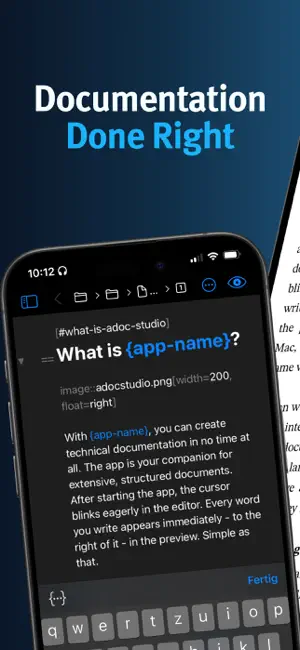
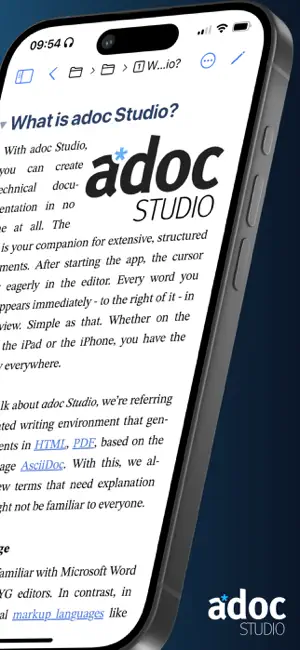
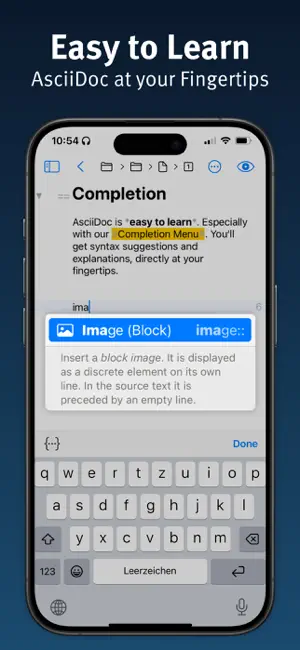
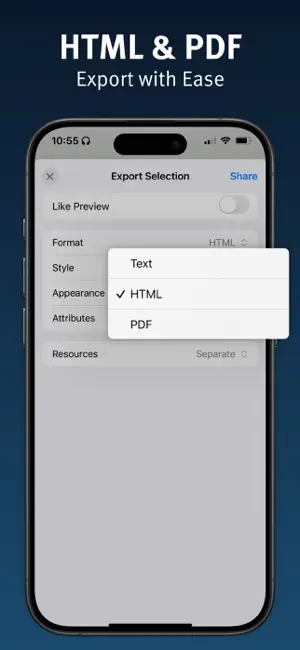
ADOC STUDIO – DOCUMENTATION DONE RIGHT AsciiDoc at its finest. The text-based editorial system for Mac, iPad, and iPhone. COMMUNITY EDITION • Use the core features of adoc Studio for free. • Upgrade to Pro when you need more. INTUITIVE STRUCTURE • Manage text, media, and other components of your technical documentation in an adoc Studio project. • Use document includes to organize extensive content into chapters. • Navigate even the most complex documentation with the project sidebar. • Track down issues with the Problem Navigator. WRITE • Write your text in the editor on the left. • With the side-by-side preview, see instantly how it will look in HTML or PDF. • Easily insert images, tables, cross-references, formulas, admonitions, and attributes. • With the built-in adoc Coach, all the powerful features of AsciiDoc are just one ESC keystroke away. SHARE • Use attributes and conditional content to automatically tailor your documents for different audiences. • Like a modular system, assemble all relevant information. Text variants have never been easier. • Export HTML exactly as shown in the preview, or customize the format, style, and appearance individually. WORK ON THE GO • Need to work on the go? No problem. adoc Studio delivers full functionality on Mac, iPad, and iPhone. • Even on small screens, the interface stays clear and comfortable. • Create, revise, and export your documents wherever you are. • Cloud sync keeps everyone up to date at all times. • Not a fan of the cloud? Since AsciiDoc is plain text, you can manage your project with Git. TRIAL AND PRO SUBSCRIPTION • Try adoc Studio Pro free for 14 days – no strings attached. • Then start a monthly or annual subscription. • Every subscription automatically covers Mac, iPad, and iPhone. PRO EDITION FEATURES • Automate recurring exports easily with products. • Export your entire project as a complete website – with sidebar navigation, search, and language switcher. • Create projects with multiple languages. • Translate entire sections or documents with AI-powered translation. • Select text and let the AI improve, shorten, rephrase, or proofread it. • Generate fully accessible PDFs compliant with the PDF/UA standard for screen readers and assistive technologies. • Count characters, words, and paragraphs – with or without spaces or markup. WHO IS IT FOR? • Technical writers and documentarians • Developers and programmers • Bloggers and content creators • Authors and writers • Markdown users looking for more features Unleash your creative potential and experience the future of structured writing with adoc Studio! Privacy Policy: https://www.adoc-studio.app/legal/app-privacy Terms of Use: https://www.adoc-studio.app/legal/terms
What’s new
Version 5.1 · Updated September 15, 2026
- Improved general stability.
App privacy
The developer, ProjectWizards, reported these privacy practices to Apple.
Data Not Collected
The developer does not collect any data from this app.
Alternatives to adoc Studio - Writing App
Looking for apps like adoc Studio - Writing App? Here are 6 similar apps on the App Store. The highest rated is Actions For Obsidian (4.8/5), and all 6 are free to download.
-
 Metion: Markdown Notes
4.3
Metion: Markdown Notes
4.3
-
 One Markdown
4.6
One Markdown
4.6
-
 Markdown゜
4.5
Markdown゜
4.5
-
 Notesnook: Private notepad
4.7
Notesnook: Private notepad
4.7
-
 Actions For Obsidian
4.8
Actions For Obsidian
4.8
-
 LaTeX Editor Tex Pro
4.8
LaTeX Editor Tex Pro
4.8
| App | Rating | Price | Last updated | Compare |
|---|---|---|---|---|
| adoc Studio - Writing App | 2.0 / 5 (4 ratings) | Free | September 15, 2026 | |
| Metion: Markdown Notes | 4.3 / 5 (46) | Free | Aug 29, 2026 | Compare |
| One Markdown | 4.6 / 5 (147) | Free | May 3, 2026 | Compare |
| Markdown゜ | 4.5 / 5 (473) | Free | Sep 3, 2026 | Compare |
| Notesnook: Private notepad | 4.7 / 5 (657) | Free | Sep 16, 2026 | Compare |
| Actions For Obsidian | 4.8 / 5 (40) | Free | Apr 22, 2026 | Compare |
| LaTeX Editor Tex Pro | 4.8 / 5 (1,667) | Free | Jun 1, 2026 | Compare |