

DayCanvas – Daily Planner
Seungwoo Choe Productivity iPhoneiPadiPod touchMac
DayCanvas – Daily Planner is a free Productivity app for iPhone and iPad by Seungwoo Choe. Requires iOS 18.0. Updated August 22, 2026.
- Price
- Free
- on the App Store
- Size
- 12 MB
- Age 4+
- Updated
- Aug 22
- 2026 · v7.6.1
Screenshots
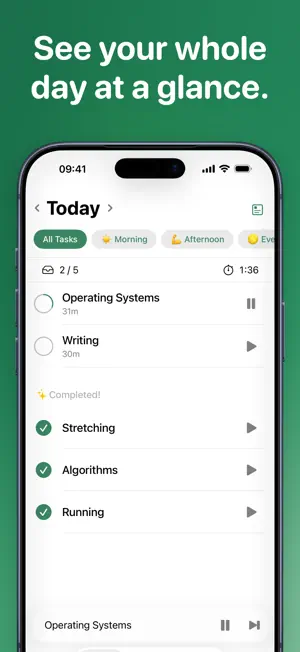

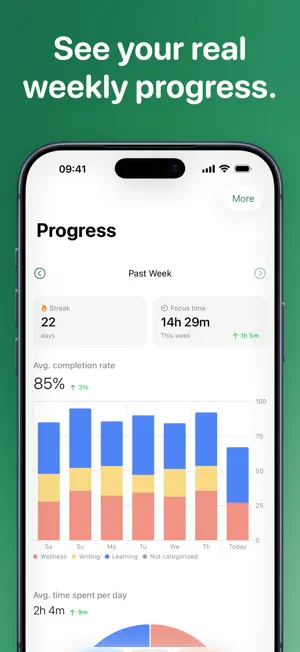

About DayCanvas – Daily Planner
DayCanvas helps you plan things in a convenient & organized way, and provides insights into how you spend your days. Key features: • Set work and break durations for each task. • Put tasks that you do repeatedly in Palette and see which category of tasks takes up how much of your day. • Check time left at a glance with Live Activity. • Check your weekly and long-term progress. • Check how much time you've spent on each section, category, and palette item. • Sync across your devices and back up with iCloud. DayCanvas is available on iOS, iPadOS, and macOS. You can subscribe to DayCanvas+ to unlock a palette size limit across your devices. _______ Terms of Use: https://www.apple.com/legal/internet-services/itunes/dev/stdeula
What’s new
Version 7.6.1 · Updated August 22, 2026
This release brings improvements and bug fixes to make DayCanvas even better.
App privacy
The developer, Seungwoo Choe, reported these privacy practices to Apple.
Data Not Linked to You
The following data, which may be collected but is not linked to your identity, may be used for the following purposes:
- Purchases: Purchase History
- Identifiers: Device ID
- Usage Data: Product Interaction
Used for: Analytics