

Blink Notes - Rapid Text Cover
Bence Kaposzta Productivity iPhoneiPadiPod touch
Blink Notes - Rapid Text Cover is a free Productivity app for iPhone and iPad by Bence Kaposzta. Rated 5.0/5 from 3 ratings. Requires iOS 16.0.
- Rating
- 5.0
- 3 ratings
- Price
- Free
- on the App Store
- Size
- 10 MB
- Age 4+
- Updated
- Dec 12
- 2025 · v1.62
Screenshots

About Blink Notes - Rapid Text Cover
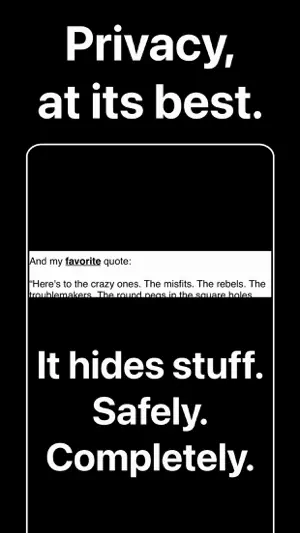
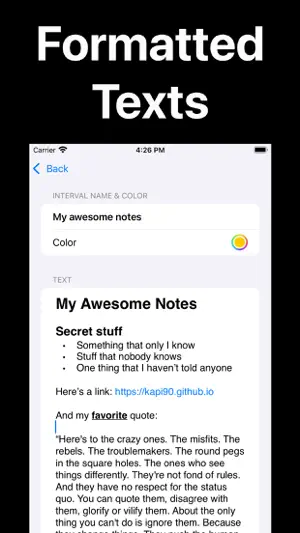
Blink Notes is designed to help you keep your private information safe and secure. With this app, you can easily hide any text or image from curious, prying eyes. It has a simple and intuitive user interface that makes it easy to use. You can copy and paste any note from the Notes app or other sources, and the app will automatically format it for you. It also supports images, so you can hide any note, picture, text, script or other type of document you want. User Guide: Hide your notes by tapping on their "eye slash" icons on the right! Pro Tip: You can copy and use any formatted text from your Notes app! NAVIGATION • Tap on the TOP of the screen: Previous note • Tap on the BOTTOM of the screen: Next note • Tap on the LEFT side of the screen: Back to the main screen • Tap on the RIGHT side of the screen (WindowDrag only): Hide the window. Hiding modes (switch in Settings): • CoverDrag: Just drag the cover wherever you want. • PressMode: Your notes are visible as long as you're pressing the screen. • WindowDrag: You can drag a window through which your notes are visible. The window could be hidden by tapping on the RIGHT side of your screen. Another tap will make it visible again. You can delete a note by swiping them to the left, or reorder them by long pressing first, and then dragging them up/down. If you enjoy this app, please shoot a 5-star rating on the App Store, it would mean the world to me! Blink Notes subscription: The app includes a 1 month long auto-renewable subscription, which will unlock premium features, like Unlimited Notes, Text Formatting and Dynamic Hiding features and it costs only $0.99 / month. It will be charged to your credit card through your iTunes account and will automatically renew unless you canceled at least 24 hours before the end of the current period. Though your subscription for the current month cannot be canceled, you can turn auto-renewal off in your account settings after purchase. See the instructions here: https://support.apple.com/en-us/HT202039 You can read the terms of use and privacy policy here: https://kapi90.github.io/hide_my_notes_privacy_policy.html
What’s new
Version 1.62 · Updated December 12, 2025
Feature optimizations and minor fixes for better user experience.
App privacy
The developer, Bence Kaposzta, reported these privacy practices to Apple.
Data Not Collected
The developer does not collect any data from this app.
Alternatives to Blink Notes - Rapid Text Cover
Looking for apps like Blink Notes - Rapid Text Cover? Here are 6 similar apps on the App Store. The highest rated is GlassPane - One Scratch Page (5.0/5), and 5 of the 6 are free to download.
-
 Deefoc
-
 GlassPane - One Scratch Page
5.0
GlassPane - One Scratch Page
5.0
-
 Connexicon
-
 WFN: Widgets for Notion
2.0
WFN: Widgets for Notion
2.0
-
 SprintNotes
5.0
SprintNotes
5.0
-
 QuickNotion
| App | Rating | Price | Last updated | Compare |
|---|---|---|---|---|
| Blink Notes - Rapid Text Cover | 5.0 / 5 (3 ratings) | Free | December 12, 2025 | |
| Deefoc | – | Free | Sep 1, 2026 | Compare |
| GlassPane - One Scratch Page | 5.0 / 5 (1) | Free | May 26, 2026 | Compare |
| Connexicon | – | Free | Jul 3, 2025 | Compare |
| WFN: Widgets for Notion | 2.0 / 5 (1) | 0.99 USD | Feb 4, 2025 | Compare |
| SprintNotes | 5.0 / 5 (2) | Free | Jan 9, 2025 | Compare |
| QuickNotion | – | Free | Oct 22, 2026 | Compare |