

Authenticator App · 2FA & MFA
Muhammet Yalcın Ozdemir Halil Ibrahim Karahan Mustafa Ayten Kupertino Bilisim Yazılım K.S Utilities iPhoneiPadiPod touch
Authenticator App · 2FA & MFA is a free Utilities app for iPhone and iPad by Muhammet Yalcın Ozdemir Halil Ibrahim Karahan Mustafa Ayten Kupertino Bilisim Ya...
- Rating
- 4.6
- 126 ratings
- Price
- Free
- on the App Store
- Size
- 163 MB
- Age 17+
- Updated
- Oct 18
- 2026 · v1.3.0
Screenshots


About Authenticator App · 2FA & MFA
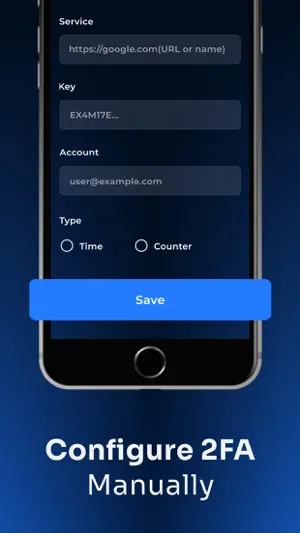
Authenticator App · 2FA & MFA helps you keep your online accounts safe by giving you secure two factor authentication codes for all your accounts. In an era where digital threats are constantly evolving, relying solely on a password is no longer enough to protect your sensitive data. Our authenticator provides a robust second layer of defense, generating time-based one-time passwords (TOTP) to ensure that your identity remains protected against unauthorized access across every platform you use. Choosing the right authentication is the most important step in securing your digital footprint. Our authenticator is designed for maximum efficiency, offering three distinct ways to add your accounts and start generating secure codes instantly: - Scan QR Code: This is the fastest method to secure your services within the authenticator app. Simply point your device camera at the QR code provided by the website or platform during their security setup. - Manual Entry: For services that do not provide a visual code, you can securely type in the secret key and account details into the authenticator to establish your secure connection manually. - Upload from Gallery: A convenient solution for when you have a screenshot of a QR code saved on your phone. This authentication app allows you to import it directly from your photo library without needing a second device or a physical printout. Authenticator App · 2FA & MFA is built to work with virtually any service that supports standard security protocols. You can confidently secure your accounts on Microsoft, Google, Facebook, Amazon, Instagram, Coinbase, Roblox and much more. Whether you are looking for a reliable MFA solution or a dedicated 2FA manager, our authenticator app delivers the performance you need. By utilizing this authentication app, you are taking a proactive step toward total account security. This authenticator is optimized to provide the best user experience while maintaining the highest level of encryption. Privacy Policy: https://kupertinolabs.com/privacy-policy Terms of Use: https://kupertinolabs.com/terms-of-use
Ratings & reviews
4.6
126 ratings
What’s new
Version 1.3.0 · Updated October 18, 2026
Bug fix
App privacy
The developer, Muhammet Yalcın Ozdemir Halil Ibrahim Karahan Mustafa Ayten Kupertino Bilisim Yazılım K.S, reported these privacy practices to Apple.
Data Used to Track You
The following data may be used to track you across apps and websites owned by other companies:
- Identifiers: User ID
Data Not Linked to You
The following data, which may be collected but is not linked to your identity, may be used for the following purposes:
- Purchases: Purchase History
- Identifiers: User ID
- Diagnostics: Crash Data
Used for: App Functionality
Alternatives to Authenticator App · 2FA & MFA
Looking for apps like Authenticator App · 2FA & MFA? Here are 6 similar apps on the App Store. The highest rated is Authenticator app - 2FA, MFA (4.6/5), and all 6 are free to download.
-
 Authenticator 2FA, MFA, OTP
4.4
-
 BlazeAuth - MFA Authenticator
4.5
-
 2FA Authenticator™ MFA Authy
3.7
-
 Authenticator app - 2FA, MFA
4.6
-
 CleanLess: Smart Cleanup
3.7
-
 Clean Storage - Home Cleaner
4.2
| App | Rating | Price | Last updated | Compare |
|---|---|---|---|---|
| Authenticator App · 2FA & MFA | 4.6 / 5 (126 ratings) | Free | October 18, 2026 | |
| Authenticator 2FA, MFA, OTP | 4.4 / 5 (154) | Free | Aug 26, 2026 | Compare |
| BlazeAuth - MFA Authenticator | 4.5 / 5 (2,103) | Free | Sep 22, 2026 | Compare |
| 2FA Authenticator™ MFA Authy | 3.7 / 5 (130) | Free | Jul 9, 2026 | Compare |
| Authenticator app - 2FA, MFA | 4.6 / 5 (5,826) | Free | Sep 9, 2026 | Compare |
| CleanLess: Smart Cleanup | 3.7 / 5 (7) | Free | Oct 13, 2026 | Compare |
| Clean Storage - Home Cleaner | 4.2 / 5 (43) | Free | Oct 5, 2026 | Compare |