

Shortcut Manager - App Hub
杨军 朱 Productivity iPhoneiPadiPod touchMac
Shortcut Manager - App Hub is a free Productivity app for iPhone and iPad by 杨军 朱. Rated 3.7/5 from 3 ratings. Requires iOS 15.0. Updated September 18, 2026.
- Rating
- 3.7
- 3 ratings
- Price
- Free
- on the App Store
- Size
- 38 MB
- Age 4+
- Updated
- Sep 18
- 2026 · v2.7.37
Screenshots



About Shortcut Manager - App Hub
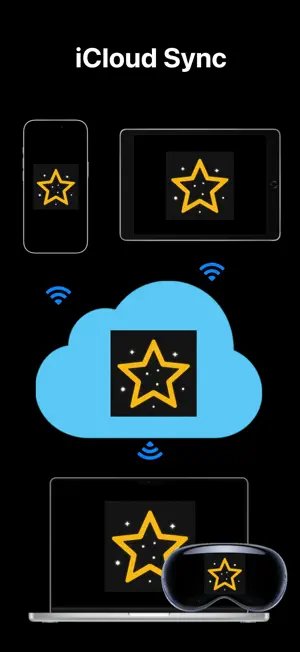
Practical App Shortcut Tool — Your Exclusive App Box (Paid Professional Version: Pro) This app is a cross-platform universal version. Purchase once to sync data between iPhone, iPad, Mac and Vision Pro via iCloud, supporting unified shortcut launch and management. Note: If you are looking for a more powerful native macOS app, search for 'RightClickHub' on the App Store. It can automatically read and open local apps without switching windows or desktops, as well as configured files and folders, but cross-device iCloud sync is not supported. ● One-click app launch: Save shortcuts to instantly open target programs ● Smart sorting: Automatically sorted by usage duration and frequency for quick access ● Efficient management: Supports searching, editing, adding and deleting shortcuts with simple operations ● Data backup: Export shortcut data for local backup (Pro version additionally supports import and cross-device sharing) ● Full-platform compatibility: Works with iPhone, iPad, Mac and Vision Pro, comes with native system shortcuts, supports auto-launch on Mac startup ● Built-in calendar: View holidays including lunar calendar and 24 solar terms, quickly access calendar and weather info Exclusive Pro Version Features - 100 functions in Mac right-click menu for fast local app launch: add startup apps, directories & files, screenshot capture, system junk cleanup, memory cleanup, scheduled shutdown, hide Dock & menu bar, mouse tracking speed adjustment, file size statistics, create hidden folders, show/hide hidden files, cut & paste files, clipboard character count, color picker, Activity Monitor, copy file names/paths, calculate file Hash, batch convert images to JPG, jump to copied paths, Simplified/Traditional Chinese conversion, encryption & decryption tools, ZIP encryption, remove file quarantine attributes, code formatting and other handy utilities. Note: The native RightClickHub supports app uninstallation and in-app launch, and can open files, folders, apps and built-in tools via keyboard shortcuts, menu bar and app center. - Custom desktop wallpaper, massive icon assets for free selection - Completely ad-free, cross-device iCloud sync, one-click calling/SMS/email sending, dedicated technical support, continuous long-term updates User Reviews 【1】Super handy quick launch tool Author bdavis22|Version 1.2|2013-03-01 Open multiple daily-used software with one click via link shortcuts. Tip: Better experience when paired with Bookmarkers Pro. 【2】Extremely practical Author Ariva97|Version 1.3|2013-04-30 (French translation user) Centralized management of all applications is hassle-free, the Pro version has no ads and runs smoother. 【3】Simple, functional and worth buying Author ネムネム (つ ω・)|Version 1.7|2013-07-13 (Japanese translation user) Simple and practical operations, upgrade to Pro to unlock all extra features!
What’s new
Version 2.7.37 · Updated September 18, 2026
Add built-in shortcuts: FileLook - Zip & Folder, FileArrange, DiskArrange, AVFormatter, SizeCapture, Bookmarkers for Safari
App privacy
The developer, 杨军 朱, reported these privacy practices to Apple.
Data Not Collected
The developer does not collect any data from this app.
Alternatives to Shortcut Manager - App Hub
Looking for apps like Shortcut Manager - App Hub? Here are 6 similar apps on the App Store. The highest rated is Shortcutly: Automation Hub (5.0/5), and all 6 are free to download.
-
 Shortcuts Browser
1.0
Shortcuts Browser
1.0
-
 tinkflow
-
 AIShortcut Keyboard
1.0
AIShortcut Keyboard
1.0
-
 Launcher Tag+
4.5
Launcher Tag+
4.5
-
 AnyShortcut
-
 Shortcutly: Automation Hub
5.0
Shortcutly: Automation Hub
5.0
| App | Rating | Price | Last updated | Compare |
|---|---|---|---|---|
| Shortcut Manager - App Hub | 3.7 / 5 (3 ratings) | Free | September 18, 2026 | |
| Shortcuts Browser | 1.0 / 5 (1) | Free | Sep 27, 2026 | Compare |
| tinkflow | – | Free | May 26, 2025 | Compare |
| AIShortcut Keyboard | 1.0 / 5 (1) | Free | May 3, 2025 | Compare |
| Launcher Tag+ | 4.5 / 5 (27) | Free | Jan 26, 2025 | Compare |
| AnyShortcut | – | Free | May 3, 2026 | Compare |
| Shortcutly: Automation Hub | 5.0 / 5 (3) | Free | Sep 7, 2026 | Compare |