

Logster
Studio Berlin GmbH Productivity iPad
Logster is a free Productivity app for iPad by Studio Berlin GmbH. Requires iOS 15.6. Updated September 1, 2026.
- Price
- Free
- on the App Store
- Size
- 2 MB
- Age 4+
- Updated
- Sep 1
- 2026 · v2.8.0
Screenshots


About Logster
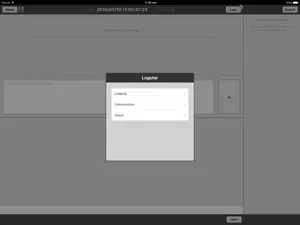
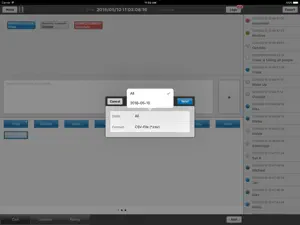
With Logster you can simply create notes for your productions. These "logs" are related to a timecode. For creating logs you can use either buttons or a comment field for individual text notes. Logster further allows you to create logs having a start- and a end timecode to describe time ranges. +++ Internal system clock or external timecode sources Logster can be synced with the internal system clock or an external LTC timecode by simply connecting the timecode source with the audio jack of your iPad. +++ External keyboard support Logster allows a faster input of the commentfield with the support of CMD+RETURN Hotkey while working with an external keyboard. +++ Use of different frame rates All logs are stored as a timecode value, which can be visualized and used with different frame rates (24, 25 or 30 FPS). +++ Customize productions To perfectly fit your needs Logster is highly customizable and lets you create multiple setups for different productions. Each setup may have multiple pages with multiple buttons or input fields. Each keyword can be customized for color and type. +++ Export and email reports Logster works without a permanent internet connection. All logs are saved locally on your iPad and can be sent by email once a mail account is available. You can choose between a CSV file format which may be used in common spreadsheet software or a XML file format while exporting your logs. +++ Collaboration & Workflow integration Logster is designed for single use and also for collaboration. Some productions may require all logged information to be consistent and further be connected to a central database or a content management system. With Logster logs created on different iPads can easily be synced manually or automatically to a central place. If you're wondering how Logster can be integrated into your workflow, we will be pleased to further advise you.
What’s new
Version 2.8.0 · Updated September 1, 2026
- iOS26 visual adaption (fixed a glitch) - fixed error handling
App privacy
The developer, Studio Berlin GmbH, reported these privacy practices to Apple.
Data Linked to You
The following data, which may be collected and linked to your identity, may be used for the following purposes:
- Identifiers: User ID
Used for: App Functionality
Alternatives to Logster
Looking for apps like Logster? Here are 6 similar apps on the App Store. The highest rated is Planner Templates by Nobody (4.8/5), and 4 of the 6 are free to download.
-
 Timecode Logs
-
 LogMe - Film Logger
-
 Planner Templates by Nobody
4.8
Planner Templates by Nobody
4.8
-
 Timestamp Marker
4.0
Timestamp Marker
4.0
-
 Timecode QuickNotes
-
 Raccorder Lite
2.5
Raccorder Lite
2.5
| App | Rating | Price | Last updated | Compare |
|---|---|---|---|---|
| Logster | – | Free | September 1, 2026 | |
| Timecode Logs | – | 4.99 USD | Sep 20, 2025 | Compare |
| LogMe - Film Logger | – | Free | Oct 28, 2026 | Compare |
| Planner Templates by Nobody | 4.8 / 5 (68) | 4.99 USD | Dec 11, 2023 | Compare |
| Timestamp Marker | 4.0 / 5 (1) | Free | Aug 28, 2026 | Compare |
| Timecode QuickNotes | – | Free | Apr 22, 2025 | Compare |
| Raccorder Lite | 2.5 / 5 (2) | Free | Jun 27, 2024 | Compare |
Compare Logster with the top alternatives: ratings, updates, ASO score and keyword gaps →