

Braintoss
Braintoss B.V. Productivity iPhoneiPadiPod touchApple Watch
Braintoss is a paid Productivity app for iPhone and iPad by Braintoss B.V. Rated 3.8/5 from 49 ratings. Requires iOS 16.6. Updated October 21, 2026.
- Rating
- 3.8
- 49 ratings
- Price
- 2.99 USD
- on the App Store
- Size
- 18 MB
- Age 4+
- Updated
- Oct 21
- 2026 · v10.0.6
Screenshots

About Braintoss
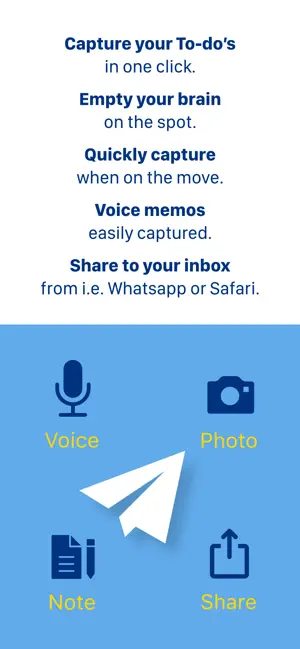
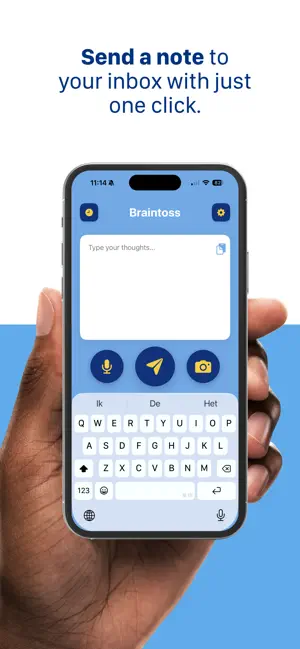
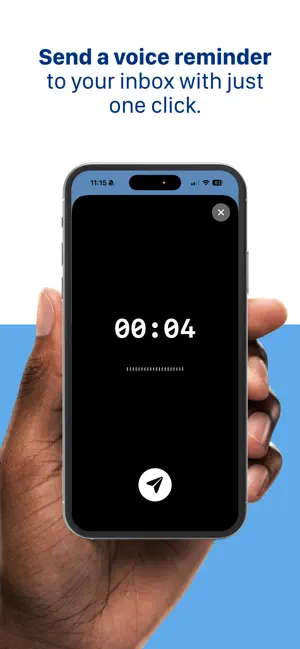
Braintoss captures a thought in seconds—type, speak, or photograph it—and sends it to your email or webhook destinations in one flow. WHAT YOU USE IT FOR • Voice notes transcribed and emailed • Photos of whiteboards, receipts, documents, or business cards—sent with a useful subject • Quick typed reminders and to-dos • Share from Safari, Mail, Photos, and other apps into Braintoss, then send where you want VERSION 10 Braintoss 10 is rebuilt as a native iOS app with a modern capture screen, clearer Settings, and steadier delivery and retries. Long-press Send (or Edit in History) to choose destination, subject, and optional message body before sending. Share extension and Apple Watch work with Quick or Advanced modes. Dark mode on the main screen. Optional on-device speech and image analysis for captions; sending uses secure connections to Braintoss’s delivery service. PRIVACY, LOCAL-FIRST Your captures go to the destinations you configure. App Store builds ship with optional usage telemetry turned off by default. Optional Help & Support Debug Mode can add context to emails you choose to send to support; logs stay on your device unless you share them. Learn more: braintoss.app/support — Privacy: braintoss.app/privacy
Ratings & reviews
3.8
49 ratings
What’s new
Version 10.0.6 · Updated October 21, 2026
Undo you can rely on: after Send the note waits a moment on your iPhone, so Undo always stops it, also offline. Set the time in Advanced Settings → Undo send. After Send you see grey Sending with Undo, then a green Sent. The share sheet and Apple Watch do the same. Apple Watch voice notes carry the spoken text again (Series 9 or later, SE 3, Ultra 2 or later). Notifications only when a note doesn't get through, with Send now, Edit & send or Delete. Fixes: a plain tap on Send goes to your default address again after you picked another one; a note also leaves when you switch apps straight after Send; a long chat screenshot no longer gives a calendar file named after the whole chat.
App privacy
The developer, Braintoss B.V., reported these privacy practices to Apple.
Data Not Linked to You
The following data, which may be collected but is not linked to your identity, may be used for the following purposes:
- Contact Info: Email Address
- User Content: Emails or Text Messages, Photos or Videos, Audio Data
Used for: Other Purposes
Alternatives to Braintoss
Looking for apps like Braintoss? Here are 6 similar apps on the App Store. The highest rated is Audio Notes | Email Me (4.8/5), and 4 of the 6 are free to download.
-
 Audio Notes | Email Me
4.8
Audio Notes | Email Me
4.8
-
 Quick Notes - Supasend
4.7
Quick Notes - Supasend
4.7
-
 Quick Capture - Vault notes
4.5
Quick Capture - Vault notes
4.5
-
 Whisper Notes - Speech to Text
4.7
Whisper Notes - Speech to Text
4.7
-
 Widgets for Obsidian
4.4
Widgets for Obsidian
4.4
-
 BusyCal: Calendar & Tasks
4.7
BusyCal: Calendar & Tasks
4.7
| App | Rating | Price | Last updated | Compare |
|---|---|---|---|---|
| Braintoss | 3.8 / 5 (49 ratings) | 2.99 USD | October 21, 2026 | |
| Audio Notes | Email Me | 4.8 / 5 (675) | Free | Oct 19, 2026 | Compare |
| Quick Notes - Supasend | 4.7 / 5 (32) | Free | Oct 21, 2026 | Compare |
| Quick Capture - Vault notes | 4.5 / 5 (105) | Free | Sep 24, 2026 | Compare |
| Whisper Notes - Speech to Text | 4.7 / 5 (669) | 7.99 USD | Oct 23, 2026 | Compare |
| Widgets for Obsidian | 4.4 / 5 (48) | Free | Jul 30, 2025 | Compare |
| BusyCal: Calendar & Tasks | 4.7 / 5 (4,528) | 9.99 USD | Oct 16, 2026 | Compare |
Compare Braintoss with the top alternatives: ratings, updates, ASO score and keyword gaps →