

MyPasswords Password Manager
Ricardo Castellanos Herreros Productivity iPhoneiPadiPod touch
MyPasswords Password Manager is a free Productivity app for iPhone and iPad by Ricardo Castellanos Herreros. Rated 3.3/5 from 7 ratings. Requires iOS 16.4.
- Rating
- 3.3
- 7 ratings
- Price
- Free
- on the App Store
- Size
- 52 MB
- Age 4+
- Updated
- Oct 10
- 2026 · v3.0.0
Screenshots


About MyPasswords Password Manager
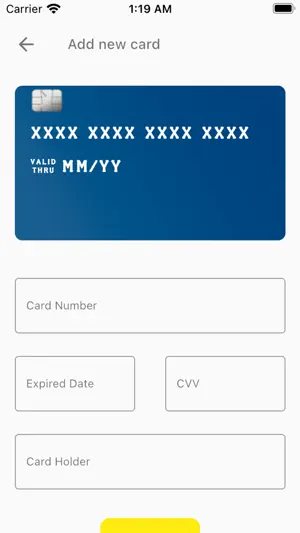
My Passwords keeps your passwords and other sensitive data encrypted on your device, before it ever leaves it. Only your master password can open it: not even we can read it. END-TO-END ENCRYPTION • Your data is encrypted on your phone with modern algorithms (Argon2id and XChaCha20‑Poly1305). • Your master password never leaves the device and is not stored on any server. • Synced with your account, but only encrypted text is kept in the cloud. 10 ITEM TYPES • Passwords and websites (with their address). • Email: incoming server (IMAP, POP3, Exchange) and outgoing SMTP server, ports and security. • Wi‑Fi, servers, databases, API keys and licenses. • Cards and secure notes. Each type stores exactly the fields it needs, with buttons to copy and to show or hide secrets. GENERATOR AND SECURITY • Random password generator, up to 64 characters. • A security score that spots weak or reused passwords, calculated on your device. CONVENIENCE • Unlock with Face ID or fingerprint. • Auto-lock when you leave the app and screenshot blocking. • Search and filters by type. • Available in Spanish, English, French, Italian, Portuguese, German, Russian and Chinese. NO ADS. IMPORTANT Because only you hold the key, nobody can recover your master password. When you start, we show you a recovery key: keep it somewhere safe, it is the only way back in if you forget it. Coming from the previous version of My Passwords? When you open the app we will guide you to move your passwords to the new encryption.
Ratings & reviews
3.3
7 ratings
What’s new
Version 3.0.0 · Updated October 10, 2026
• New design and end-to-end encryption: only your master password opens your passwords. • 10 item types: passwords, websites, email, Wi‑Fi, servers, databases, API keys, licenses, cards and notes. • Password generator and security score. • Unlock with Face ID or fingerprint. • 8 languages.
App privacy
The developer, Ricardo Castellanos Herreros, reported these privacy practices to Apple.
Data Not Collected
The developer does not collect any data from this app.
Alternatives to MyPasswords Password Manager
Looking for apps like MyPasswords Password Manager? Here are 6 similar apps on the App Store. The highest rated is aWallet Password Manager (4.8/5), and all 6 are free to download.
-
 SamuraiSafe Password Manager
4.7
SamuraiSafe Password Manager
4.7
-
 Easy Password Manager:
4.0
Easy Password Manager:
4.0
-
 Passsword Manager Vault
4.0
Passsword Manager Vault
4.0
-
 All In One : Password Manager
3.9
All In One : Password Manager
3.9
-
 IronCrypto: Password Manager
4.7
IronCrypto: Password Manager
4.7
-
 aWallet Password Manager
4.8
aWallet Password Manager
4.8
| App | Rating | Price | Last updated | Compare |
|---|---|---|---|---|
| MyPasswords Password Manager | 3.3 / 5 (7 ratings) | Free | October 10, 2026 | |
| SamuraiSafe Password Manager | 4.7 / 5 (23) | Free | Oct 7, 2026 | Compare |
| Easy Password Manager: | 4.0 / 5 (1) | Free | Apr 8, 2026 | Compare |
| Passsword Manager Vault | 4.0 / 5 (9) | Free | Mar 28, 2024 | Compare |
| All In One : Password Manager | 3.9 / 5 (22) | Free | Jan 20, 2026 | Compare |
| IronCrypto: Password Manager | 4.7 / 5 (206) | Free | Sep 29, 2026 | Compare |
| aWallet Password Manager | 4.8 / 5 (3,535) | Free | Jun 15, 2026 | Compare |