

BMO Digital Banking
BMO Bank National Association Finance iPhoneiPadiPod touch
BMO Digital Banking is a free Finance app for iPhone and iPad by BMO Bank National Association. Rated 4.8/5 from 135,093 ratings. Requires iOS 16.0.
- Rating
- 4.8
- 135K ratings
- Price
- Free
- on the App Store
- Size
- 88 MB
- Age 4+
- Updated
- Aug 6
- 2026 · v2715977826.7.115
Screenshots
About BMO Digital Banking
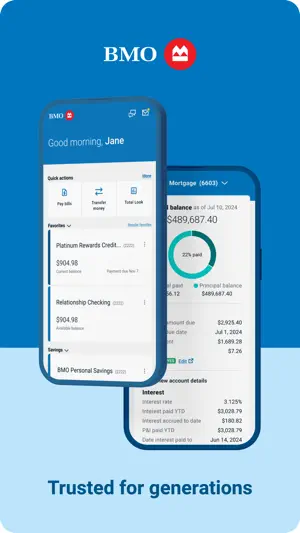
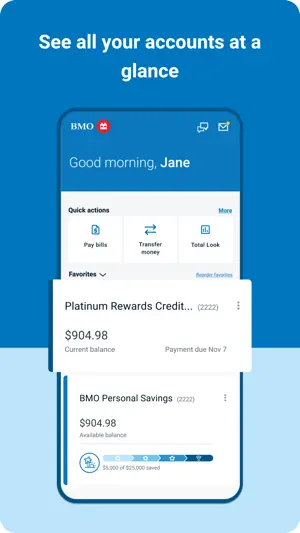
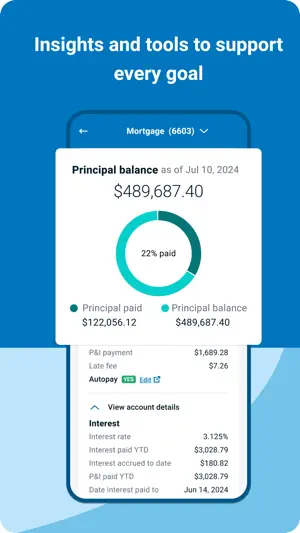
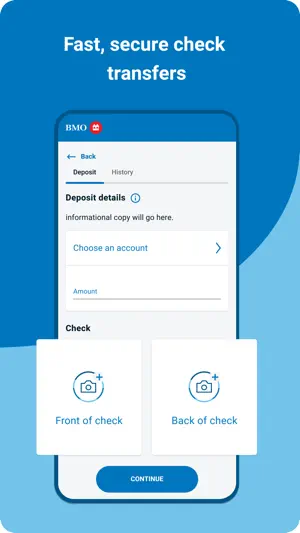
Bank on the go from your iPhone® anywhere, anytime with the BMO Digital Banking app. We’ve updated the design for a cleaner look that’s even more convenient to use! It’s secure¹ and super easy to: • View account balances and activity • Sign on even faster using Face ID® • Access your credit card account alongside your other BMO accounts • Send money to friends and family with a bank account in the U.S. with Zelle® • Track your accounts – even if they’re not with us – with BMO Total Look • Transfer money between your BMO accounts² • Deposit checks by taking a picture with your iPhone® camera³ • Schedule and manage bill payments • Turn your debit or ATM card on and off and get real time alerts⁴ – with BMO Card Monitor Visit bmo.com/usmobile to learn more. ¹ Please visit bmo.com/us/security for more details. ² If you make an Internal Transfer on a weekend or holiday, we’ll credit the payment the same day, but we’ll post the payment on the next Business Day. ³ Mobile Deposit is available using the BMO Digital Banking app. This service may not function on older devices. Users must be a BMO Digital Banking customer with a BMO account opened for more than 5 calendar days. Deposits are not immediately available for withdrawal. For details, see the BMO Digital Banking Agreement found at bmo.com/uslegal. ⁴ Message and data rates may apply. Contact your wireless carrier for details. Accounts are subject to approval. BMO Bank N.A. Member FDIC Third party web sites may have privacy and security policies different from BMO. Links to other web sites do not imply the endorsement or approval of such web sites. Please review the privacy and security policies of websites reached through links from BMO web sites. Copyright 2026, BMO Financial Corp., All Rights Reserved. iPhone® and Face ID® are trademarks of Apple Inc., registered in the U.S. and/or other countries. Zelle® and the Zelle® related marks are wholly owned by Early Warning Services, LLC and are used herein under license.
Ratings & reviews
4.8
135K ratings
What’s new
Version 2715977826.7.115 · Updated August 6, 2026
We're always working to improve the banking experience, update includes: • BMO introduces Identity Theft Protection via the CreditView dashboard • Minor bug fixes and performance improvements. Turn on automatic updates so you always bank with the latest features & enhancements!
App privacy
The developer, BMO Bank National Association, reported these privacy practices to Apple.
Data Linked to You
The following data, which may be collected and linked to your identity, may be used for the following purposes:
- Identifiers: Device ID, User ID
- Usage Data: Product Interaction, Other Usage Data
- Financial Info: Payment Info, Other Financial Info
- Contact Info: Email Address, Phone Number, Physical Address
- Contacts: Contacts
Used for: Analytics, App Functionality, Other Purposes
Data Not Linked to You
The following data, which may be collected but is not linked to your identity, may be used for the following purposes:
- Diagnostics: Crash Data, Performance Data
Used for: Analytics
Alternatives to BMO Digital Banking
Looking for apps like BMO Digital Banking? Here are 6 similar apps on the App Store. The highest rated is DCU Digital Banking (4.9/5), and all 6 are free to download.
-
 First Citizens Mobile Banking
4.6
First Citizens Mobile Banking
4.6
-
 DCU Digital Banking
4.9
DCU Digital Banking
4.9
-
 Online Banking for Business
1.8
Online Banking for Business
1.8
-
 BMO Canada
4.3
BMO Canada
4.3
-
 KeyBank Mobile Banking
4.7
KeyBank Mobile Banking
4.7
-
 GO2bank: Mobile banking
4.8
GO2bank: Mobile banking
4.8
| App | Rating | Price | Last updated | Compare |
|---|---|---|---|---|
| BMO Digital Banking | 4.8 / 5 (135,093 ratings) | Free | August 6, 2026 | |
| First Citizens Mobile Banking | 4.6 / 5 (39,714) | Free | Jul 24, 2026 | Compare |
| DCU Digital Banking | 4.9 / 5 (128,651) | Free | Sep 8, 2026 | Compare |
| Online Banking for Business | 1.8 / 5 (51) | Free | Sep 23, 2026 | Compare |
| BMO Canada | 4.3 / 5 (175) | Free | Sep 24, 2026 | Compare |
| KeyBank Mobile Banking | 4.7 / 5 (254,655) | Free | Sep 23, 2026 | Compare |
| GO2bank: Mobile banking | 4.8 / 5 (64,082) | Free | Sep 24, 2026 | Compare |