

Seer
Digital Vision, Inc. Business iPhoneiPadiPod touch
Seer is a free Business app for iPhone and iPad by Digital Vision, Inc. Rated 5.0/5 from 2 ratings. Requires iOS 14.0. Updated November 10, 2025.
- Rating
- 5.0
- 2 ratings
- Price
- Free
- on the App Store
- Size
- 38 MB
- Age 4+
- Updated
- Nov 10
- 2025 · v1.7.01
Screenshots



About Seer
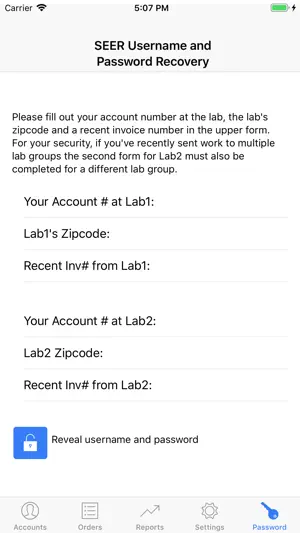
Seer allows the eye care practitioner to view the status of orders sent to laboratories running Digital Vision's lab management system. Orders can be searched by patient name or Rx number. By clicking the column headers, they can also be sorted by patient name, Rx number, status, or lab invoice number. Orders are color coded as follows: transmitted to lab - cream in process at lab - blue shipped from lab - green cancelled by lab - orange stock order - brown At the beginning of each month, the lab makes a variety of reports available. View usage history by lens style, material, or coating. For comparison, the reports include the same month from the previous year. To get started, go to the "Accounts" page, enter the ID# and password supplied by your DVI laboratory or recovered via the SEER "Password" page, and press the + button to insert. When logged in as a sales representative you can view orders and reports by selecting individual accounts on the accounts page.
What’s new
Version 1.7.01 · Updated November 10, 2025
The application has updates to MFA compatibility
App privacy
The developer, Digital Vision, Inc., reported these privacy practices to Apple.
Data Not Collected
The developer does not collect any data from this app.
Alternatives to Seer
Looking for apps like Seer? Here are 6 similar apps on the App Store. The highest rated is Meet Bob: Card Scanner (5.0/5), and all 6 are free to download.
-
 Voxera AI
-
 Meet Bob: Card Scanner
5.0
-
 Savon Eyewear
-
 KVT Business Card Scanner
-
 Hello Seer
5.0
-
 Transitions Academy 2025
| App | Rating | Price | Last updated | Compare |
|---|---|---|---|---|
| Seer | 5.0 / 5 (2 ratings) | Free | November 10, 2025 | |
| Voxera AI | – | Free | Dec 17, 2025 | Compare |
| Meet Bob: Card Scanner | 5.0 / 5 (4) | Free | Jul 16, 2026 | Compare |
| Savon Eyewear | – | Free | Apr 4, 2025 | Compare |
| KVT Business Card Scanner | – | Free | Oct 14, 2026 | Compare |
| Hello Seer | 5.0 / 5 (4) | Free | Nov 26, 2024 | Compare |
| Transitions Academy 2025 | – | Free | Jan 30, 2025 | Compare |
Compare Seer with the top alternatives: ratings, updates, ASO score and keyword gaps →