

eDrawings
Dassault Systemes SolidWorks Corporation Productivity iPhoneiPadiPod touch
eDrawings is a paid Productivity app for iPhone and iPad by Dassault Systemes SolidWorks Corporation. Rated 2.5/5 from 17 ratings. Requires iOS 16.0.
- Rating
- 2.5
- 17 ratings
- Price
- 1.99 USD
- on the App Store
- Size
- 185 MB
- Age 4+
- Updated
- Apr 16
- 2026 · v34.2.0057
Screenshots

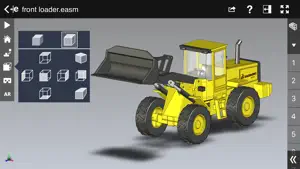

About eDrawings
eDrawings® is the only CAD viewer on iPad, iPad mini, iPhone and iPod Touch that allows you to view native eDrawings files as well as native SolidWorks® parts, assemblies and drawings files. In addition, eDrawings allows convenient viewing of DWG and DXF files. eDrawings includes Augmented Reality (AR). This allows you to view your 3D models in 1:1 scale into the real world. By simply activating the device’s camera, you can bring your virtual 3D designs in a real context and see them in situ, sitting on your desk or on your conference room table or even in the palm of your hand, through your iPad, Pad mini, iPhone or iPod Touch’s screen. Move around the room and see your design from any perspective. eDrawings is the email-enabled communication tool that dramatically eases sharing of product design information. You can load and send files via email to collaborate more effectively with everyone involved in product development, including people who are not regular CAD software users to interpret and understand 2D and 3D designs. Multi-touch gestures let you pan, zoom, and rotate models easily. eDrawings also supports configurations, drawing sheets, and exploded views for eDrawings files published from SolidWorks® and all other supported CAD software. Features: * Intuitive and easy-to-use user interface * Visualize your 3D models in real context with Augmented Reality (AR) * Open 3D (EASM, EPRT, SLDASM, SLDPRT, IGES, IGS, JT, STEP, STP, IFC), 2D (EDRW, SLDDRW, DWG, DXF) and associated files from any source: email attachments, cloud storage services (Dropbox™, SkyDrive®, Google Drive, YouSendIt®, and others), web and FTP sites, networks, and iTunes® File Sharing. * Zoom, pan and rotate your 2D or 3D CAD data using multi-touch * Animate 3D standard views as well as 2D drawing views. * Browse your assembly components tree, configurations and drawing sheets * View your designs in full screen and double tap to fit it on screen * Adapt the scale of your 3D model in AR mode * Freeze the background in AR mode with viewpoint lock to prolong AR experience without holding up your device. * Sample files included For more information, visit: http://www.edrawingsviewer.com
Ratings & reviews
2.5
17 ratings
What’s new
Version 34.2.0057 · Updated April 16, 2026
Bug Fixes
App privacy
The developer, Dassault Systemes SolidWorks Corporation, reported these privacy practices to Apple.
Data Not Collected
The developer does not collect any data from this app.
Alternatives to eDrawings
Looking for apps like eDrawings? Here are 6 similar apps on the App Store. The highest rated is Autodesk Fusion (4.5/5), and all 6 are free to download.
-
 SolidInsight
4.4
SolidInsight
4.4
-
 Onshape 3D CAD
3.5
Onshape 3D CAD
3.5
-
 Autodesk Fusion
4.5
Autodesk Fusion
4.5
-
 STL Simple Viewer
4.3
STL Simple Viewer
4.3
-
 3D Model Viewer - AR View
4.2
3D Model Viewer - AR View
4.2
-
 3D Model Viewer - AR & Print
4.4
3D Model Viewer - AR & Print
4.4
| App | Rating | Price | Last updated | Compare |
|---|---|---|---|---|
| eDrawings | 2.5 / 5 (17 ratings) | 1.99 USD | April 16, 2026 | |
| SolidInsight | 4.4 / 5 (7) | Free | Apr 15, 2026 | Compare |
| Onshape 3D CAD | 3.5 / 5 (412) | Free | Oct 10, 2026 | Compare |
| Autodesk Fusion | 4.5 / 5 (4,096) | Free | Sep 24, 2026 | Compare |
| STL Simple Viewer | 4.3 / 5 (909) | Free | Oct 5, 2026 | Compare |
| 3D Model Viewer - AR View | 4.2 / 5 (328) | Free | Sep 24, 2026 | Compare |
| 3D Model Viewer - AR & Print | 4.4 / 5 (356) | Free | Sep 28, 2026 | Compare |
Compare eDrawings with the top alternatives: ratings, updates, ASO score and keyword gaps →