

VO Calendar
Tom van Zummeren Productivity iPhoneiPadiPod touch
VO Calendar is a paid Productivity app for iPhone and iPad by Tom van Zummeren. Rated 4.6/5 from 8 ratings. Requires iOS 15.0. Updated November 22, 2023.
- Rating
- 4.6
- 8 ratings
- Price
- 3.99 USD
- on the App Store
- Size
- 1 MB
- Age 4+
- Updated
- Nov 22
- 2023 · v1.2.5
Screenshots


About VO Calendar
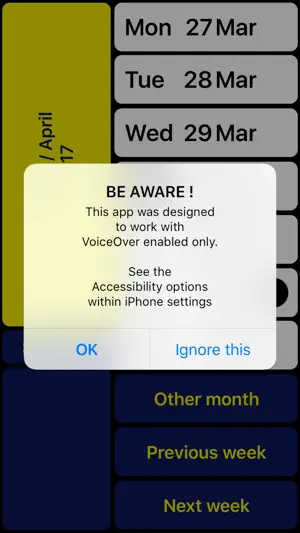
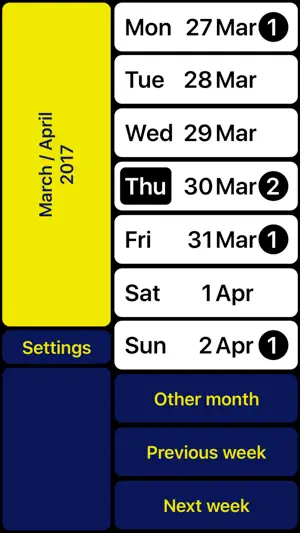
NOTE: Can only be used together with VoiceOver (for blind and partially sighted people). VO Calendar is a weekly calendar specifically designed to be used with VoiceOver. The result of this VoiceOver-only design is not only a smoother navigation through the app. It also makes it possible for the VoiceOver speech to give smart summaries depending on the context. This prevents you from having to go through each event Individually. Existing events are automatically synchronized. If you prefer not to type, you can record voice memos instead. You can use VO Calendar with the VoiceOver gestures you are used to. However, there is an even faster way. With the screen being split into two halves you can scan the right half of the screen with your right thumb. A single tap with your left thumb then is enough to activate the concerning function. After getting used to you will find out this helps you to browse through your calendar even quicker. The left bottom always contains the ‘Return’ button so you can still reach it with your right thumb (being an L-shaped layout). At the top left you can always find a summary of the current screen content. In case you are left-handed you can swap left and right. Note: If you have multiple calendars configured, VO Calendar will show all concerning events. New events will be assigned to your iPhone’s default calendar. Change the default calendar in: Settings > Mail, Contacts, Calendars > Default Calendar. VO Calendar is developed in cooperation with Royal Dutch Visio, Centre of Expertise for blind and partially sighted people (www.visio.org). We appreciate your opinion and are always interested in hearing from you. Feel free to leave your feedback in the form of a review or contact us at: [email protected] In case you have problems recording a memo: - Hold one finger on 'Record memo' button - Use other finger to tap on screen (instead of first focussing on the button and then double tap)
Ratings & reviews
4.6
8 ratings
What’s new
Version 1.2.5 · Updated November 22, 2023
Updated for iOS 17.
App privacy
The developer, Tom van Zummeren, reported these privacy practices to Apple.
Data Not Collected
The developer does not collect any data from this app.
Alternatives to VO Calendar
Looking for apps like VO Calendar? Here are 6 similar apps on the App Store. The highest rated is Seeing AI (4.3/5), and all 6 are free to download.


| App | Rating | Price | Last updated | Compare |
|---|---|---|---|---|
| VO Calendar | 4.6 / 5 (8 ratings) | 3.99 USD | November 22, 2023 | |
| Emvi.ai | 3.6 / 5 (7) | Free | Oct 16, 2026 | Compare |
| WayAround - Tag and Scan | 4.1 / 5 (33) | Free | Sep 29, 2026 | Compare |
| PiccyBot | 4.1 / 5 (60) | Free | Sep 30, 2026 | Compare |
| ScribeMe | 3.9 / 5 (15) | Free | Oct 23, 2026 | Compare |
| Envision AI | 4.2 / 5 (595) | Free | Mar 16, 2026 | Compare |
| Seeing AI | 4.3 / 5 (633) | Free | Sep 4, 2025 | Compare |
Compare VO Calendar with the top alternatives: ratings, updates, ASO score and keyword gaps →