

myWork - Time tracking
Marcel Russ Business iPhoneiPadiPod touchApple Watch
myWork - Time tracking is a free Business app for iPhone and iPad by Marcel Russ. Rated 4.9/5 from 15 ratings. Requires iOS 15.6. Updated July 3, 2025.
- Rating
- 4.9
- 15 ratings
- Price
- Free
- on the App Store
- Size
- 27 MB
- Age 4+
- Updated
- Jul 3
- 2025 · v11.4
Screenshots


About myWork - Time tracking
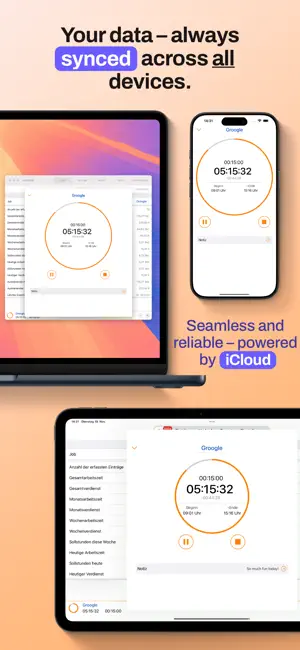
Discover with myWork how easy it can be to maintain your digital timesheet. With just one click the recording is started and you can concentrate on what really counts - your work! myWork is designed so that it can be stopped during recording and does not drain your battery. The next time you start the app, you'll return to the corresponding place and see at a glance how much work time you've already recorded. Main functions: - Create and manage multiple, independent jobs / projects / customers - Versatile working time models for exact overtime calculations. - Stopwatch function for daily recording of working time - Quick, manual recording of activities such as holidays, public holidays, illness, short-time work and much more... - Location-based automatic starting and stopping of time recording - Automatic pause function - iCloud synchronization - Apple Watch Support - Overview of the most important data such as planned working time, overtime, earnings and much more directly at the start - Intelligent search and filter function - Template based and easily configurable export of your times - Creating a standard job for quick startup - Integrated vacation days management - Clear presentation of year, month and week views - Memo function during recording - dark mode Of course, data protection is a top priority! With the exception of the optional synchronization and backup features, all data remains local to your device. No servers, no transfer to third parties! You may purchase an auto-renewing subscription through an In-App Purchase. • Auto-renewable subscription • Your subscription will be charged to your iTunes account at confirmation of purchase and will automatically renew (at the duration selected) unless auto-renew is turned off at least 24 hours before the end of the current period. • Current subscription may not be cancelled during the active subscription period; however, you can manage your subscription and/or turn off auto-renewal by visiting your iTunes Account Settings after purchase • Privacy policy and terms of use: https://www.apple.com/legal/internet-services/itunes/dev/stdeula/ You have further questions? - I would be happy to receive an e-mail.
Ratings & reviews
4.9
15 ratings
What’s new
Version 11.4 · Updated July 3, 2025
This app has been updated by Apple to prepare for watchOS 27 compatibility. No new features are included. New view for inactive jobs bug fixes
App privacy
The developer, Marcel Russ, reported these privacy practices to Apple.
Data Not Collected
The developer does not collect any data from this app.
Alternatives to myWork - Time tracking
Looking for apps like myWork - Time tracking? Here are 6 similar apps on the App Store. The highest rated is WorkTimes - Work Hours Tracker (4.8/5), and all 6 are free to download.
-
 Automatic Time Clock
4.6
Automatic Time Clock
4.6
-
 TimeTrack - Time tracker
-
 WorkTimes - Work Hours Tracker
4.8
WorkTimes - Work Hours Tracker
4.8
-
 TimeTrack Project Time Tracker
4.7
TimeTrack Project Time Tracker
4.7
-
 TimeTrack for Freelancers
4.7
TimeTrack for Freelancers
4.7
-
 TimeTac Classic
4.1
TimeTac Classic
4.1
| App | Rating | Price | Last updated | Compare |
|---|---|---|---|---|
| myWork - Time tracking | 4.9 / 5 (15 ratings) | Free | July 3, 2025 | |
| Automatic Time Clock | 4.6 / 5 (64) | Free | Oct 1, 2026 | Compare |
| TimeTrack - Time tracker | – | Free | Oct 2, 2026 | Compare |
| WorkTimes - Work Hours Tracker | 4.8 / 5 (75) | Free | Oct 21, 2026 | Compare |
| TimeTrack Project Time Tracker | 4.7 / 5 (134) | Free | Oct 9, 2026 | Compare |
| TimeTrack for Freelancers | 4.7 / 5 (690) | Free | Oct 9, 2026 | Compare |
| TimeTac Classic | 4.1 / 5 (9) | Free | Aug 12, 2026 | Compare |