

WhoCallMe
Young-Jun Lee Business iPhoneiPadiPod touch
WhoCallMe is a free Business app for iPhone and iPad by Young-Jun Lee. Rated 4.2/5 from 25 ratings. Requires iOS 18.0. Updated October 12, 2026.
- Rating
- 4.2
- 25 ratings
- Price
- Free
- on the App Store
- Size
- 9 MB
- Age 4+
- Updated
- Oct 12
- 2026 · v3.3.1
Screenshots


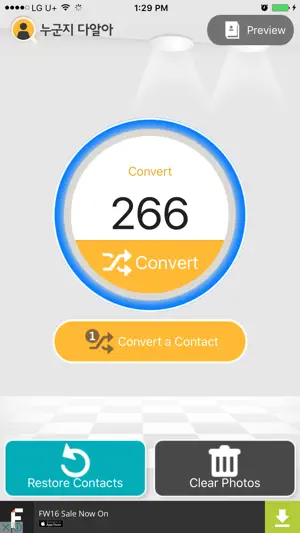

About WhoCallMe
Hello! Ever get a call and think, “Who is this again?” just from the name? Especially with clients, old contacts, or business acquaintances – the default phone screen only shows name and photo, no company or title info. You end up scrambling through contacts every time. 'WhoCallMe' fixes that perfectly! Convert once, and company, department, and job title appear neatly on your incoming call screen. Now it's so much easier: - Incoming call screen shows name + company + department + job title + photo (option for full-screen original photo too!) - Recents list and messages show company & title info right there – no more guessing who it is - Search contacts by name initials, company, department, or job title (perfect Korean consonant search supported) - Auto-generate nicknames if you want (toggle on/off) - Customize exactly what shows: turn company, department, title, nickname on or off as you like Super simple to use: 1. Open the app and tap Convert once (adds the extra fields to your contacts – takes seconds) 2. Go to Settings and choose what info to display (company/department/title/nickname/etc.) 3. Use your regular Phone and Messages apps as usual – extra info appears automatically! 4. Restore anytime to go back to original contacts (safe and easy) Completely Free App Only one small banner ad at the bottom – collapsible so it never gets in the way. Indie developer (Young-Jun Lee) has been updating it steadily for over 10 years. Optimized to work smoothly on the latest iOS. No more confusion when that important call comes in! Make your business life a little smarter with WhoCallMe :) Feedback or questions? Always welcome!
Ratings & reviews
4.2
25 ratings
What’s new
Version 3.3.1 · Updated October 12, 2026
Fullscreen photo mode now fills the preview edge to edge, with no margin around the photo. Stability improvements.
App privacy
The developer, Young-Jun Lee, reported these privacy practices to Apple.
Data Used to Track You
The following data may be used to track you across apps and websites owned by other companies:
- Identifiers: Device ID
- Usage Data: Product Interaction
Data Not Linked to You
The following data, which may be collected but is not linked to your identity, may be used for the following purposes:
- Identifiers: Device ID
- Usage Data: Product Interaction
- Diagnostics: Crash Data, Performance Data, Other Diagnostic Data
Used for: Third-Party Advertising, Developer’s Advertising or Marketing, Analytics, Product Personalization
Alternatives to WhoCallMe
Looking for apps like WhoCallMe? Here are 6 similar apps on the App Store. The highest rated is FindU : Reveal Who is Calling? (4.5/5), and all 6 are free to download.
-
 Who's Calling, Inc.
3.0
Who's Calling, Inc.
3.0
-
 FindU : Reveal Who is Calling?
4.5
FindU : Reveal Who is Calling?
4.5
-
 Who Called Me - Number Lookup
3.9
Who Called Me - Number Lookup
3.9
-
 Find Call - Identify Caller ID
4.2
Find Call - Identify Caller ID
4.2
-
 Oman Real
4.4
Oman Real
4.4
-
 Liva Oman
2.0
Liva Oman
2.0
| App | Rating | Price | Last updated | Compare |
|---|---|---|---|---|
| WhoCallMe | 4.2 / 5 (25 ratings) | Free | October 12, 2026 | |
| Who's Calling, Inc. | 3.0 / 5 (4) | Free | May 5, 2025 | Compare |
| FindU : Reveal Who is Calling? | 4.5 / 5 (10) | Free | Aug 21, 2023 | Compare |
| Who Called Me - Number Lookup | 3.9 / 5 (14) | Free | Dec 29, 2025 | Compare |
| Find Call - Identify Caller ID | 4.2 / 5 (294) | Free | Jul 26, 2024 | Compare |
| Oman Real | 4.4 / 5 (262) | Free | Oct 9, 2026 | Compare |
| Liva Oman | 2.0 / 5 (14) | Free | Aug 24, 2026 | Compare |
Compare WhoCallMe with the top alternatives: ratings, updates, ASO score and keyword gaps →