

Unix/Linux CLI Commands
Bahtiyar Polat Developer Tools iPhoneiPadiPod touch
Unix/Linux CLI Commands is a free Developer Tools app for iPhone and iPad by Bahtiyar Polat. Rated 1.8/5 from 19 ratings. Requires iOS 16.0.
- Rating
- 1.8
- 19 ratings
- Price
- Free
- on the App Store
- Size
- 6 MB
- Age 4+
- Updated
- Sep 25
- 2026 · v4.1
Screenshots

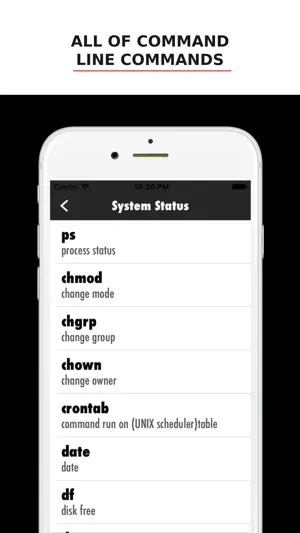
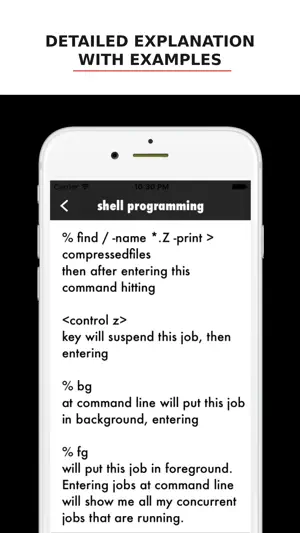
About Unix/Linux CLI Commands
Unix/Linux CLI Commands is a clean, fast reference for the Unix and Linux command line — and a safe place to practice what you learn. Whether you're a student, a developer, or a system administrator brushing up, every command is explained in plain language with real examples you can try right away. BROWSE BY CATEGORY Commands are grouped into clear categories — file management, searching, text processing, networking & communication, storage, system status and more — so you can find what you need fast or explore a topic from the ground up. LEARN WHAT EACH COMMAND DOES Each entry gives you the command, its full name, a short description of what it does, and practical examples. No fluff, no wall of man-page text — just what you need to understand and use it. PRACTICE IN A SAFE TERMINAL Reading is one thing; doing is another. The built-in terminal is a real, in-memory shell where you can actually run commands — ls, cd, pwd, mkdir, cat, echo, file, find and more — against a virtual filesystem stocked with sample files and folders. Nothing touches your real device, so you can experiment freely and break things without worry. READABLE, YOUR WAY Pick the reading font and size that suit you, and choose Light, Dark, or System appearance. Designed to look right on both iPhone and iPad. A handy companion for anyone learning the shell or keeping the essentials close at hand.
Ratings & reviews
1.8
19 ratings
What’s new
Version 4.1 · Updated September 25, 2026
• Every command page rewritten from scratch with clear explanations, usage, options and examples. • Most examples now run right in the built-in terminal: tap ▶ next to a command to try it. • Smarter terminal: real symbolic links (ln -s), find with -size, -empty, -maxdepth, -delete and more, xargs -I and -0, wc with multiple files and totals, awk conditions with && and ||. • Shortcut key bar no longer covers the input line, and you can turn it off from the ⋯ menu. • New option: open the terminal full screen, from the ⋯ menu. • A small banner ad now helps support development. It never appears in the terminal. • Bug fixes and polish.
App privacy
The developer, Bahtiyar Polat, reported these privacy practices to Apple.
Data Linked to You
The following data, which may be collected and linked to your identity, may be used for the following purposes:
- Location: Coarse Location
- Identifiers: Device ID
- Usage Data: Product Interaction, Advertising Data
Used for: Third-Party Advertising, Analytics, App Functionality
Data Not Linked to You
The following data, which may be collected but is not linked to your identity, may be used for the following purposes:
- Diagnostics: Performance Data, Other Diagnostic Data, Crash Data
Used for: Third-Party Advertising, Analytics
Alternatives to Unix/Linux CLI Commands
Looking for apps like Unix/Linux CLI Commands? Here are 6 similar apps on the App Store. The highest rated is Docker Server Admin (4.7/5), and 5 of the 6 are free to download.
-
 Commander | Terminal Commands
3.0
Commander | Terminal Commands
3.0
-
 Secure Terminal
4.5
Secure Terminal
4.5
-
 Commands for Linux Terminal
4.5
Commands for Linux Terminal
4.5
-
 Terminal & SSH
4.4
Terminal & SSH
4.4
-
 Docker Management
3.0
Docker Management
3.0
-
 Docker Server Admin
4.7
Docker Server Admin
4.7
| App | Rating | Price | Last updated | Compare |
|---|---|---|---|---|
| Unix/Linux CLI Commands | 1.8 / 5 (19 ratings) | Free | September 25, 2026 | |
| Commander | Terminal Commands | 3.0 / 5 (2) | Free | Jul 28, 2026 | Compare |
| Secure Terminal | 4.5 / 5 (63) | Free | Oct 21, 2026 | Compare |
| Commands for Linux Terminal | 4.6 / 5 (220) | 1.99 USD | Jul 21, 2026 | Compare |
| Terminal & SSH | 4.4 / 5 (112) | Free | Mar 27, 2024 | Compare |
| Docker Management | 3.0 / 5 (3) | Free | Sep 17, 2026 | Compare |
| Docker Server Admin | 4.7 / 5 (145) | Free | Apr 20, 2026 | Compare |