

iOptiCut
Inellipse Business iPhoneiPadiPod touch
iOptiCut is a paid Business app for iPhone and iPad by Inellipse. Requires iOS 16.6. Updated July 29, 2026.
- Price
- 8.99 USD
- on the App Store
- Size
- 10 MB
- Age 4+
- Updated
- Jul 29
- 2026 · v3.4
Screenshots

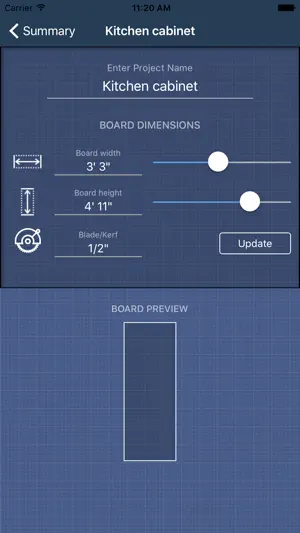
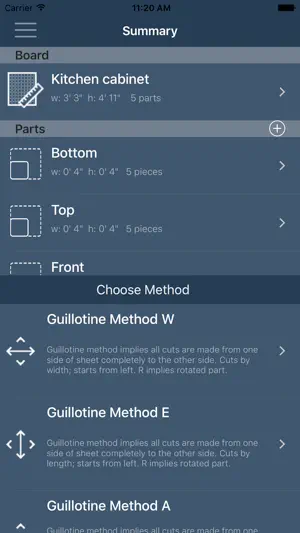
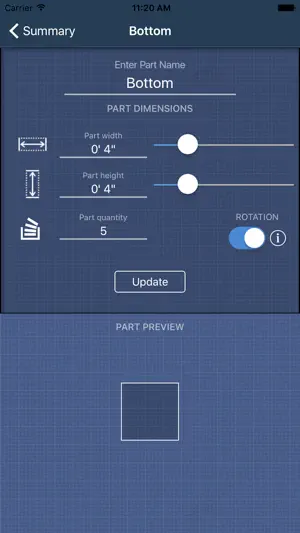
About iOptiCut
Stop wasting material. iOptiCut calculates the most efficient way to cut your boards, sheets, and panels — automatically. Whether you're building cabinets, shelving, furniture, or framing, iOptiCut turns your parts list into a precise cutting plan in seconds. It’s used by woodworkers, cabinet makers, tile setters, metalworkers, and DIYers worldwide. 7 CUTTING ALGORITHMS — FINDS THE BEST ONE FOR YOU iOptiCut runs all seven optimization methods (five guillotine + two nesting) on your project and automatically ranks the results by material efficiency. One tap shows you which method wastes the least. WORKSHOP MODE — CUT WITH CONFIDENCE Follow your plan step by step. Each cut highlights exactly what to do next, shows dimensions clearly, and dims everything else. Tap to advance and never lose your place in the shop. GRAIN DIRECTION & EDGE BANDING Specify grain direction (horizontal, vertical, or custom) per part — the algorithm respects it. Add edge banding per side with visual indicators, and get a complete edge banding list in your export. BOARD INVENTORY — REUSE YOUR OFFCUTS Save leftover boards to your inventory. iOptiCut uses them first before allocating new material. After optimization, remaining pieces are automatically saved back. Always know what you have on hand. PROFESSIONAL PDF EXPORT Export a complete package: cutting diagrams, full cut lists with dimensions, material summaries, and client-ready proposals with cost breakdowns. MATERIAL LIBRARY & COST CALCULATOR Choose from built-in presets (plywood, MDF, hardwood, sheet metal, tile, and more) or create your own. Add material costs, edge banding costs, and markup to instantly calculate project pricing and generate client quotes. CSV IMPORT Already have your parts list in a spreadsheet? Import it via CSV. Upload a file or paste text, preview it, and get started instantly with a downloadable template. SVG & DXF EXPORT Export cutting layouts as SVG or DXF — clean, labeled files ready for CNC routers, laser cutters, or CAD software. MORE FEATURES Metric and imperial units (feet, inches, fractions) Kerf (blade width) calculation Unplaced parts warnings Auto-sized part labels on diagrams Printable part label sheets iPad-optimized layouts Light & dark mode 5 languages: English, German, Turkish, Macedonian, Russian WHO IT’S FOR Woodworkers building furniture or cabinets Carpenters planning sheet material cuts CNC and laser cutter operators Tile and glass cutters Anyone who wants to reduce material waste iOptiCut — measure twice, cut once.
What’s new
Version 3.4 · Updated July 29, 2026
Imperial measurements no longer round up to the whole inch — exact fractions everywhere, including existing projects. Deleting a part now asks first.
App privacy
The developer, Inellipse, reported these privacy practices to Apple.
Data Not Collected
The developer does not collect any data from this app.
Alternatives to iOptiCut
Looking for apps like iOptiCut? Here are 6 similar apps on the App Store. The highest rated is Nesting Optimizer (1.0/5), and 4 of the 6 are free to download.
-
 Nesting Optimizer
1.0
Nesting Optimizer
1.0
-
 Bear Machines
-
 CutMatryx: Cutting Planner
-
 Crown CutSmart
-
 Poolify - Pool Helper
-
 ListaSimple - Shopping list
| App | Rating | Price | Last updated | Compare |
|---|---|---|---|---|
| iOptiCut | – | 8.99 USD | July 29, 2026 | |
| Nesting Optimizer | 1.0 / 5 (1) | 0.99 USD | Jun 28, 2026 | Compare |
| Bear Machines | – | Free | Sep 17, 2026 | Compare |
| CutMatryx: Cutting Planner | – | Free | Oct 27, 2026 | Compare |
| Crown CutSmart | – | Free | Aug 12, 2026 | Compare |
| Poolify - Pool Helper | – | 4.99 USD | Jun 3, 2026 | Compare |
| ListaSimple - Shopping list | – | Free | Jun 30, 2026 | Compare |
Compare iOptiCut with the top alternatives: ratings, updates, ASO score and keyword gaps →