

Citrix Workspace
Citrix Systems, Inc. Business iPhoneiPadiPod touch
Citrix Workspace is a free Business app for iPhone and iPad by Citrix Systems, Inc. Rated 4.3/5 from 6,411 ratings. Requires iOS 17.0.
- Rating
- 4.3
- 6.4K ratings
- Price
- Free
- on the App Store
- Size
- 104 MB
- Age 4+
- Updated
- Sep 17
- 2026 · v26.9.0
Screenshots

About Citrix Workspace
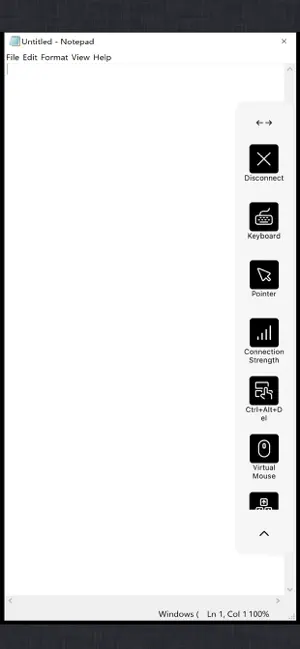
Citrix Workspace app lets you access your SaaS, web apps, mobile, virtual apps, files, and desktops to help you be as productive on the go as you are in the office. If your company uses Citrix, you have the freedom to work on your favourite device from wherever you are. Just ask your IT department how to get started. HOW TO USE CITRIX Workspace app 1. Open Citrix Workspace app and tap on Get Started. 2. Enter the Server or email address as instructed by Your IT Help Desk or system administrator. 3. Enter your User Name and Password. 4. Select the applications you want to use. 5. For adding multiple accounts, navigate to Settings and tap on Manage Accounts. 6. For Deleting/Editing Account already added navigate to Settings and tap on the Store. HOW TO REPORT AN ISSUE TO CITRIX - Please contact your company's IT support team before following these steps: Option 1 1. Open Citrix Workspace app and tap 'Settings' and then 'Report Issue'. 2. Click on Advanced, choose Location as File & Console, Log Level as Verbose, click on the back arrow. 3. Type in a description of the issue and click Share. Choose your Email app. This will generate a log file attached to the draft email. 4. Send the email to your company's IT support team. Option 2 1. In the App Store, go to Citrix Workspace 2. Tap 'Reviews' and then tap 'App Support' found at the bottom right of the screen. 3. This launches the Citrix support forum where you can review reported issues OR 4. To report issues, tap the menu icon and create an account first.
Ratings & reviews
4.3
6.4K ratings
What’s new
Version 26.9.0 · Updated September 17, 2026
Support for iOS/iPadOS 27 and general bug fixes
App privacy
The developer, Citrix Systems, Inc., reported these privacy practices to Apple.
Data Linked to You
The following data, which may be collected and linked to your identity, may be used for the following purposes:
- Location: Coarse Location
- Contact Info: Email Address, Name
- Identifiers: User ID, Device ID
Used for: Analytics, App Functionality
Data Not Linked to You
The following data, which may be collected but is not linked to your identity, may be used for the following purposes:
- Usage Data: Product Interaction
- Diagnostics: Crash Data, Other Diagnostic Data
Used for: Analytics, App Functionality
Alternatives to Citrix Workspace
Looking for apps like Citrix Workspace? Here are 6 similar apps on the App Store. The highest rated is Cisco Jabber (4.6/5), and all 6 are free to download.
-
 Intelligent Hub
4.5
Intelligent Hub
4.5
-
 Smart Log On
3.0
Smart Log On
3.0
-
 symplr Workforce
2.2
symplr Workforce
2.2
-
 Cisco Jabber
4.6
Cisco Jabber
4.6
-
 GlobalProtect™
4.4
GlobalProtect™
4.4
-
 Ivanti Mobile@Work™ Client
2.3
Ivanti Mobile@Work™ Client
2.3
| App | Rating | Price | Last updated | Compare |
|---|---|---|---|---|
| Citrix Workspace | 4.3 / 5 (6,411 ratings) | Free | September 17, 2026 | |
| Intelligent Hub | 4.5 / 5 (86,932) | Free | Sep 21, 2026 | Compare |
| Smart Log On | 3.0 / 5 (26) | Free | Aug 8, 2026 | Compare |
| symplr Workforce | 2.2 / 5 (2,111) | Free | Aug 12, 2026 | Compare |
| Cisco Jabber | 4.6 / 5 (16,771) | Free | Sep 16, 2026 | Compare |
| GlobalProtect™ | 4.4 / 5 (2,780) | Free | Oct 17, 2026 | Compare |
| Ivanti Mobile@Work™ Client | 2.3 / 5 (501) | Free | Aug 6, 2026 | Compare |
Compare Citrix Workspace with the top alternatives: ratings, updates, ASO score and keyword gaps →