

RealVNC Viewer: Remote Desktop
RealVNC Productivity iPhoneiPadiPod touch
RealVNC Viewer: Remote Desktop is a free Productivity app for iPhone and iPad by RealVNC. Rated 4.8/5 from 15,339 ratings. Requires iOS 14.0.
- Rating
- 4.8
- 15.3K ratings
- Price
- Free
- on the App Store
- Size
- 9 MB
- Age 4+
- Updated
- Jun 9
- 2026 · v4.9.4
Screenshots

About RealVNC Viewer: Remote Desktop
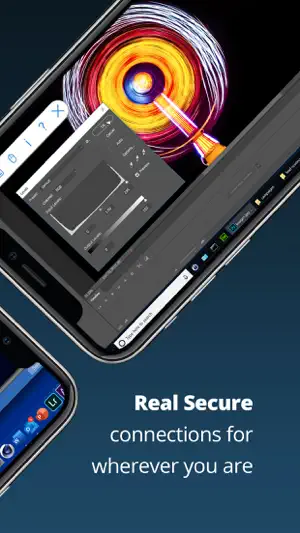
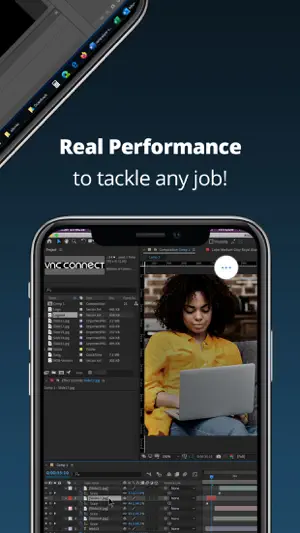
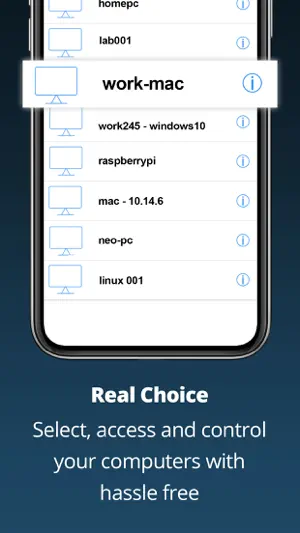
RealVNC® Viewer from RealVNC® gives you instant remote access to your Mac, Windows and Linux computers from anywhere in the world. You can view your computer's desktop, and control its mouse and keyboard as though you were sitting down in front of it. Download RealVNC Connect to each computer you want to control. Then sign in to RealVNC Viewer on your device using your RealVNC account credentials. You'll see your computers automatically appear; simply tap to connect. RealVNC Connect password-protects each computer out-of-the-box. You may need to enter the same user name and password you use to log in to your computer. All sessions are then encrypted end-to-end. During a session, your device's touch screen serves as a trackpad to give you precise control. Drag your finger to move the remote mouse cursor and tap anywhere to left-click (other gestures such as right-click and scroll are explained in-app). As the original inventors of VNC remote access technology, we're confident you'll love what RealVNC Viewer has to offer. If you're still not convinced, check out our reviews! ===Key features=== - Connect with ease via our cloud service to computers running RealVNC Connect. - Backup and sync your connections between all your devices by signing in to RealVNC Viewer on each one. - A scrolling bar above the virtual keyboard includes advanced keys such as Command/Windows. - Support for Bluetooth keyboards. ===Contact=== We’d love to hear from you: [email protected] twitter.com/RealVNC facebook.com/realvnc Better still, leave us a review! ===Terms of Use=== https://static.realvnc.com/media/documents/RealVNCServicesTCs.pdf ===Trademarks=== RealVNC and VNC are trademarks of RealVNC Limited and are protected by trademark registrations and/or pending trademark applications in the European Union, United States of America and other jurisdictions. Protected by UK patents 2481870, 2479756; US patent 8760366; EU patent 2652951.
Ratings & reviews
4.8
15.3K ratings
What’s new
Version 4.9.4 · Updated June 9, 2026
NEW: Added support for iOS/iPadOS 26, including support for Bluetooth keyboards FIXED: RealVNC Viewer now displays the correct message when you have exceeded the number of concurrent sessions available in your plan. FIXED: RealVNC Viewer will no longer unexpectedly close or sign users out when signed in using RealVNC Account SSO.
App privacy
The developer, RealVNC, reported these privacy practices to Apple.
Data Linked to You
The following data, which may be collected and linked to your identity, may be used for the following purposes:
- Identifiers: Device ID, User ID
- Diagnostics: Performance Data
- Contact Info: Email Address
- User Content: Customer Support
Used for: Analytics, App Functionality
Data Not Linked to You
The following data, which may be collected but is not linked to your identity, may be used for the following purposes:
- Usage Data: Product Interaction, Other Usage Data
Used for: Analytics
Alternatives to RealVNC Viewer: Remote Desktop
Looking for apps like RealVNC Viewer: Remote Desktop? Here are 6 similar apps on the App Store. The highest rated is TeamViewer Remote Control (4.7/5), and all 6 are free to download.
-
 RemotePC Remote Desktop
4.6
RemotePC Remote Desktop
4.6
-
 TeamViewer Remote Control
4.7
TeamViewer Remote Control
4.7
-
 KDE Connect
4.2
KDE Connect
4.2
-
 Duet Display
4.4
Duet Display
4.4
-
 UTM Remote Virtual Machines
3.7
UTM Remote Virtual Machines
3.7
-
 Locally AI by LM Studio
4.7
Locally AI by LM Studio
4.7
| App | Rating | Price | Last updated | Compare |
|---|---|---|---|---|
| RealVNC Viewer: Remote Desktop | 4.8 / 5 (15,339 ratings) | Free | June 9, 2026 | |
| RemotePC Remote Desktop | 4.6 / 5 (3,557) | Free | Oct 23, 2026 | Compare |
| TeamViewer Remote Control | 4.7 / 5 (44,860) | Free | Sep 21, 2026 | Compare |
| KDE Connect | 4.2 / 5 (279) | Free | Oct 9, 2026 | Compare |
| Duet Display | 4.4 / 5 (48,795) | Free | Oct 21, 2026 | Compare |
| UTM Remote Virtual Machines | 3.7 / 5 (52) | Free | Oct 22, 2026 | Compare |
| Locally AI by LM Studio | 4.7 / 5 (1,849) | Free | Oct 15, 2026 | Compare |