

QuickBooks GoPayment POS
Intuit Inc. Business iPhoneiPadiPod touch
QuickBooks GoPayment POS is a free Business app for iPhone and iPad by Intuit Inc. Rated 4.8/5 from 6,388 ratings. Requires iOS 16.0.
- Rating
- 4.8
- 6.3K ratings
- Price
- Free
- on the App Store
- Size
- 253 MB
- Age 17+
- Updated
- Oct 22
- 2026 · v26.10.7
Screenshots
About QuickBooks GoPayment POS
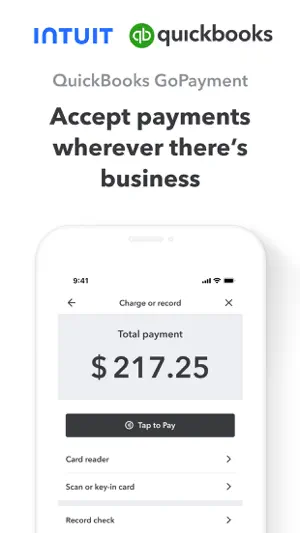
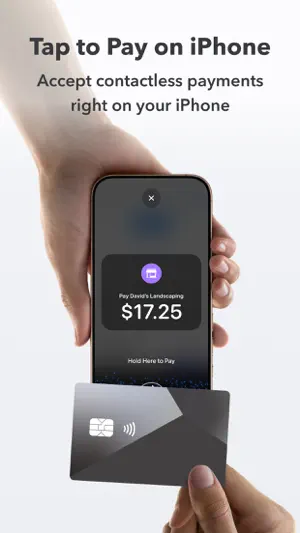
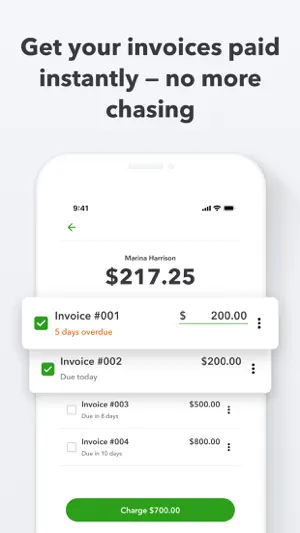
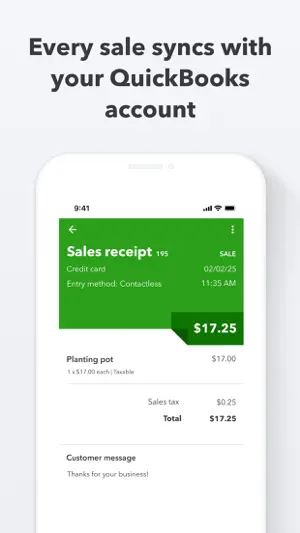
Get paid in-person or on-the-go with the QuickBooks GoPayment app. With Tap to Pay on iPhone in the GoPayment app, you can accept in-person, contactless payments, right on your iPhone — from physical debit and credit cards, to Apple Pay and other digital wallets — no extra terminals or hardware needed. It’s easy, secure, and private. Terms apply**. Use the GoPayment app as you scale, so your employees can take payments on their device or card reader without accessing your sensitive business data. Settle unpaid invoices on the spot and get fast access to your payments without the hassle of chasing them down. Every sale made with the mobile app or card reader syncs with your QuickBooks Online account, so your books are up-to-date with your latest sales. Start accepting payments right away with competitive processing fees at just 2.5% for in-person card payments - visit https://quickbooks.intuit.com/payments/payment-rates/ to see all rates. Other app features: - Collect or retrieve existing customer details and send a text or email receipt on the spot. - Easily add products or services during a sale, and the GoPayment app calculates the total with sales tax, tips and any discounts. - Easily create products and services—with labels and prices—so you can quickly find the right item during a sale. - All your deposits are listed in the app, with status updates on pending funds so you never wonder where your money is. - Visa, MasterCard, Discover, and American Express debit and credit cards are all accepted. Money movement services are provided by Intuit Payments Inc., licensed as a Money Transmitter by the New York State Department of Financial Services **Product features Tap to Pay on iPhone requires a supported payment app and the latest version of iOS. Update to the latest version by going to Settings > General > Software Update. Tap Download and Install. Some contactless cards may not be accepted by your payment app. Transaction limits may apply. The Contactless Symbol is a trademark owned by and used with permission of EMVCo, LLC. Tap to Pay on iPhone is not available in all markets. For Tap to Pay on iPhone countries and regions, see https://developer.apple.com/tap-to-pay/regions/. Apple Pay is a service provided by Apple Payments Services LLC, a subsidiary of Apple Inc. Neither Apple Inc. nor Apple Payments Services LLC is a bank. Any card used in Apple Pay is offered by the card issuer. Privacy Link: https://www.intuit.com/privacy/ Developer Website: https://quickbooks.intuit.com/payments/mobile-payments/ Intuit Payments' money transmission licenses: https://www.intuit.com/legal/licenses/payment-licenses/ Order A Card Reader: https://quickbooks.intuit.com/payments/readers/ Terms, conditions, pricing, features, service and support are subject to change without notice.
Ratings & reviews
4.8
6.3K ratings
What’s new
Version 26.10.7 · Updated October 22, 2026
We squashed some bugs and made some improvements. And Tap to Pay on iPhone is now available in the GoPayment app. You can accept in-person, contactless payments, right on your iPhone
App privacy
The developer, Intuit Inc., reported these privacy practices to Apple.
Data Used to Track You
The following data may be used to track you across apps and websites owned by other companies:
- Identifiers: User ID, Device ID
- Usage Data: Product Interaction
Data Linked to You
The following data, which may be collected and linked to your identity, may be used for the following purposes:
- Identifiers: Device ID, User ID
- Usage Data: Product Interaction
- Location: Coarse Location, Precise Location
- Diagnostics: Crash Data, Performance Data, Other Diagnostic Data
- Purchases: Purchase History
- Financial Info: Payment Info, Other Financial Info
- Contact Info: Physical Address, Email Address, Name, Phone Number
- Contacts: Contacts
- User Content: Photos or Videos, Audio Data, Other User Content
- Other Data: Other Data Types
Used for: Third-Party Advertising, Developer’s Advertising or Marketing, Analytics, App Functionality, Other Purposes
Alternatives to QuickBooks GoPayment POS
Looking for apps like QuickBooks GoPayment POS? Here are 6 similar apps on the App Store. The highest rated is Payment for Stripe (4.8/5), and all 6 are free to download.
-
 Payment for Stripe
4.8
Payment for Stripe
4.8
-
 GoDaddy Commerce: POS Payments
4.7
GoDaddy Commerce: POS Payments
4.7
-
 Self Employed - Accounting
4.2
Self Employed - Accounting
4.2
-
 Square Invoices: Invoice Maker
4.8
Square Invoices: Invoice Maker
4.8
-
 SwipeSimple - Point of Sale
4.8
SwipeSimple - Point of Sale
4.8
-
 Payanywhere: Point of Sale POS
3.6
Payanywhere: Point of Sale POS
3.6
| App | Rating | Price | Last updated | Compare |
|---|---|---|---|---|
| QuickBooks GoPayment POS | 4.8 / 5 (6,388 ratings) | Free | October 22, 2026 | |
| Payment for Stripe | 4.8 / 5 (8,958) | Free | Oct 27, 2026 | Compare |
| GoDaddy Commerce: POS Payments | 4.7 / 5 (15,966) | Free | Oct 22, 2026 | Compare |
| Self Employed - Accounting | 4.2 / 5 (2,089) | Free | Oct 5, 2026 | Compare |
| Square Invoices: Invoice Maker | 4.8 / 5 (93,315) | Free | Oct 26, 2026 | Compare |
| SwipeSimple - Point of Sale | 4.8 / 5 (5,668) | Free | Oct 26, 2026 | Compare |
| Payanywhere: Point of Sale POS | 3.6 / 5 (663) | Free | Sep 29, 2026 | Compare |