

Amazon Kindle: Reading App
AMZN Mobile LLC Book iPhoneiPadiPod touchMac
Amazon Kindle: Reading App is a free Book app for iPhone and iPad by AMZN Mobile LLC. Rated 4.9/5 from 5,881,297 ratings. Requires iOS 17.0.
- Rating
- 4.9
- 5.8M ratings
- Price
- Free
- on the App Store
- Size
- 206 MB
- Age 12+
- Updated
- Oct 27
- 2026 · v7.70.2
Screenshots

About Amazon Kindle: Reading App
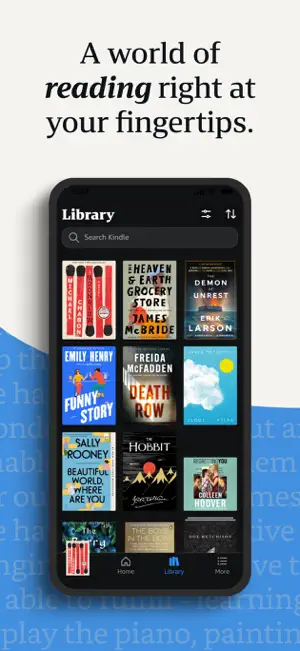
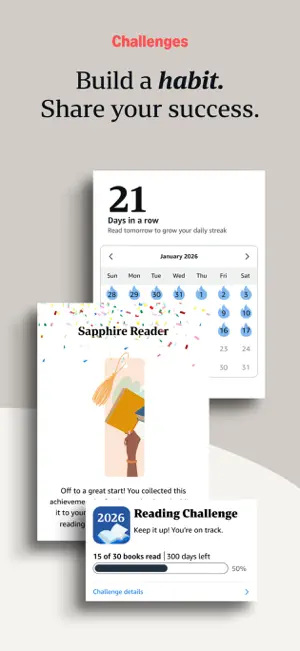
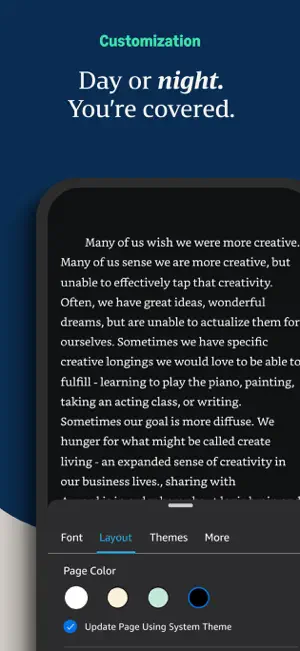
READ ANYTIME, ANYWHERE On the bus, on your break, in your bed—never be without a book. Kindle books you have purchased on Amazon will automatically appear in your app. Kindle Unlimited and Amazon Prime members can select and download Kindle books directly in the app. FIND YOUR NEXT GREAT READ • Read the books you buy on Amazon in the Kindle app. Choose from over six million Kindle books (including those with Audible narration), magazines, and comics and start reading in seconds. Explore Amazon Charts best sellers and titles across genres like romance, science fiction, children’s books, self-help, religion, nonfiction, and more—and try any book with a free sample straight from the Kindle app. • Kindle Unlimited members can enjoy unlimited reading and listening, with the freedom to explore over 1 million titles, thousands of audiobooks, and current magazines. • Over 1,000 books, magazines, comics, and more included with Amazon Prime. GO BEYOND PAPER Turn your iPhone or iPad into a book with the free Kindle app—so you can read anytime, anywhere. Explore these reading features in the Kindle app: • Read your way. Customize your text size, font type, margins, text alignment, and orientation (portrait or landscape)—and choose whether to turn pages from left to right or continuously scroll. Read comfortably day and night with adjustable brightness and background colors. Go to the Aa menu in your book to get started. • Look up words, people, and places while you read. Breeze through words you don’t know and characters you can’t remember with the built-in dictionary, X-Ray, Wikipedia lookup, instant translations, and search within your book. Simply tap and hold a word to view its definition, or use the Google and Wikipedia links to get more information. • Track your reading progress. See what percent of the book you’ve read, real page numbers (for most top titles), and how much time you have left in the chapter or book based on your actual reading speed. • Bookmark places you want to revisit, and make highlights and take notes throughout your book. Open My Notebook to see all your notes in the same place. • Hop, skim, and jump with Page Flip. Flip between pages or get a bird’s-eye view of your book with Page Flip—don’t worry, we’ll save your place. • Zoom in on high-definition color images in Kindle books, magazines, comics, and manga. • Sync your books across devices. When you’re reading a book, the Kindle app will automatically sync where you left off—along with any bookmarks, highlights, or notes—so you can start reading on one device and pick up where you left off on another. • When you can’t read, listen. Switch seamlessly from reading your Kindle book to listening to the Audible book, all within the Kindle app. • Get notified when authors you love have new releases. By using this app, you agree to Amazon’s Conditions of Use (www.amazon.com/conditionsofuse) and Privacy Notice (www.amazon.com/privacy).
Ratings & reviews
4.9
5.8M ratings
What’s new
Version 7.70.2 · Updated October 27, 2026
Several Bug fixes and improvements.
App privacy
The developer, AMZN Mobile LLC, reported these privacy practices to Apple.
Data Linked to You
The following data, which may be collected and linked to your identity, may be used for the following purposes:
- Location: Coarse Location
- Contact Info: Email Address, Name, Phone Number
- Search History: Search History
- Identifiers: User ID, Device ID
- Usage Data: Product Interaction, Other Usage Data
- Purchases: Purchase History
- User Content: Customer Support, Other User Content, Photos or Videos
- Diagnostics: Crash Data, Performance Data, Other Diagnostic Data
- Other Data: Other Data Types
Used for: Developer’s Advertising or Marketing, Analytics, Product Personalization, App Functionality, Other Purposes
Alternatives to Amazon Kindle: Reading App
Looking for apps like Amazon Kindle: Reading App? Here are 6 similar apps on the App Store. The highest rated is Barnes & Noble NOOK (4.7/5), and all 6 are free to download.
-
 Barnes & Noble NOOK
4.7
Barnes & Noble NOOK
4.7
-
 Google Play Books & Audiobooks
4.4
Google Play Books & Audiobooks
4.4
-
 Inkitt: Books, Novels, Stories
4.6
Inkitt: Books, Novels, Stories
4.6
-
 Kobo Books & Audiobooks
4.5
Kobo Books & Audiobooks
4.5
-
 AnyStories-Top Novels & Books
4.6
AnyStories-Top Novels & Books
4.6
-
 Everand: Audiobooks & Ebooks
4.3
Everand: Audiobooks & Ebooks
4.3
| App | Rating | Price | Last updated | Compare |
|---|---|---|---|---|
| Amazon Kindle: Reading App | 4.9 / 5 (5,881,297 ratings) | Free | October 27, 2026 | |
| Barnes & Noble NOOK | 4.7 / 5 (119,254) | Free | Apr 2, 2026 | Compare |
| Google Play Books & Audiobooks | 4.4 / 5 (9,648) | Free | Oct 30, 2026 | Compare |
| Inkitt: Books, Novels, Stories | 4.6 / 5 (10,003) | Free | Oct 13, 2026 | Compare |
| Kobo Books & Audiobooks | 4.5 / 5 (27,634) | Free | Oct 29, 2026 | Compare |
| AnyStories-Top Novels & Books | 4.6 / 5 (33,247) | Free | Jul 21, 2026 | Compare |
| Everand: Audiobooks & Ebooks | 4.3 / 5 (27,471) | Free | Oct 6, 2026 | Compare |