

Industrial Chronometer
ulas ozalp Productivity iPhoneiPadiPod touch
Industrial Chronometer is a paid Productivity app for iPhone and iPad by ulas ozalp. Requires iOS 15.6. Updated October 23, 2026.
- Price
- 1.99 USD
- on the App Store
- Size
- 20 MB
- Age 4+
- Updated
- Oct 23
- 2026 · v4
Screenshots
About Industrial Chronometer
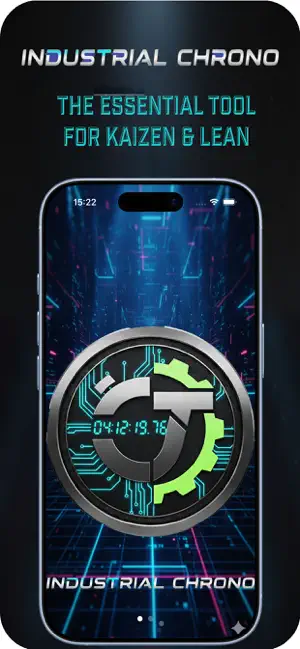
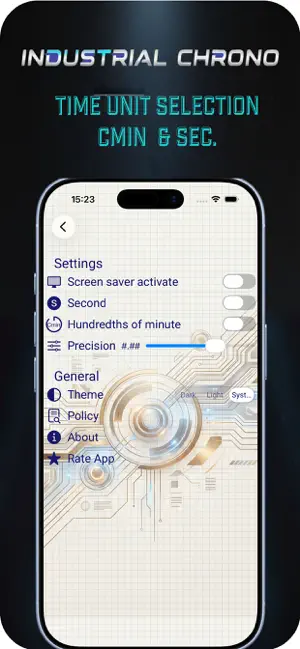
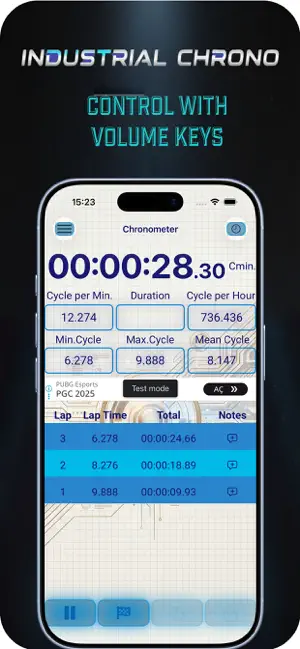
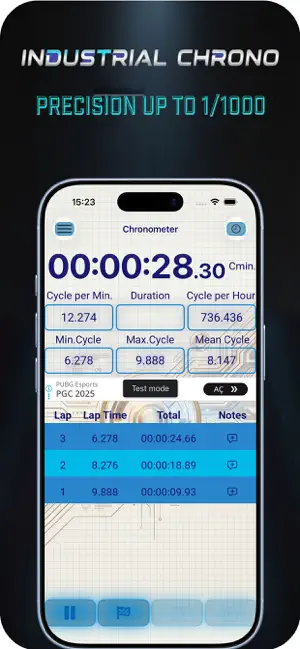
Master your workflow with Industrial Chronometer, the ultimate precision timing tool designed for engineers, manufacturers, and efficiency experts. Whether you are timing production lines, measuring cycle times, or conducting time-and-motion studies, our app delivers the accuracy you demand with the modern convenience of iOS. Designed for Efficiency Forget the hassle of unlocking your phone to check or stop a timer. Industrial Chronometer fully integrates with the latest Apple technologies to keep your data accessible at a glance. Key Features: Dynamic Island Support: View your active timer, lap count, and current status continuously on supported devices. Interactive Live Activities: Control your chronometer directly from the Lock Screen. Start, Lap, and Stop your timers without ever opening the app—perfect for hands-free industrial environments. Millisecond Precision: High-accuracy timing engine built for professional standards. Lap Management: Record split times instantly and review detailed lap history to analyze performance gaps. High-Contrast Interface: A clean, industrial-grade UI designed for visibility in various lighting conditions. Volume Keys Using : Feel as real stopwatch and easy to use with glow Who is this for? Manufacturing Engineers: Measure Takt time and cycle times effortlessly. Process Improvement Specialists: Gather accurate data for Kaizen and Lean Six Sigma projects. Lab Technicians: Precise timing for experiments where every millisecond counts. Athletics & Training: Professional-grade lap splitting for coaches and trainers. Streamline your operations and capture time with absolute precision. Download Industrial Chronometer today and bring professional timing to your Dynamic Island.
What’s new
Version 4 · Updated October 23, 2026
A big update for your time studies: • 7 skins: Neon, Steel, Engineering, Nature, Osiris, Sport and Underwater. Pick one from the new glass wheel in Settings, with a preview of each look. • New time unit: TMU (1/100,000 hour), alongside seconds and hundredths of a minute. • Your study is safe: the timer and laps survive closing the app or restarting the phone, and timing no longer depends on the phone's clock. • The newest lap lights up as you take it; the fastest and slowest laps are marked green and orange. • Keep screen on while timing (on by default, can be turned off in Settings). • No more ads. • Clearer text on every skin, centred lap rows and a tidier Settings screen. • Fixes for precision, CSV export and saving, plus a clear message when Photos access is off.
App privacy
The developer, ulas ozalp, reported these privacy practices to Apple.
Data Not Collected
The developer does not collect any data from this app.
Alternatives to Industrial Chronometer
Looking for apps like Industrial Chronometer? Here are 6 similar apps on the App Store. The highest rated is mPS Lean Center (5.0/5), and all 6 are free to download.
-
 mPS Lean Center
5.0
mPS Lean Center
5.0
-
 Habibee - Habit Streak App
-
 Datapaq Insight Mobile
4.5
Datapaq Insight Mobile
4.5
-
 Stopwatch 4 Time Study
5.0
Stopwatch 4 Time Study
5.0
-
 Konspektor
3.0
Konspektor
3.0
-
 Smart 5S - Lean Manufacturing
5.0
Smart 5S - Lean Manufacturing
5.0
| App | Rating | Price | Last updated | Compare |
|---|---|---|---|---|
| Industrial Chronometer | – | 1.99 USD | October 23, 2026 | |
| mPS Lean Center | 5.0 / 5 (1) | Free | Oct 5, 2026 | Compare |
| Habibee - Habit Streak App | – | Free | Oct 8, 2026 | Compare |
| Datapaq Insight Mobile | 4.5 / 5 (2) | Free | Jul 21, 2025 | Compare |
| Stopwatch 4 Time Study | 5.0 / 5 (1) | Free | Sep 20, 2026 | Compare |
| Konspektor | 3.0 / 5 (2) | Free | Sep 20, 2026 | Compare |
| Smart 5S - Lean Manufacturing | 5.0 / 5 (1) | Free | Dec 1, 2025 | Compare |