

Tali AI
Tali AI Inc. Health & Fitness iPhoneiPadiPod touch
Tali AI is a free Health & Fitness app for iPhone and iPad by Tali AI Inc. Rated 4.0/5 from 1 ratings. Requires iOS 16.0. Updated October 7, 2026.
- Rating
- 4.0
- 1 ratings
- Price
- Free
- on the App Store
- Size
- 28 MB
- Age 17+
- Updated
- Oct 7
- 2026 · v3.57.12
Screenshots



About Tali AI
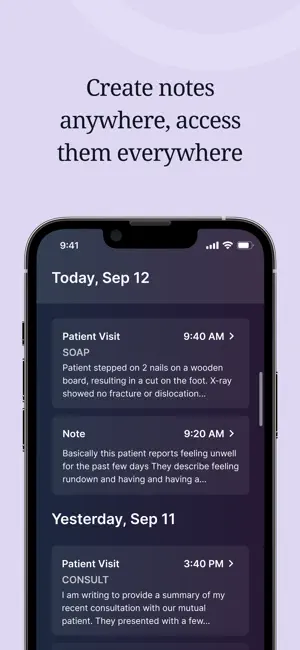
Reduce administrative work and stay focused on patients. Tali captures clinical conversations and generates structured notes in real time, helping clinicians reduce documentation work throughout the day. Use Tali across mobile, desktop, and web with secure syncing between devices. Quickly record encounters, dictate notes, access favourite templates, and continue documenting even through internet interruptions with Offline Encounters. Tali also works directly with leading Canadian EMRs, including PS Suite, Med Access, Accuro, and CHR. FEATURES • Real-time clinical documentation • AI-assisted SOAP notes • Medical dictation • Favourite templates • Offline encounter support • Secure sync across devices • Quick review and editing tools • Save up to 15 hours of administrative work every week Trusted by clinicians across North America • Rated in the top 1% for accuracy by the US Department of Veterans Affairs • SOC 2 Type II and TGV certified • Canadian-built and privacy-first Spend less time on documentation, more time focused on care.
What’s new
Version 3.57.12 · Updated October 7, 2026
This build 3.57.12, addresses the Guideline 5.1.1(i) and 5.1.2(i) feedback. Before any voice data is recorded or shared, the app now shows a consent screen. It appears the first time the user starts a recording, a dictation, or a patient call, and before the iOS microphone permission prompt. The consent screen explains what data is sent: the audio of the visit, dictation, or call, its transcript, and the details of the encounter. It also names each third party that receives the data and what it is used for: Google (Gemini on Google Cloud): transcribes the audio and writes the clinical note. OpenAI: a backup transcription service, and used for some note templates. Deepgram: transcribes dictations. Telnyx: connects patient calls, and receives the call audio and the phone numbers on the call. The user must tap "Agree" before any data is recorded or shared. If the user taps "Not now", nothing is recorded or sent, and the screen appears again the next time they try to record. Our Privacy Policy, linked on the screen, also describes this data use: https://tali.ai/privacy-policy To see the consent screen: Sign in with the demo account provided. Tap the + button, then tap Start Encounter, Dictate, or Call. The consent screen appears before any recording begins.
App privacy
The developer, Tali AI Inc., reported these privacy practices to Apple.
Data Linked to You
The following data, which may be collected and linked to your identity, may be used for the following purposes:
- Diagnostics: Performance Data, Other Diagnostic Data, Crash Data
- Contact Info: Email Address
- User Content: Audio Data
- Identifiers: User ID
Used for: Analytics, App Functionality
Alternatives to Tali AI
Looking for apps like Tali AI? Here are 6 similar apps on the App Store. The highest rated is Virtual Hallway (5.0/5), and all 6 are free to download.
-
 Dr. Bill - OHIP & MSP billing
4.7
Dr. Bill - OHIP & MSP billing
4.7
-
 Virtual Hallway
5.0
Virtual Hallway
5.0
-
 TELUS CHR Mobile
1.0
TELUS CHR Mobile
1.0
-
 Scribeberry: AI Medical Scribe
-
 Bugs & Drugs 2.0
3.0
Bugs & Drugs 2.0
3.0
-
 Thrombosis
4.0
Thrombosis
4.0
| App | Rating | Price | Last updated | Compare |
|---|---|---|---|---|
| Tali AI | 4.0 / 5 (1 rating) | Free | October 7, 2026 | |
| Dr. Bill - OHIP & MSP billing | 4.7 / 5 (6) | Free | Aug 19, 2026 | Compare |
| Virtual Hallway | 5.0 / 5 (1) | Free | Oct 6, 2026 | Compare |
| TELUS CHR Mobile | 1.0 / 5 (2) | Free | Sep 4, 2025 | Compare |
| Scribeberry: AI Medical Scribe | – | Free | May 27, 2026 | Compare |
| Bugs & Drugs 2.0 | 3.0 / 5 (2) | Free | Sep 5, 2026 | Compare |
| Thrombosis | 4.0 / 5 (3) | Free | Jun 12, 2025 | Compare |
Compare Tali AI with the top alternatives: ratings, updates, ASO score and keyword gaps →