

Croptune - Nutrient analyzer
CROPTUNE TECHNOLOGIES LTD Productivity iPhoneiPadiPod touch
Croptune - Nutrient analyzer is a free Productivity app for iPhone and iPad by CROPTUNE TECHNOLOGIES LTD. Rated 5.0/5 from 1 ratings. Requires iOS 15.0.
- Rating
- 5.0
- 1 ratings
- Price
- Free
- on the App Store
- Size
- 146 MB
- Age 4+
- Updated
- Oct 22
- 2026 · v27.1.1
Screenshots

About Croptune - Nutrient analyzer
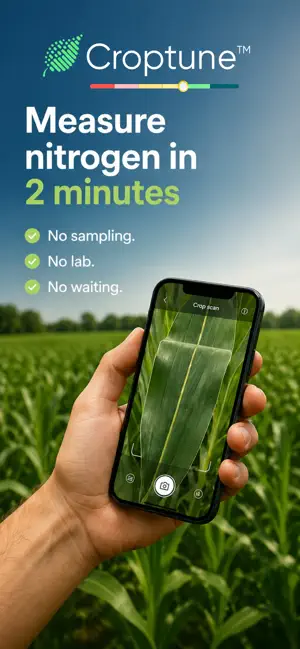
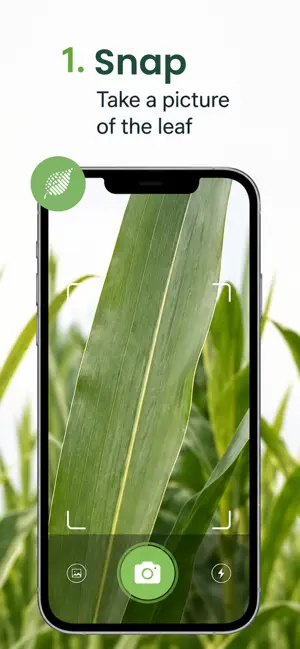
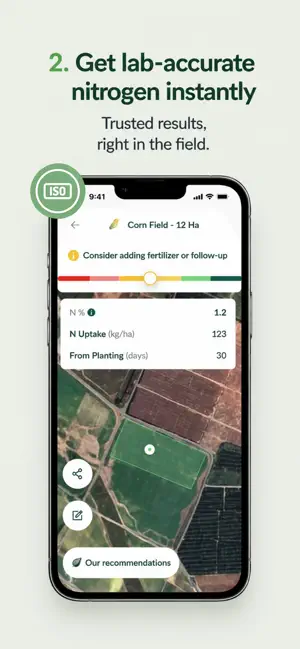
Croptune – Smarter Fertilizing, Right from the Field Just snap a photo of your crops, and Croptune instantly tells you how much nitrogen they really need. No more guessing, no more over-fertilizing. Croptune uses advanced image analysis and big data to give real-time nitrogen insights - straight from the field, in seconds. All results are backed by ISO 17025-certified lab data, so you can trust what you see. Less waste, better yields — with technology made for farmers. Create your own private lab Thanks to Croptune’s easy-to-use method, anyone can have their own laboratory up and running at a click of a button! Croptune saves you precious money and time on costly equipment, hiring experts, and laboratory analysis, while helping you optimize your fertilization protocol according to the actual status in the field. Help protect the environment As any farmer knows, chemical fertilizers can cause serious environmental issues and lead to water, soil, and air pollution. By installing Croptune you will be able to improve your fertilization process and avoid excessive fertilization, thus helping protect the environment while growing healthier produce. How it works? To get started, install the Croptune app and select your crop type. Croptune is currently calibrated to detect deficiencies and issue recommendations for field crops, including corn, wheat, carrot, cotton, lettuce, pepper, tomato, potato, cucumber, onion, and rice and for orchards, which includes avocado, banana, pear, cherry, peach, nectarine and clementine. Next, select your planting or sawing date and planting season and if necessary, modify the number of plants per area. Define your plot by using 4-8 pinpoints and click on the Camera icon. Croptune will open in live video mode. Click on "Add image" to capture 3-5 pictures of the selected plant. Repeat this process on other plants to improve accuracy. Next, click on the Continue button and you will get your recommendations in seconds. Croptune saves your data so that you can access it at any time and review a specific crop’s history to keep track of the status of your field. Now, sit back and relax while you enjoy maximum yields! The next generation of agriculture is already here! Install Croptune today!
What’s new
Version 27.1.1 · Updated October 22, 2026
• Share analysis with AI! • Dark theme support • More precise fertilizer recommendations for potatoes • More efficient use of phone's battery These features will roll out over the coming weeks. Thanks for using Croptune!
App privacy
The developer, CROPTUNE TECHNOLOGIES LTD, reported these privacy practices to Apple.
Data Not Collected
The developer does not collect any data from this app.
Alternatives to Croptune - Nutrient analyzer
Looking for apps like Croptune - Nutrient analyzer? Here are 6 similar apps on the App Store. The highest rated is Arc™ farm intelligence (5.0/5), and all 6 are free to download.
-
 Nutrico
-
 Arc™ farm intelligence
5.0
Arc™ farm intelligence
5.0
-
 Agroptima
-
 Syngenta Cropwise Grower
1.0
Syngenta Cropwise Grower
1.0
-
 ORTH
5.0
ORTH
5.0
-
 FarmQA - Crop Scouting & more
4.7
FarmQA - Crop Scouting & more
4.7
| App | Rating | Price | Last updated | Compare |
|---|---|---|---|---|
| Croptune - Nutrient analyzer | 5.0 / 5 (1 rating) | Free | October 22, 2026 | |
| Nutrico | – | Free | Feb 12, 2024 | Compare |
| Arc™ farm intelligence | 5.0 / 5 (4) | Free | Oct 22, 2026 | Compare |
| Agroptima | – | Free | Sep 2, 2026 | Compare |
| Syngenta Cropwise Grower | 1.0 / 5 (1) | Free | Oct 19, 2026 | Compare |
| ORTH | 5.0 / 5 (3) | Free | Oct 29, 2026 | Compare |
| FarmQA - Crop Scouting & more | 4.7 / 5 (28) | Free | Oct 24, 2026 | Compare |