

PDF Converter, Image to PDF
Asad Ahsan Business iPhoneiPadiPod touchMac
PDF Converter, Image to PDF is a free Business app for iPhone and iPad by Asad Ahsan. Rated 4.4/5 from 514 ratings. Requires iOS 16.0.
- Rating
- 4.4
- 514 ratings
- Price
- Free
- on the App Store
- Size
- 63 MB
- Age 4+
- Updated
- Oct 23
- 2026 · v1.0.81
Screenshots
About PDF Converter, Image to PDF
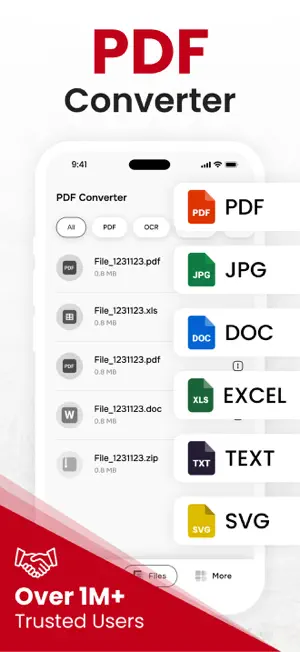
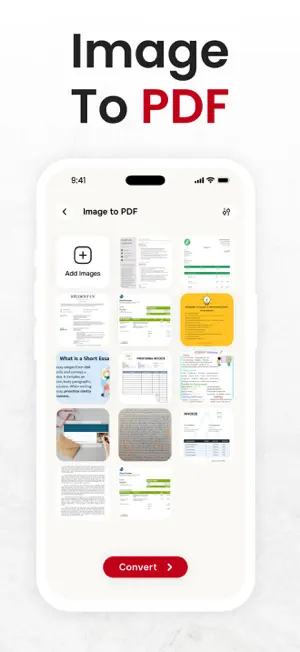
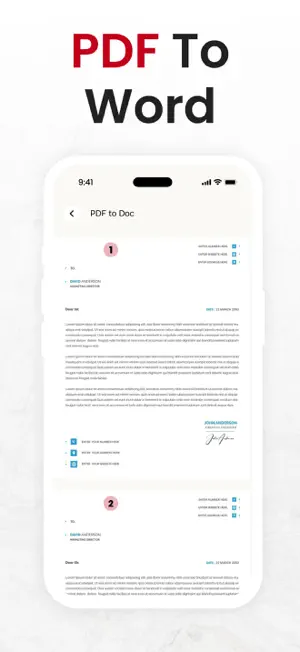
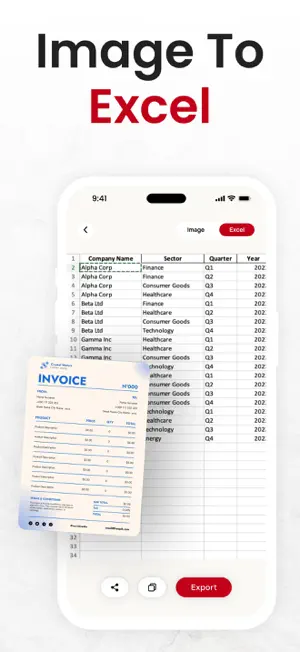
Use this image to pdf converter, pdf creator & picture to pdf converter app to convert different compatible files to and from pdf documents online. If you seek a way to convert photos to pdf, pdf to excel, or something like that, then this pdf creator, pd fto word converter, picture to pdf converter & pdf maker from picture helps you to create pdf from your image and more. Why is image to PDF conversion & PDF maker app important? This pdf file converter, pdf creator & picture to pdf converter assists you in carrying out the following conversions: Picture to pdf converter Converts image to pdf: You can convert any photo to pdf in a span of seconds with few simple clicks. This image to pdf converter will preserve your image quality so that you get original pictures in respective pdf files. As well, this image converter allows an instant conversion of PDF to jpeg images. Pdf to word converter converts DOCx to PDF: When you require an edition in your document, this doc converter, pdf creator and pdf to word converter is always here to do that for you instantly. After you make any change in it, you can convert to pdf again by selecting the respective option from the home screen. Converts PPT To PDF: You can use this pdf document converter and pdf to word converter to immediately convert pdf to powerpoint slides without disturbing the layout of your document. Also, you can perform powerpoint (PPTX or PPT) to pdf conversion with the assistance of this ppt to pdf converter. Converts Excel to PDF: Make use of this excel to pdf that helps in converting MS excel spreadsheet (xls or xlsx) to a pdf document file. How to use this PDF Maker and pdf to word converter app? This image to pdf converter lets you perform PDF file conversions within couple of steps that we mentioned-below: First, select the conversion option from the homepage you wish to choose. By doing so, options for selecting files will appear on your screen. Just click on the desired file and it will be opened. Finally, the PDF file converter will quickly convert the file of your choice to the desired format. Supported conversion formats of image to pdf converter app: Convert Image to pdf Convert PPT to pdf Convert PDF to doc Convert PDF to Image Convert Excel to Pdf Convert PDF to ppt Convert Doc to pdf Convert PDF to ZIP Convert PDF to HTML Features of PDF Converter & PDF Maker: Saves history User friendly interface File renaming Remove file Share file with others Preserves original quality Sort files by date and name Save files as starred files Starred Files: PDF file converter and pdf to word converter gives latest feature of starred files. You can star files for easy access. Stared files allows you to quickly locate important and frequently used files in picture to pdf converter and pdf creator app. Locating a file in stared helps to track important files. If you have any questions or suggestions, please reach us at [email protected]. Your feedback is very important to us. Disclaimer: All file processing is handled within the app, and no documents are stored, accessed, or shared. Users are solely responsible for ensuring they have the legal rights to convert the selected files. Privacy Policy: https://theonlineconverter.com/privacy-policy Terms of Service: https://theonlineconverter.com/terms
Ratings & reviews
4.4
514 ratings
What’s new
Version 1.0.81 · Updated October 23, 2026
- Now you can sign, compress, merge, and split PDFs - Save files with a star rating - Sort files by name and date - Generate more conversions - Improved app stability - Fast and accurate - Bug fixes
App privacy
The developer, Asad Ahsan, reported these privacy practices to Apple.
Data Used to Track You
The following data may be used to track you across apps and websites owned by other companies:
- Location: Precise Location
Data Linked to You
The following data, which may be collected and linked to your identity, may be used for the following purposes:
- Location: Precise Location
Used for: Third-Party Advertising
Alternatives to PDF Converter, Image to PDF
Looking for apps like PDF Converter, Image to PDF? Here are 6 similar apps on the App Store. The highest rated is Photos PDF : Scanner Converter (4.9/5), and all 6 are free to download.
-
 Convert Image To PDF tools
4.5
Convert Image To PDF tools
4.5
-
 Image to PDF Converter · Edit
4.6
Image to PDF Converter · Edit
4.6
-
 PDF Converter・Scanner・Editor・
4.6
PDF Converter・Scanner・Editor・
4.6
-
 Image to PDF - Convert to PDF
4.7
Image to PDF - Convert to PDF
4.7
-
 Photos PDF : Scanner Converter
4.9
Photos PDF : Scanner Converter
4.9
-
 PDF Reader & PDF Editor
4.7
PDF Reader & PDF Editor
4.7
| App | Rating | Price | Last updated | Compare |
|---|---|---|---|---|
| PDF Converter, Image to PDF | 4.4 / 5 (514 ratings) | Free | October 23, 2026 | |
| Convert Image To PDF tools | 4.5 / 5 (2,589) | Free | Apr 25, 2024 | Compare |
| Image to PDF Converter · Edit | 4.6 / 5 (306) | Free | Sep 1, 2026 | Compare |
| PDF Converter・Scanner・Editor・ | 4.6 / 5 (152) | Free | Jun 30, 2026 | Compare |
| Image to PDF - Convert to PDF | 4.7 / 5 (292) | Free | Oct 1, 2026 | Compare |
| Photos PDF : Scanner Converter | 4.9 / 5 (67,992) | Free | Oct 21, 2026 | Compare |
| PDF Reader & PDF Editor | 4.7 / 5 (830) | Free | Sep 20, 2026 | Compare |