

Watermark Master App
Silver Tech Photo & Video iPhoneiPadiPod touch
Watermark Master App is a free Photo & Video app for iPhone and iPad by Silver Tech. Rated 5.0/5 from 6 ratings. Requires iOS 15.0.
- Rating
- 5.0
- 6 ratings
- Price
- Free
- on the App Store
- Size
- 136 MB
- Age 4+
- Updated
- Sep 2
- 2026 · v5.6
Screenshots

About Watermark Master App
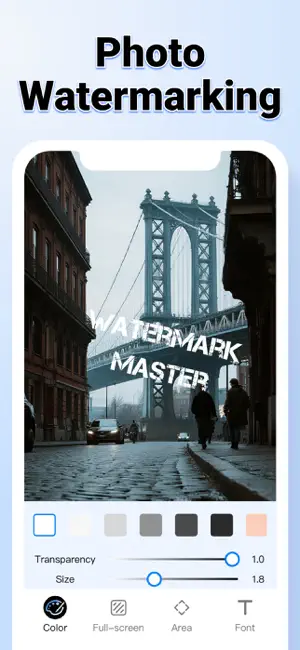
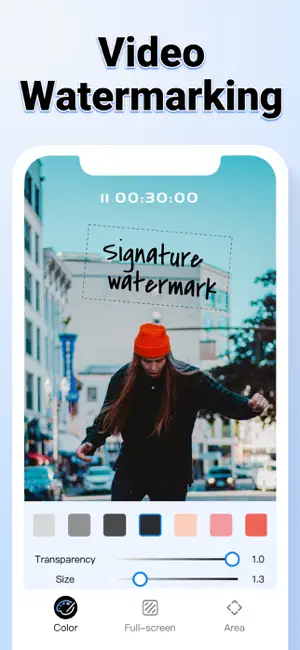
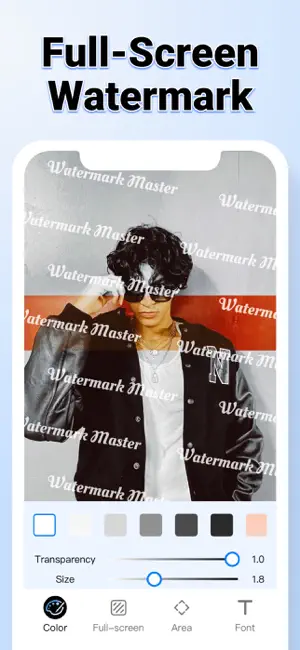
Watermark Master: One-tap Watermark & Mosaic for Photos & Videos. One-tap add watermarks and mosaics to photos and videos. Supports text, signature, stamp, batch, full-screen and check-in watermarks. Custom styles + quick reuse. All-in-one for cropping & material extraction. Subscribe to unlock ad-free unlimited use! [Major Update: Video Dynamic Anti-Piracy] (New!) - Random Movement: Watermark moves irregularly across the video frame, completely preventing unauthorized redistribution. - Speed Control: Customize movement speed for brand promotion without blocking key content. Watermark Master – Easily add watermarks and mosaics to your photos and videos. Supports text, image, signature, date/time check-in, electronic stamp and more. Batch watermarking for photos, one-tap full-screen watermark. Features - Diverse Watermark Styles: Add text, logo, pattern, handwritten signature, date/time check-in, location check-in, personalized electronic stamp to photos and videos. - Customizable Watermark: Adjust color, size, position and opacity of watermarks. - Selected Fonts: Make text watermarks more attractive, design exclusive watermarks to build your unique IP. - Batch Watermarking: Batch add watermarks to photos for efficient and convenient operation. - Full-Screen Watermark: Add full-screen watermarks to photos to effectively prevent unauthorized use. - Video Watermark: Support static and dynamic watermarks to fully protect your original copyright. - History Watermark: Automatically save frequently used styles for one-tap reuse, saving time and effort. - Photo Eraser: Intelligently remove unwanted objects, passersby and sensitive information from photos. - Material Extraction: One-tap quickly extract materials from videos and images with ease. - Mosaic Function: Protect privacy of videos and images by manually covering unwanted content. - Video Cropping: Freely crop in multiple ratios (1:1, 4:3, 16:9, etc.), trim redundant frames and share easily. Application Scenarios - Micro-business & Bloggers: Batch add logos to protect product images from theft. - Short-video Creators: Enable dynamic random watermarks to prevent original content from malicious re-uploading. - Daily Office: Quickly add watermarks to ID photos, censor privacy in images/videos, mark meeting screenshots and complete check-in reports. - E-commerce Merchants: Add brand watermarks to product photos to prevent image theft and enhance brand recognition. - Photographers & Designers: Add translucent watermarks to samples and drafts to protect copyright without affecting preview. - Self-media Operators: Add account information to illustrations and covers to attract followers and prevent content plagiarism. - Home Users: Add watermarks to children’s growth photos and family videos to avoid privacy abuse. - Travel Bloggers: Add time/location dynamic watermarks to travel photos and vlogs to enhance content authenticity. Advanced features: remove ads, enjoy all features without limit price: Subscription: USD $1.99 /week, USD $3.99/month One-time purchase: forever VIP USD $14.99 Subscription terms: • Subscription automatically renews unless auto-renew is turned off at least 24-hours before the end of the current period. • Account will be charged for renewal within 24-hours prior to the end of the current period, and identify the cost of the renewal. • Subscriptions may be managed by the user and auto-renewal may be turned off by going to the user's Account Settings after purchase. • Any unused portion of a free trial period, if offered, will be forfeited when the user purchases a subscription to that publication, where applicable. Privacy Policy:https://silvertechapps.blogspot.com/2024/08/blog-post.html Terms of Service:https://silvertechapps.blogspot.com/2025/07/blog-post.html
Ratings & reviews
5.0
6 ratings
What’s new
Version 5.6 · Updated September 2, 2026
• 4K/high-spec videos auto fall back to a compatible encoder • Fixed a crash when finishing video mosaic • New bottom action bar in the picker for smoother batch work • Fixed a startup crash in some ad scenarios
App privacy
The developer, Silver Tech, reported these privacy practices to Apple.
Data Used to Track You
The following data may be used to track you across apps and websites owned by other companies:
- Usage Data: Product Interaction
Data Not Linked to You
The following data, which may be collected but is not linked to your identity, may be used for the following purposes:
- Usage Data: Product Interaction
- Diagnostics: Crash Data
Used for: Third-Party Advertising, App Functionality
Alternatives to Watermark Master App
Looking for apps like Watermark Master App? Here are 6 similar apps on the App Store. The highest rated is 施工相机-时间地点日期志定义水印工程拍照 (4.9/5), and all 6 are free to download.
-
 微商水印大师-专业的水印制作、图片处理工具
4.8
微商水印大师-专业的水印制作、图片处理工具
4.8
-
 一键水印相机-时间地点水印拍照打卡
4.3
一键水印相机-时间地点水印拍照打卡
4.3
-
 施工相机-时间地点日期志定义水印工程拍照
4.9
施工相机-时间地点日期志定义水印工程拍照
4.9
-
 酷雀水印管家-图像消除笔工具&试卷擦除&万能照片智能橡皮擦
1.0
酷雀水印管家-图像消除笔工具&试卷擦除&万能照片智能橡皮擦
1.0
-
 水印宝-视频水印助手软件
4.9
水印宝-视频水印助手软件
4.9
-
 视频水印宝-专业水印视频编辑制作
4.9
视频水印宝-专业水印视频编辑制作
4.9
| App | Rating | Price | Last updated | Compare |
|---|---|---|---|---|
| Watermark Master App | 5.0 / 5 (6 ratings) | Free | September 2, 2026 | |
| 微商水印大师-专业的水印制作、图片处理工具 | 4.8 / 5 (229) | Free | Jul 14, 2026 | Compare |
| 一键水印相机-时间地点水印拍照打卡 | 4.3 / 5 (9) | Free | Oct 23, 2026 | Compare |
| 施工相机-时间地点日期志定义水印工程拍照 | 4.9 / 5 (13) | Free | Oct 28, 2026 | Compare |
| 酷雀水印管家-图像消除笔工具&试卷擦除&万能照片智能橡皮擦 | 1.0 / 5 (2) | Free | Jan 22, 2025 | Compare |
| 水印宝-视频水印助手软件 | 4.9 / 5 (1,316) | Free | Oct 28, 2026 | Compare |
| 视频水印宝-专业水印视频编辑制作 | 4.9 / 5 (43) | Free | Jun 25, 2024 | Compare |