

QuickScan - Document & QR code
Sourav Mishra Utilities iPhoneiPadiPod touch
QuickScan - Document & QR code is a free Utilities app for iPhone and iPad by Sourav Mishra. Requires iOS 17.0. Updated August 11, 2026.
- Price
- Free
- on the App Store
- Size
- 11 MB
- Age 4+
- Updated
- Aug 11
- 2026 · v1.1.0
Screenshots


About QuickScan - Document & QR code
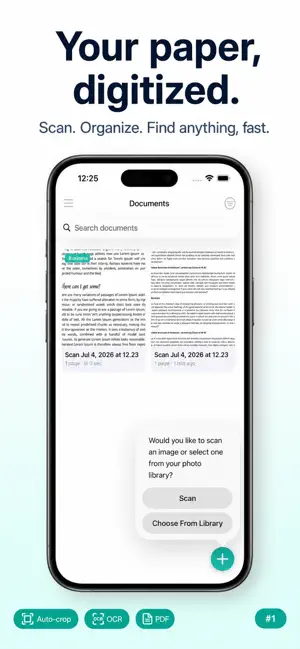
QuickScan turns your iPhone into a fast, private document scanner. Point your camera at a receipt, note, or ID — QuickScan detects the edges, straightens the perspective, and saves a clean scan in seconds. No sign-up, no cloud upload, no subscription. Everything runs on your device. WHAT YOU CAN DO • Scan documents with automatic edge detection and perspective correction • Import existing photos and turn them into scans • Build multi-page documents — reorder, rotate, and delete pages • Export as multi-page PDFs • Extract text with on-device OCR (works offline) • Scan QR codes with smart shortcuts — open URLs, join Wi-Fi, add contacts, dial numbers • Generate your own QR codes for text, links, Wi-Fi, or contact cards • Organize scans with categories and search • Sync your documents across devices with iCloud Drive PRIVACY BY DEFAULT Your scans stay on your device or in your own iCloud — never on our servers. OCR text extraction happens locally with Apple's Vision framework. We don't collect your data. FREE, HONESTLY QuickScan is free to use, supported by ads. Watch one short video ad from Settings to hide ads for an hour. FEATURES AT A GLANCE • Automatic edge detection • Multi-page PDF export • On-device OCR • QR scanner + QR generator • Categories, search, and sort • iCloud Drive sync • Rotate and reorder pages • Long-press for quick actions Made with care for people who scan a lot and hate friction.
What’s new
Version 1.1.0 · Updated August 11, 2026
• Home Screen Widget with category filter • Multi-select: share, categorize, or delete in bulk • Search inside your scans, not just titles • Sign documents with the new Signature tool • Password-protect PDFs and save straight to Files • Auto-blur credit cards, SSNs, emails, and phone numbers before you share • Turn business cards into contacts • "Hey Siri, scan with QuickScan" • Now reads UPC, EAN, PDF417, DataMatrix, and more barcodes • Sharper edge-to-edge PDFs
App privacy
The developer, Sourav Mishra, reported these privacy practices to Apple.
Data Used to Track You
The following data may be used to track you across apps and websites owned by other companies:
- Location: Coarse Location
- Identifiers: Device ID
- Usage Data: Advertising Data
Data Not Linked to You
The following data, which may be collected but is not linked to your identity, may be used for the following purposes:
- Location: Coarse Location
- Identifiers: Device ID
- Usage Data: Advertising Data
Used for: Third-Party Advertising
Alternatives to QuickScan - Document & QR code
Looking for apps like QuickScan - Document & QR code? Here are 6 similar apps on the App Store. The highest rated is Find in Camera (5.0/5), and 5 of the 6 are free to download.
-
 Find in Camera
5.0
-
 QuickScan Document Scanner
3.0
-
 Where Now?
5.0
-
 PDF2MD
2.5
-
 Silver Identifier
4.9
-
 Grande Office Mobility
4.0
| App | Rating | Price | Last updated | Compare |
|---|---|---|---|---|
| QuickScan - Document & QR code | – | Free | August 11, 2026 | |
| Find in Camera | 5.0 / 5 (1) | Free | Sep 24, 2026 | Compare |
| QuickScan Document Scanner | 3.0 / 5 (1) | Free | Mar 6, 2026 | Compare |
| Where Now? | 5.0 / 5 (3) | Free | Sep 12, 2026 | Compare |
| PDF2MD | 2.5 / 5 (2) | 1.99 USD | Aug 8, 2026 | Compare |
| Silver Identifier | 4.9 / 5 (17) | Free | Apr 2, 2026 | Compare |
| Grande Office Mobility | 4.0 / 5 (5) | Free | Dec 26, 2024 | Compare |