

CTC Fastlane
Trusted Carrier GmbH & Co. KG Productivity iPhoneiPadiPod touch
CTC Fastlane is a free Productivity app for iPhone and iPad by Trusted Carrier GmbH & Co. KG. Requires iOS 15.5. Updated August 26, 2026.
- Price
- Free
- on the App Store
- Size
- 72 MB
- Age 4+
- Updated
- Aug 26
- 2026 · v4.1.4
Screenshots
About CTC Fastlane
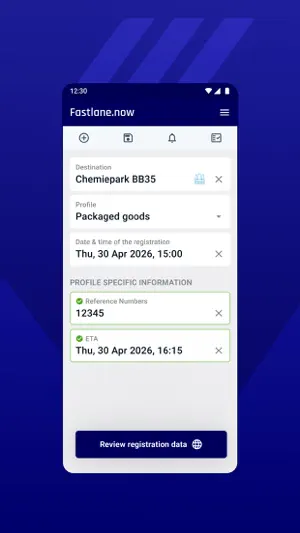
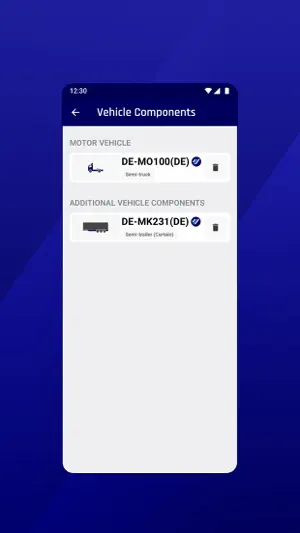
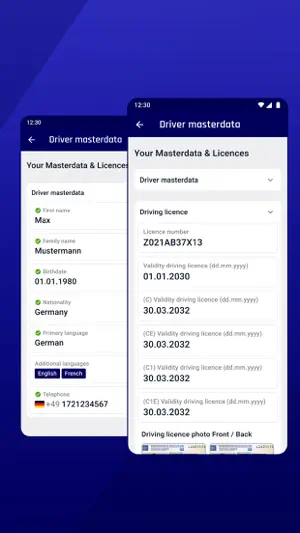
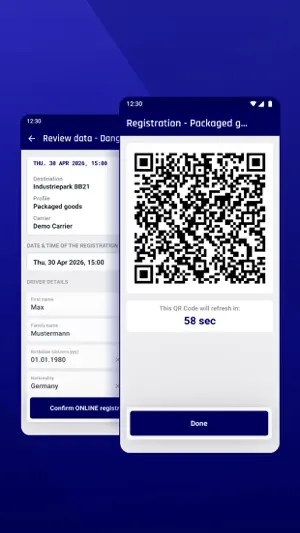
When a truck driver arrives at an industrial site, very often there is the same bothersome process: long waiting times when queuing in the counter area or on the way to the parking space, or filling out forms with the same information about oneself or the vehicle components. The Fastlane Driver app puts an end to that! The Fastlane Driver app enables drivers to centrally record personal master data as well as information about current vehicle components and transport orders in their own mobile device. The assembled information is digitally provisioned to other participants of the platform – after explicit authorization by the driver and only for the individual business case. If the data was previously checked and validated by a trustworthy participant, the time-consuming manual process of checking the documentation may be omitted. The result: drastically faster check-in processes in the counter area or on parking spaces of industrial sites. Digitalized driver data conforming to GDPR guidelines GDPR guidelines were taken care for from the start. Only after explicit authorization by the driver, the information is provisioned to other participants of the Fastlane platform, tailored towards the specific requirements of the business case at the industrial site. 2 options for provision: QR codes and online interface There are 2 options for provisioning the data: either via an encrypted QR code, which can be scanned, e.g., in the counter area of a shipper. Or directly via an online interface, which makes not having to even leave the driver’s cab a possibility in the best-case scenario. For both options, the provisioned data is checked in the Fastlane backend, if the data is already quality-approved and validated. Direct electronic communication between industrial site and driver After receiving the data, the industrial site is able to send a push notification to the driver’s app. It is possible to match the language of the notification to the driver’s language. The driver can thus be informed about the next process step. The notification can consist of a text with further instructions (e.g., “Please drive to loading bay 2”), a file attachment (e.g., a map of the industrial site) or a telephone number. Validation and authentication By using a 2-factor-authentication, it is ensured that the correct person is logging in. For the first-time use at an industrial site, the provisioned data has to be checked and validated by an authorized site employee via comparison with documents. Afterwards, Fastlane guarantees the correctness and integrity of the data.
What’s new
Version 4.1.4 · Updated August 26, 2026
General Improvements & Bugfixes
App privacy
The developer, Trusted Carrier GmbH & Co. KG, reported these privacy practices to Apple.
Data Linked to You
The following data, which may be collected and linked to your identity, may be used for the following purposes:
- Contact Info: Email Address, Name
- Identifiers: User ID
Used for: App Functionality
Data Not Linked to You
The following data, which may be collected but is not linked to your identity, may be used for the following purposes:
- Contact Info: Phone Number
Used for: App Functionality
Alternatives to CTC Fastlane
Looking for apps like CTC Fastlane? Here are 6 similar apps on the App Store.


| App | Rating | Price | Last updated | Compare |
|---|---|---|---|---|
| CTC Fastlane | – | Free | August 26, 2026 | |
| YellowFleetApp | – | Free | Oct 19, 2026 | Compare |
| EMMA by YellowFox | – | Free | Jul 21, 2026 | Compare |
| Dolores 3 | – | Free | Apr 30, 2026 | Compare |
| Webfleet Work App | – | Free | Oct 29, 2026 | Compare |
| Activ | – | Free | Sep 25, 2026 | Compare |
| Portal App by YellowFox | – | Free | May 13, 2026 | Compare |
Compare CTC Fastlane with the top alternatives: ratings, updates, ASO score and keyword gaps →