

Epson Projector Config Tool
Seiko Epson Corporation Productivity iPhoneiPadiPod touch
Epson Projector Config Tool is a free Productivity app for iPhone and iPad by Seiko Epson Corporation. Rated 3.0/5 from 2 ratings. Requires iOS 18.0.
- Rating
- 3.0
- 2 ratings
- Price
- Free
- on the App Store
- Size
- 41 MB
- Age 4+
- Updated
- Aug 31
- 2026 · v2.0.0
Screenshots


About Epson Projector Config Tool
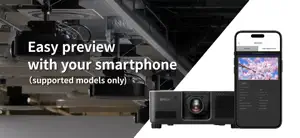
Epson Projector Config Tool is an app that allows you to change projector settings and check status using NFC wireless communications technology. By simply holding an NFC-compatible iPhone over the NFC mark on the projector, you can change the projectorʼs settings even when the projector is off. This allows you to make the network and projection settings for multiple projectors efficiently before installation. For the workflow and details on how to use the app, see “Epson Projector Kitting Site”. https://download2.ebz.epson.net/sec_pubs_visual/apps/config_tool/top.html [Main Features] 1) Read/write function via NFC tag You can read or write projector setting information simply by holding the iPhone® running this app over the NFC tag. NFC writing can be secured by setting password so that only the device administrator can change the settings. 2) Change settings in a batch using CSV files, even for large-scale kitting operations You can edit a CSV file downloaded from "Epson Projector Kitting Site" to create settings for up to 1,000 projectors per file. You can change the settings simply by holding your iPhone over the NFC tags on each projector. By preparing the CSV file in advance, you can significantly reduce the effort required for on-site setup. 3) Check the projector's status (Wireless Monitor feature) By selecting a projector registered in advance using an NFC tag, you can easily check its operating status even outdoors without a network connection or when the projector's control panel is difficult to see. You can also preview the projected image on your iPhone, even when no image is being projected. This feature is supported only on specific models. Check the website below for the supported projectors. https://download2.ebz.epson.net/sec_pubs_visual/apps/config_tool/supplement/JA/wireless_monitor_support.html [Projectors that support the app] Epson projectors that support the NFC function For details, see "Epson Projector Kitting Site". https://download2.ebz.epson.net/sec_pubs_visual/apps/config_tool/top.html [App permissions] The app requires the following permissions for specific features. 【Required】 Local Network - Connect to the projector by using the Wireless Monitor function. The screenshot is an example and may differ from actual specifications.
What’s new
Version 2.0.0 · Updated August 31, 2026
Improved the setting feature using CSV files. Added a Wireless Monitor feature. Added support for additional models.
App privacy
The developer, Seiko Epson Corporation, reported these privacy practices to Apple.
Data Not Linked to You
The following data, which may be collected but is not linked to your identity, may be used for the following purposes:
- Usage Data: Product Interaction, Other Usage Data
Used for: Analytics
Alternatives to Epson Projector Config Tool
Looking for apps like Epson Projector Config Tool? Here are 6 similar apps on the App Store. The highest rated is UniFi Design (5.0/5), and all 6 are free to download.
-
 Smart Projector Control
2.7
-
 ViewSonic Projector
2.4
-
 Vectorworks Nomad
2.3
-
 Extron Control
4.5
-
 Luminair
4.6
-
 UniFi Design
5.0
| App | Rating | Price | Last updated | Compare |
|---|---|---|---|---|
| Epson Projector Config Tool | 3.0 / 5 (2 ratings) | Free | August 31, 2026 | |
| Smart Projector Control | 2.7 / 5 (20) | Free | May 26, 2026 | Compare |
| ViewSonic Projector | 2.4 / 5 (14) | Free | Aug 13, 2024 | Compare |
| Vectorworks Nomad | 2.3 / 5 (24) | Free | Oct 12, 2026 | Compare |
| Extron Control | 4.5 / 5 (11) | Free | May 4, 2026 | Compare |
| Luminair | 4.6 / 5 (1,177) | Free | Oct 29, 2025 | Compare |
| UniFi Design | 5.0 / 5 (5) | Free | Sep 17, 2026 | Compare |