

MyPass - Password & Visual Key
HNC SOFT Utilities iPhoneiPadiPod touch
MyPass - Password & Visual Key is a paid Utilities app for iPhone and iPad by HNC SOFT. Requires iOS 17.0. Updated September 5, 2026.
- Price
- 1.99 USD
- on the App Store
- Size
- 20 MB
- Age 4+
- Updated
- Sep 5
- 2026 · v1.2.2
Screenshots
About MyPass - Password & Visual Key
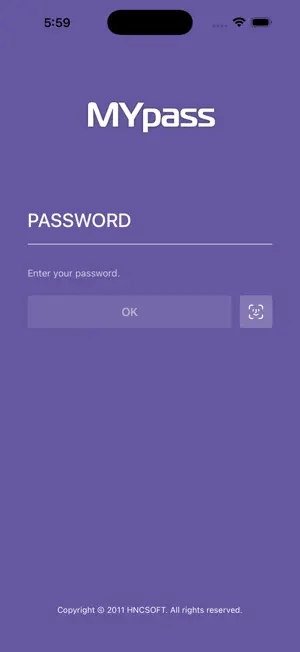
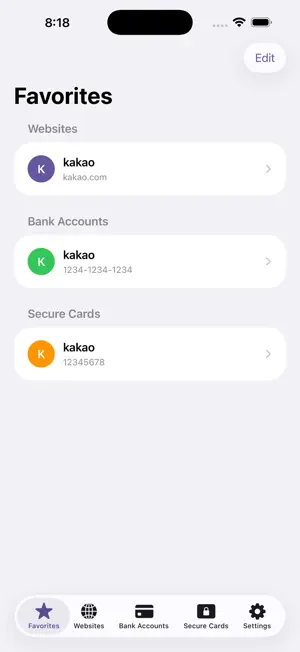
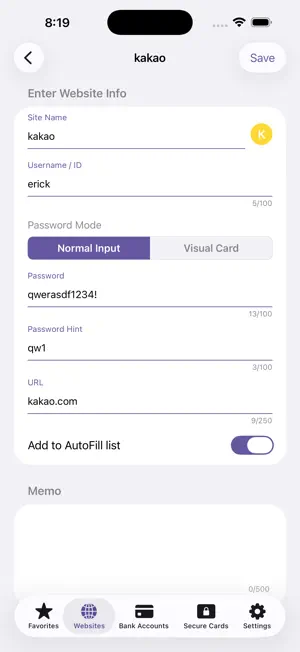
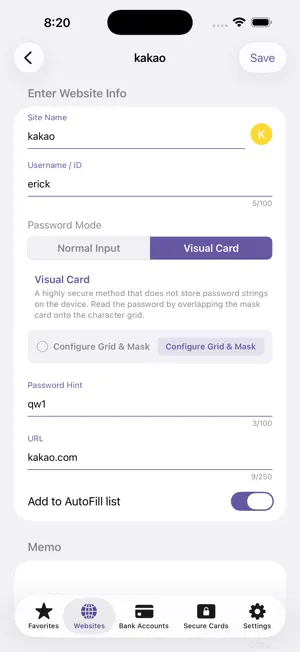
MyPass is a secure password manager that keeps your website account credentials safe on-device without any server communication. [Key Differentiator: Visual Cipher Card] Instead of saving passwords as plain text, MyPass uses a proprietary security method where your password is read by overlaying a perforated mask film onto a randomized character grid. How It Works: Generate a 10×15 randomized character grid → Design your own mask film with custom punch holes → Authenticate via Biometrics (Face ID/Touch ID) and overlay the mask to reveal your password. Security Strengths: Zero Text Storage: No password strings are saved on your device or servers, eliminating data breach risks. Secure Enclave Isolation: Mask card data is securely stored in iOS's highest security environment (Keychain / Secure Enclave). Physical 2-Factor Support: You can print out the mask card as a physical film and delete the digital copy from the app. [Key Features] Account Management & AutoFill: Save website credentials with full AutoFill support for Safari and third-party apps. Duress Mode (Emergency Password): If forced to unlock your vault under coercion, entering your emergency PIN displays randomized dummy data. Security Card Management: Manage bank security card serial numbers and code tables. 100% Offline & Private: Zero ads, zero network permissions. No external data transmission, fully encrypted locally using AES-256. [Data Backup & Restore Guide] Backup: Settings > Data Management > ‘Export Data (Backup)’ > Enter App PIN > Choose save location Restore: Settings > Data Management > ‘Import Data (Restore)’ > Enter current App PIN > Select backup file Note: Restoring will overwrite existing data. The backup file must be unlocked using the master password set at the time the backup was created.
What’s new
Version 1.2.2 · Updated September 5, 2026
[Visual Password Card & Mask Card Printing Major Enhancements] • Direct Grid Tap Matching (Manual Selection) - Even without a physical mask card or saved masks, you can now reveal your password by simply tapping the letter positions you remember directly on the grid. - Enjoy sequence order badges (1, 2, 3...) and subtle haptic feedback for a confident, error-free experience. • No-Punching Print Mode for Transparent OHP Film - No more cutting or punching holes! - With the new OHP Film Mode, mask hole positions are highlighted with sleek colored borders and 100% transparent centers. Just overlay the printed transparent film onto your screen to read your password effortlessly. - Easily switch between [OHP Film (No-Punching)] and [Standard Paper (Punching)] with real-time preview before printing. • Seamless Password Lookup & Reset Experience - Mask cards are no longer auto-selected on launch, giving you full control to either tap the grid directly or choose a mask card from the list. - A persistent [Reset Selection] button allows you to dismiss any active mask match or manual selection with a single tap.
App privacy
The developer, HNC SOFT, reported these privacy practices to Apple.
Data Not Collected
The developer does not collect any data from this app.
Alternatives to MyPass - Password & Visual Key
Looking for apps like MyPass - Password & Visual Key? Here are 6 similar apps on the App Store. The highest rated is Caline (5.0/5), and 4 of the 6 are free to download.
-
 Sheet1Calc
-
 HIKAE Cards
-
 OnClock - Widget
2.5
OnClock - Widget
2.5
-
 비밀번호, 카드, 계좌 등 개인정보 - 지킬 땐 하이드
-
 Calcula Keyboard
-
 Caline
5.0
Caline
5.0
| App | Rating | Price | Last updated | Compare |
|---|---|---|---|---|
| MyPass - Password & Visual Key | – | 1.99 USD | September 5, 2026 | |
| Sheet1Calc | – | Free | Sep 1, 2026 | Compare |
| HIKAE Cards | – | Free | Jun 9, 2026 | Compare |
| OnClock - Widget | 2.5 / 5 (2) | 0.99 USD | Mar 26, 2025 | Compare |
| 비밀번호, 카드, 계좌 등 개인정보 - 지킬 땐 하이드 | – | Free | Aug 11, 2025 | Compare |
| Calcula Keyboard | – | Free | May 11, 2026 | Compare |
| Caline | 5.0 / 5 (2) | 1.99 USD | May 4, 2025 | Compare |