

PATT
Pivotel Satellite Pty Limited Utilities iPhoneiPadiPod touch
PATT is a free Utilities app for iPhone and iPad by Pivotel Satellite Pty Limited. Requires iOS 16.0. Updated October 15, 2026.
- Price
- Free
- on the App Store
- Size
- 115 MB
- Age 17+
- Updated
- Oct 15
- 2026 · v3.5
Screenshots



About PATT
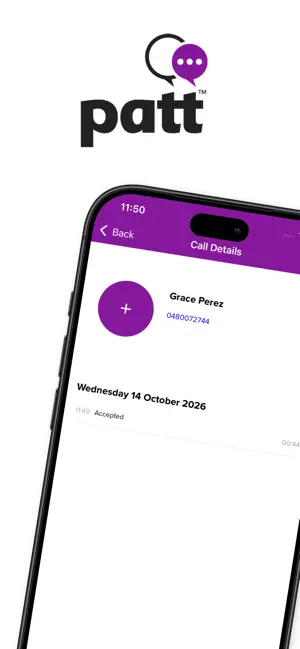
Designed by Pivotel, Australia’s leading provider of rural and remote communication solutions, the Pivotel App for Talk and Text (PATT) uses a data connection to allow you to make and receive voice calls and SMS with any standard national or international phone number. PATT works with virtually any data connection, including satellite services like Iridium Certus®, SkyMuster™ and nbn™ wireless, as well as other internet and Wi-Fi connections, allowing you to call and SMS, even when you are outside standard mobile phone coverage. PATT provides you with your own dedicated Australian ‘04’ mobile phone number, meaning your friends, family or co-workers can call and SMS you simply using your PATT mobile number. The Pivotel App for Talk and Text functions just like a mobile phone, so your friends, family and colleagues do not need to have the app installed. You can also call landline numbers, 1300 numbers and international phone numbers. FEATURES: Australian ’04’ mobile phone numbers: When you sign up with PATT, you get your own dedicated Australian ‘04’ mobile phone number meaning your friends, family and co-workers can call you from any ordinary mobile phone or landline service – they won’t even know you are using PATT. Voice optimisation: PATT is designed to work over the most challenging types of data connections including most mobile and fixed satellite data services. Call or SMS any standard mobile, national, or international phone number: Unlike other common VoIP platforms, the person you are calling or messaging doesn’t need to have PATT installed. Use your existing contact list: PATT accesses your existing contacts and displays them in a combined list for easy access, avoiding the need to re-enter all the names and phone numbers of your friends and family. Security: All calls and SMS are encrypted over the secure Pivotel network using Transport Layer Security (TLS) giving you peace of mind that your calls and SMS stay private. How to get started: Sign up for the PATT service and choose your service plan at www.pivotel.com.au/patt. Once you have your PATT login you’re ready to go! Note: Operator data charges may apply. Contact your provider for details
What’s new
Version 3.5 · Updated October 15, 2026
Improvements of app stability
App privacy
The developer, Pivotel Satellite Pty Limited, reported these privacy practices to Apple.
Data Linked to You
The following data, which may be collected and linked to your identity, may be used for the following purposes:
- Contact Info: Email Address, Name, Phone Number
- User Content: Emails or Text Messages
- Identifiers: Device ID
- Location: Precise Location
Used for: App Functionality, Other Purposes
Data Not Linked to You
The following data, which may be collected but is not linked to your identity, may be used for the following purposes:
- User Content: Audio Data
- Diagnostics: Crash Data, Performance Data
Used for: App Functionality
Alternatives to PATT
Looking for apps like PATT? Here are 6 similar apps on the App Store. The highest rated is amaysim (4.7/5), and all 6 are free to download.
-
 My Telstra
4.3
-
 felix mobile
4.4
-
 myGov
2.3
-
 amaysim
4.7
-
 My Optus
4.5
-
 Temp Mail: Temporary Email Pro
4.7
| App | Rating | Price | Last updated | Compare |
|---|---|---|---|---|
| PATT | – | Free | October 15, 2026 | |
| My Telstra | 4.3 / 5 (1,296) | Free | Oct 18, 2026 | Compare |
| felix mobile | 4.4 / 5 (42) | Free | Sep 16, 2026 | Compare |
| myGov | 2.3 / 5 (18) | Free | Oct 8, 2026 | Compare |
| amaysim | 4.7 / 5 (767) | Free | Oct 15, 2026 | Compare |
| My Optus | 4.5 / 5 (1,119) | Free | Sep 30, 2026 | Compare |
| Temp Mail: Temporary Email Pro | 4.7 / 5 (2,022) | Free | Sep 2, 2026 | Compare |
Compare PATT with the top alternatives: ratings, updates, ASO score and keyword gaps →