

ScanToDoc: PDF Scanner
Seungmyun Park Business iPhoneiPadiPod touch
ScanToDoc: PDF Scanner is a free Business app for iPhone and iPad by Seungmyun Park. Requires iOS 15.0. Updated September 7, 2026.
- Price
- Free
- on the App Store
- Size
- 12 MB
- Age 4+
- Updated
- Sep 7
- 2026 · v1.19
Screenshots


About ScanToDoc: PDF Scanner
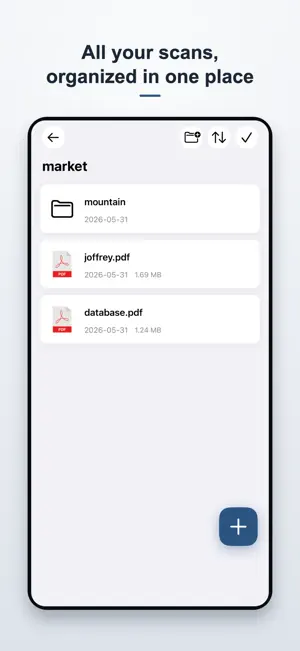
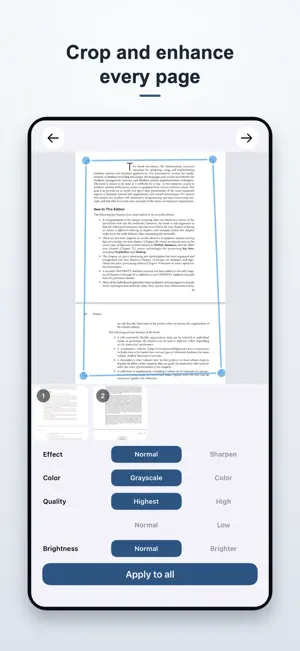
ScanToDoc is an app that turns your iPhone or iPad into a scanner and notes. Edit your own photos and turn them into PDF documents. You can give the effect of making the text look more clear, and you can cut out and store only the parts you like. Use the camera to take a picture and create a PDF document file. When scanning a book, it automatically recognizes and cuts the book part. You can write on the document. Created documents can be shared as images or Adobe PDF.
What’s new
Version 1.19 · Updated September 7, 2026
- Added localization support for multiple languages - Improved user interface
App privacy
The developer, Seungmyun Park, reported these privacy practices to Apple.
Data Not Linked to You
The following data, which may be collected but is not linked to your identity, may be used for the following purposes:
- Usage Data: Product Interaction, Other Usage Data
- Diagnostics: Crash Data, Performance Data, Other Diagnostic Data
- User Content: Photos or Videos
Used for: Analytics, Other Purposes
Alternatives to ScanToDoc: PDF Scanner
Looking for apps like ScanToDoc: PDF Scanner? Here are 6 similar apps on the App Store. The highest rated is Photo Scanner to Document (5.0/5), and all 6 are free to download.
-
 Photo Scanner to Document
5.0
Photo Scanner to Document
5.0
-
 PDF Scanner - Doc Scan & Sign
4.6
PDF Scanner - Doc Scan & Sign
4.6
-
 ImmoRendite: Immobilienrechner
-
 AI PDF Scanner: Doc to PDF
-
 To Do List & Planner · Handful
-
 ME Database
| App | Rating | Price | Last updated | Compare |
|---|---|---|---|---|
| ScanToDoc: PDF Scanner | – | Free | September 7, 2026 | |
| Photo Scanner to Document | 5.0 / 5 (29) | Free | Dec 16, 2025 | Compare |
| PDF Scanner - Doc Scan & Sign | 4.6 / 5 (259) | Free | Oct 28, 2026 | Compare |
| ImmoRendite: Immobilienrechner | – | Free | Sep 24, 2026 | Compare |
| AI PDF Scanner: Doc to PDF | – | Free | Aug 3, 2026 | Compare |
| To Do List & Planner · Handful | – | Free | Oct 4, 2026 | Compare |
| ME Database | – | Free | Nov 8, 2023 | Compare |