

ScreenZen- Screen Time Control
ScreenZen LLC Productivity iPhoneiPadiPod touchMac
ScreenZen- Screen Time Control is a free Productivity app for iPhone and iPad by ScreenZen LLC. Rated 4.9/5 from 52,792 ratings. Requires iOS 16.4.
- Rating
- 4.9
- 52.7K ratings
- Price
- Free
- on the App Store
- Size
- 159 MB
- Age 4+
- Updated
- Sep 6
- 2026 · v4.0.0
Screenshots
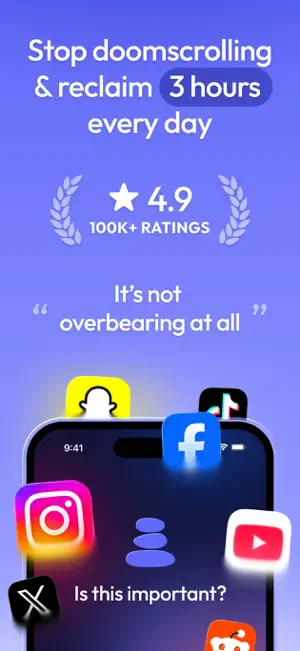


About ScreenZen- Screen Time Control
Multiple strategies to reduce your screentime 1. Delay before opening your app: A bit of time before choosing if you need to open your distracting app. You can have the wait time increase each time you open your app. 2. Interrupt your scrolling: Check your distracting apps for short periods of time so you don't get sucked in. 3. Set an app goal and optionally block when you reach your limit. 4. Configurable for different days of the week and time by app. 5. Messages like "Is this important" before opening your app. 6. See your screen time for only your distracting apps. Don't worry about Google Maps bloating up your time. 7. Strict block your apps: Either for time ranges, after a certain number of opens or ScreenTime. 8. Locks on Settings to prevent you from changing your settings when you want to open an app. 9. Breathing and other activities to encourage you not to need to open the app while waiting for it to unlock. 10. Streaks to encourage you not to exceed your limits or override your settings.
Ratings & reviews
4.9
52.7K ratings
What’s new
Version 4.0.0 · Updated September 6, 2026
• Practice: swap a bad habit for a good one. Breathe, journal or learn something, and earn your opens. • Minimal: use Instagram, YouTube, TikTok, Reddit and more without Reels, Shorts or endless feeds, with messages-only options. • Lock settings: choose a time your settings unlock, and add an accountability partner who can let you back in. • Daily goal: set a screen time budget for your whole day, then open any day to see where the time actually went. • Scroll zone: a new Halo mode where your apps only unlock in one spot, so scrolling is intentional. • Habit: pair a Halo with something to do instead of your phone. One prompt when you arrive, and a week tracker for the days you did it. • A new screen time widget for your Home Screen and Lock Screen. • Many fixes to blocking, unlock timers, streaks and Live Activities, plus general stability and performance improvements.
App privacy
The developer, ScreenZen LLC, reported these privacy practices to Apple.
Data Not Linked to You
The following data, which may be collected but is not linked to your identity, may be used for the following purposes:
- Usage Data: Product Interaction
- Diagnostics: Performance Data
Used for: Analytics
Alternatives to ScreenZen- Screen Time Control
Looking for apps like ScreenZen- Screen Time Control? Here are 6 similar apps on the App Store. The highest rated is Refocus: App Blocker & Lock (4.8/5), and all 6 are free to download.
-
 Refocus: App Blocker & Lock
4.8
Refocus: App Blocker & Lock
4.8
-
 one sec | screen time + focus
4.8
one sec | screen time + focus
4.8
-
 AppBlock: Block Apps, Websites
4.6
AppBlock: Block Apps, Websites
4.6
-
 Opal: Screen Time Control
4.7
Opal: Screen Time Control
4.7
-
 Freedom: Screen Time Control
4.4
Freedom: Screen Time Control
4.4
-
 SocialLite-Block Reels&Shorts
4.7
SocialLite-Block Reels&Shorts
4.7
| App | Rating | Price | Last updated | Compare |
|---|---|---|---|---|
| ScreenZen- Screen Time Control | 4.9 / 5 (52,792 ratings) | Free | September 6, 2026 | |
| Refocus: App Blocker & Lock | 4.8 / 5 (11,770) | Free | Oct 28, 2026 | Compare |
| one sec | screen time + focus | 4.8 / 5 (23,776) | Free | Oct 20, 2026 | Compare |
| AppBlock: Block Apps, Websites | 4.6 / 5 (6,917) | Free | Oct 29, 2026 | Compare |
| Opal: Screen Time Control | 4.7 / 5 (90,645) | Free | Oct 29, 2026 | Compare |
| Freedom: Screen Time Control | 4.4 / 5 (6,063) | Free | Oct 29, 2026 | Compare |
| SocialLite-Block Reels&Shorts | 4.7 / 5 (16,366) | Free | Oct 16, 2026 | Compare |