

QField for QGIS
OPENGIS.ch Productivity iPhoneiPadiPod touch
QField for QGIS is a free Productivity app for iPhone and iPad by OPENGIS.ch. Rated 4.1/5 from 37 ratings. Requires iOS 17.0. Updated October 24, 2026.
- Rating
- 4.1
- 37 ratings
- Price
- Free
- on the App Store
- Size
- 176 MB
- Age 4+
- Updated
- Oct 24
- 2026 · v4.3.7
Screenshots
About QField for QGIS
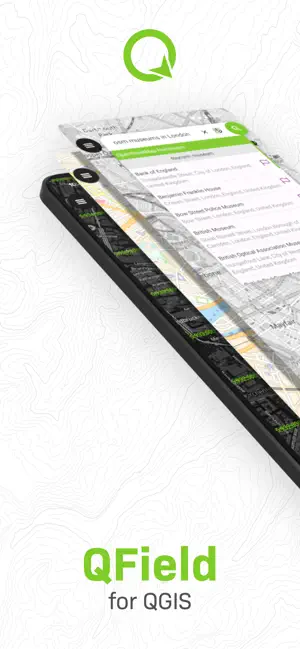
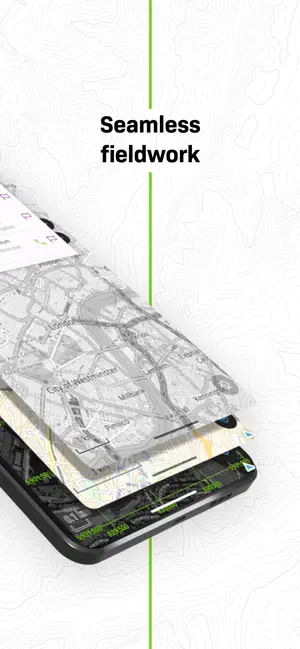
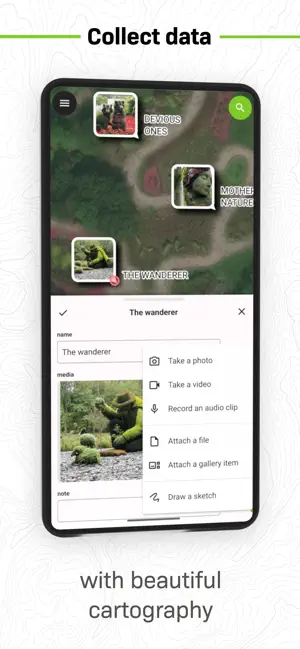
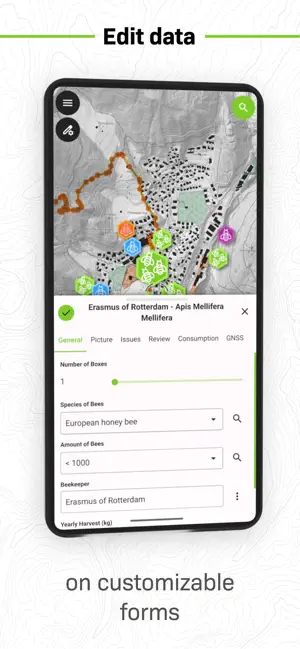
QField focuses on efficiently getting GIS fieldwork done and exchanging data between the field and the office in a comfortable and user-friendly way. QField has won the prestigious Best of Swiss Apps Award 2022 in the enterprise category and thanks to its native integration with QFieldCloud, your fieldwork will be as efficient as possible. Built on top of the popular QGIS open-source project, QField lets users consume fully configured projects in the field, allowing for customized feature forms, map themes, print layouts, and more, bringing the power of QGIS to your fingertips. Leveraging open source libraries such as gdal, SQLite and PostGIS, QField reads, displays and allows editing of a wide variety of spatial vector and raster datasets. Users can view and modify datasets wherever they are, whether they have been downloaded onto your device, shared in emails or transferred via USB cable. The supported formats include: - QGIS project files (.qgs, .qgz, as well as geopackage-embedded projects); - SQLite-based geopackage and spatialite databases; - GeoJSON, KML, GPX, and shapefile vector datasets; - GeoTIFF, GeoPDF, WEBP, and JPEG2000 raster datasets. Looking for missing capabilities? OPENGIS.ch is happy to help with the implementation of new features. Contact us at https://www.opengis.ch/contact/ Permissions --- QField can use location permission to draw a marker overlaying device location on top of spatial projects and datasets. QField can also display and use location details such as latitude, longitude, elevation, and accuracy while entering data. Notes --- For bug reports, please file an issue at https://qfield.org/issues
Ratings & reviews
4.1
37 ratings
What’s new
Version 4.3.7 · Updated October 24, 2026
- Speed up project loading with large project files - Insure the search bar is stacked above all other tool and action buttons - Fix digitizing geometry not properly reset when adding features with form suppression turned on - Fix QFieldCloud project attachment upload queue blocked when trying to upload to cloud projects that have been deleted from the server or cloud projects with which the authenticated user role changed to reader - Fix 3D geometry overlay heights after zooming the 3D map view not adjusted - Allow for 1-feature atlas layout prints through the side dashboard to automatically open the resulting PDF when single file mode is turned off
App privacy
The developer, OPENGIS.ch, reported these privacy practices to Apple.
Data Not Collected
The developer does not collect any data from this app.
Alternatives to QField for QGIS
Looking for apps like QField for QGIS? Here are 6 similar apps on the App Store. The highest rated is FO Maps: GeoPDF GPS Offline (4.6/5), and all 6 are free to download.
-
 SW Maps
3.8
SW Maps
3.8
-
 ArcGIS Earth
3.5
ArcGIS Earth
3.5
-
 FO Maps: GeoPDF GPS Offline
4.6
FO Maps: GeoPDF GPS Offline
4.6
-
 ArcGIS Field Maps
2.1
ArcGIS Field Maps
2.1
-
 Touch GIS
4.0
Touch GIS
4.0
-
 FieldMove Clino
4.0
FieldMove Clino
4.0
| App | Rating | Price | Last updated | Compare |
|---|---|---|---|---|
| QField for QGIS | 4.1 / 5 (37 ratings) | Free | October 24, 2026 | |
| SW Maps | 3.8 / 5 (25) | Free | Aug 5, 2026 | Compare |
| ArcGIS Earth | 3.5 / 5 (45) | Free | Sep 3, 2026 | Compare |
| FO Maps: GeoPDF GPS Offline | 4.6 / 5 (5) | Free | Oct 29, 2026 | Compare |
| ArcGIS Field Maps | 2.1 / 5 (57) | Free | Jul 20, 2026 | Compare |
| Touch GIS | 4.0 / 5 (32) | Free | Jun 21, 2026 | Compare |
| FieldMove Clino | 4.0 / 5 (22) | Free | Jun 13, 2025 | Compare |
Compare QField for QGIS with the top alternatives: ratings, updates, ASO score and keyword gaps →